
Tracking Power Lines at High Altitude with Mini 5 Pro
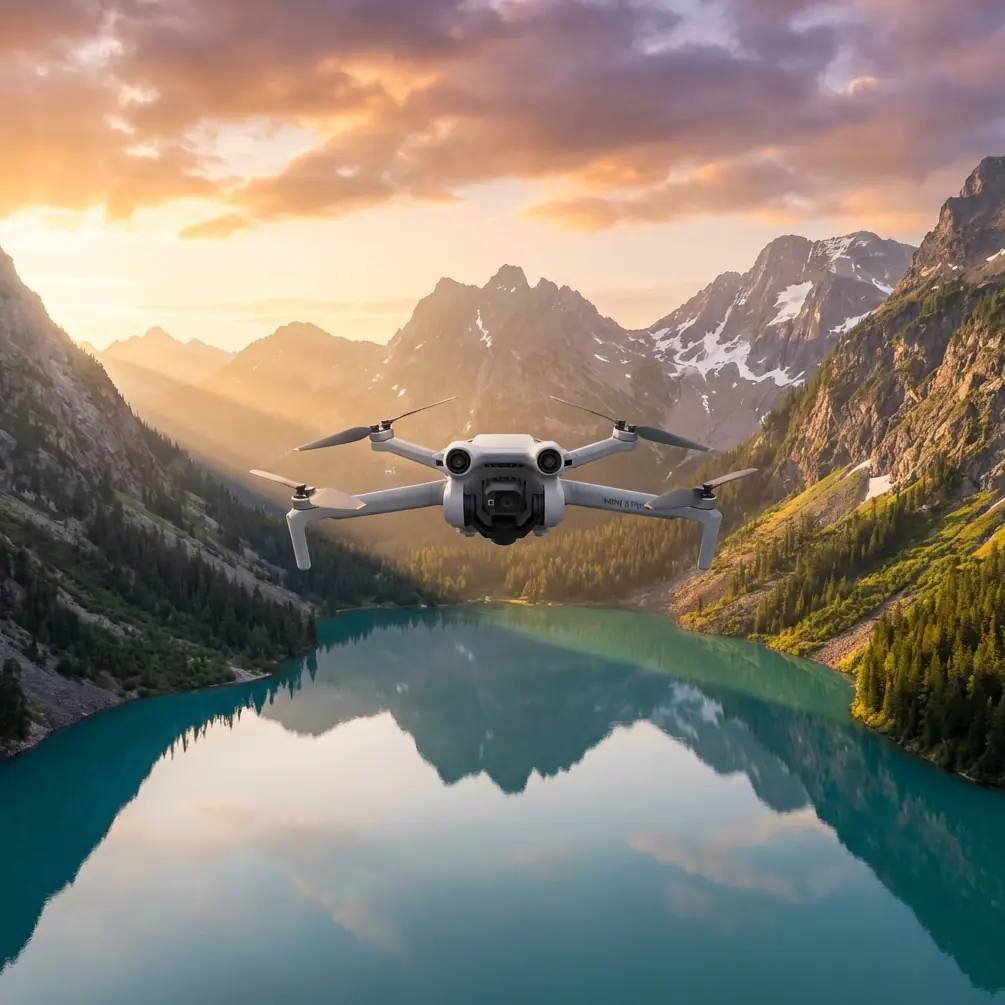
Tracking Power Lines at High Altitude with Mini 5 Pro: Practical Flight Tips That Actually Matter
META: A practical Mini 5 Pro how-to for tracking power lines at high altitude, with flight setup, obstacle avoidance strategy, ActiveTrack limits, D-Log capture tips, and useful accessories.
Tracking power lines with a Mini 5 Pro is not the same as filming a ridge line, following a cyclist, or grabbing a sunset Hyperlapse. The aircraft may be small, but this job is exacting. You are working around thin, hard-to-see structures, shifting wind, changing elevation, and backgrounds that can confuse both your eyes and the drone’s vision system.
I approach this as a photographer first and a cautious UAV operator second, which is probably the right order for this kind of work. Good footage is useless if the flight profile is sloppy. And when you are operating at altitude near utility corridors, the discipline of the mission matters more than any spec sheet headline.
This guide is built for one specific scenario: using the Mini 5 Pro to track power lines in high-altitude terrain while capturing usable, stable footage. Not cinematic filler. Useful footage.
Why Power Line Tracking Is a Different Kind of Flight
Power lines create a strange visual problem for small drones. They are narrow enough to disappear against bright cloud, dark enough to blend into trees, and often surrounded by poles, crossarms, guy wires, and uneven ground that compresses your depth perception. At higher elevations, that challenge grows because the aircraft has less margin for drift correction when winds pick up over ridges or saddles.
This is where the Mini 5 Pro’s obstacle avoidance and subject-tracking tools help, but only if you understand their limits. Obstacle avoidance is a support system, not a promise. ActiveTrack can help maintain framing on larger visual subjects, but a power line itself is not a reliable subject for automated tracking. That distinction is operationally significant. If you try to treat the line as a trackable object, you risk building your shot around software behavior it was never meant to guarantee.
The better method is to use intelligent features selectively. Let the automation reduce workload where it is strong, then take over manually where the environment demands judgment.
Start with a Mission Plan, Not a Shot List
Before takeoff, define the purpose of the pass. Are you trying to document line direction over terrain, inspect surrounding corridor conditions, or create a clean visual track that follows the wire route from pole to pole? Each goal changes how you fly.
For power line tracking at altitude, I break the flight into three possible shot types:
Parallel corridor pass
The drone flies offset from the line, holding a safe lateral distance while the camera keeps the route in frame.Pole transition shot
The aircraft moves from one structure to the next, showing how the corridor changes across elevation.Reveal shot over terrain
The line emerges within the larger geography, useful when the terrain itself explains operational difficulty.
The parallel pass is usually the most valuable. It gives the cleanest spatial understanding of the line and the surrounding landscape without forcing the drone into the most hazardous position.
The Safest Useful Position Is Usually Offset, Not Directly Above or Inline
A common mistake is trying to fly directly over the line or exactly in line with it. Both approaches create avoidable risk.
Flying directly above compresses the line visually until it nearly disappears. That makes it harder to verify your spacing on screen. Flying exactly inline with the wires can also turn the corridor into a visual tunnel. The drone may look well positioned from the monitor while actually drifting closer than intended.
A better technique is to hold a modest lateral offset and a slightly elevated angle. This does three things at once:
- It keeps the line visible against the background.
- It gives the obstacle avoidance system more useful visual context.
- It preserves escape options if wind or terrain turbulence pushes the aircraft.
I also prefer a downward camera angle that is shallow rather than steep. Too steep, and the line loses depth. Too flat, and the terrain behind it can make the wire nearly vanish. There is no universal angle, but the principle is consistent: keep the line readable in relation to the terrain.
What Obstacle Avoidance Can and Cannot Do Here
Obstacle avoidance is one of the most misunderstood features in this type of work. Operators hear the phrase and assume it applies equally to all hazards. It does not.
Power lines are among the hardest obstacles for a vision-based system because they are thin, low-contrast, and sometimes partially obscured by the background. Even when the Mini 5 Pro detects nearby hazards well, you should not assume it will reliably interpret every wire in every lighting condition. This is especially true when the sun is low, when haze flattens contrast, or when snow and rock create a busy scene.
Operationally, that means obstacle avoidance is best treated as a secondary layer. It can help with poles, trees, terrain edges, and larger structures around the corridor. That matters. Reducing collision risk with the environment around the line is still a major advantage. But your primary wire separation still comes from manual spacing, route selection, and conservative control inputs.
If I am teaching this flight, I tell pilots one thing: use obstacle avoidance to protect your margins, not to define them.
ActiveTrack Is Helpful, but Not for the Reason Most People Think
ActiveTrack gets mentioned a lot in drone workflows, but for power lines, the smart use is indirect. I would not rely on ActiveTrack to “follow” the wire itself. The line is too visually inconsistent, and the background often changes too dramatically.
Where ActiveTrack becomes useful is when there is a larger, well-defined visual reference in the corridor. That might be a maintenance road, a utility vehicle moving along the access path, or a clearly isolated transmission structure in a wider shot. In those situations, ActiveTrack can hold a stable relationship to the larger subject while you maintain awareness of the wire route in frame.
That matters because it reduces stick workload. Less workload means more attention available for spacing, wind response, and foreground hazards. In practical terms, the best tracking result often comes from using automation on the element the system can clearly understand, while you remain responsible for the line.
High Altitude Changes the Flight More Than the Camera
People often think the challenge at altitude is image quality. Most of the time, it is flight behavior.
At higher elevations, wind can be less predictable around cuts, ridges, and saddles. You may feel stable at your launch point and then hit a completely different airflow once the drone clears a terrain edge. Small aircraft feel that change immediately. A Mini-class drone can still produce excellent corridor footage, but the pilot has to expect variation and leave room for it.
This is another reason not to crowd the infrastructure. The operational significance is simple: even a brief gust-induced lateral movement can be enough to ruin your safe buffer if you launched with overly tight spacing.
I slow everything down in these conditions. Not dramatically. Just enough that control corrections remain small and deliberate. Smooth passes are not only safer; they also produce footage that is far easier to use.
My Preferred Camera Setup for Utility Corridor Work
For power line tracking, I care less about flashy motion and more about tonal control. D-Log is especially useful here because utility corridors often combine bright sky, reflective hardware, dark tree cover, and shadowed terrain in the same shot. A flatter profile gives you more room to hold detail across that contrast range.
That is not just a post-production preference. It affects the success of the mission. If the line, insulators, or support hardware get lost in clipped highlights or crushed shadows, the footage becomes less informative. D-Log gives you more flexibility to recover the visual relationship between the infrastructure and the landscape.
I also keep movement simple. QuickShots are clever, but this is not where I reach for them first. For documentation or route-following visuals, a manually controlled parallel pass is usually more useful than a preprogrammed flourish. Hyperlapse can be effective if the goal is to show weather movement or changing light across a corridor, but it is a separate shot plan, not something I mix into a close tracking pass.
The Third-Party Accessory That Actually Helped
The accessory that improved this workflow most for me was a high-brightness third-party tablet monitor hood paired with a secure controller mount. That sounds unimpressive until you try to keep thin wires visible on a bright day at elevation.
Screen visibility is a safety tool. If glare washes out your display, you lose fine visual cues first, and power lines are nothing but fine visual cues. The monitor hood made it easier to read spacing, confirm horizon level, and assess whether the line was separating clearly from the background. The controller mount mattered just as much because it reduced hand fatigue during longer, slower passes.
I have also seen pilots benefit from a third-party landing pad in rocky alpine areas. That is a good support item. But for the specific task of tracking wires, better screen readability had a more direct impact on flight quality.
A Field Workflow That Keeps the Flight Controlled
Here is the workflow I actually use when the goal is a clean, safe corridor tracking shot:
First, I walk the line visually from the ground and identify poles, terrain breaks, and any crossing elements that could complicate the route. Then I choose a launch point that gives me immediate clearance and a stable visual reference.
After takeoff, I climb to a buffer altitude well away from the line before moving laterally into position. I do not approach the corridor low and close. Once I have the offset I want, I stop, check hover stability, and confirm what the line looks like on screen. If it is disappearing into the background, I adjust angle or offset before starting the pass.
During the pass, I keep inputs light and prioritize lateral consistency over speed. If wind starts moving the aircraft more than expected, I widen the buffer rather than trying to force a prettier frame. The shot can always be tightened in a later pass. Margin lost in the air is much harder to recover.
When I need more dynamic framing, I use gentle yaw and gimbal adjustment rather than aggressive path changes. That keeps the movement readable and reduces the chance of drifting toward infrastructure.
If you want another operator’s view on adapting Mini-series workflows to tougher field jobs, you can also message our UAV team here and compare notes on setup choices.
Common Mistakes I See with Mini 5 Pro Power Line Flights
The biggest one is trusting the visual system too much around wires. The second is flying too close because the live view makes the line look farther away than it is. The third is trying to combine too many goals into one battery.
A single battery should have a single mission priority. Corridor pass. Pole transition. Terrain reveal. Pick one. When pilots try to document everything at once, their spacing gets worse and their footage gets weaker.
Another frequent issue is using subject tracking in the wrong place. ActiveTrack is useful, but if it is assigned to a background vehicle or structure, you must still watch how that automated movement affects your relationship to the line. Automation narrows workload. It does not eliminate responsibility.
When QuickShots and Hyperlapse Do Make Sense
There is a place for both.
QuickShots are best used away from the line itself, usually after you have captured the operational footage. A reveal around a nearby hillside or a pullback from a safe stand-off position can add context to the corridor without increasing close-proximity risk.
Hyperlapse becomes more interesting when your story is environmental rather than structural. If the assignment is showing how cloud, fog, or afternoon light moves through a high-altitude utility route, Hyperlapse can convey that far better than a standard pass. But again, this works from a safe offset and with a mission plan built for time-lapse, not as an improvisation near wires.
The Real Strength of the Mini 5 Pro in This Scenario
For this kind of work, the Mini 5 Pro’s value is not that it turns infrastructure flying into an automated exercise. It does not. Its value is that it lets a careful operator gather stable, high-quality visual information with less physical burden than a larger platform.
That matters in high terrain. Smaller kit is easier to hike, faster to deploy, and often more realistic for photographers and field teams who need mobility. Add obstacle avoidance as a support layer, D-Log for difficult contrast, and selective use of ActiveTrack where it actually fits, and you have a capable tool for power line tracking from a safe stand-off position.
That is the key phrase: safe stand-off position.
If you build the flight around that idea, the footage gets better. So does the decision-making. And with utility corridors in mountain environments, those two outcomes are closely tied.
Ready for your own Mini 5 Pro? Contact our team for expert consultation.