
Mini 5 Pro for Coastal Mapping: What a 1
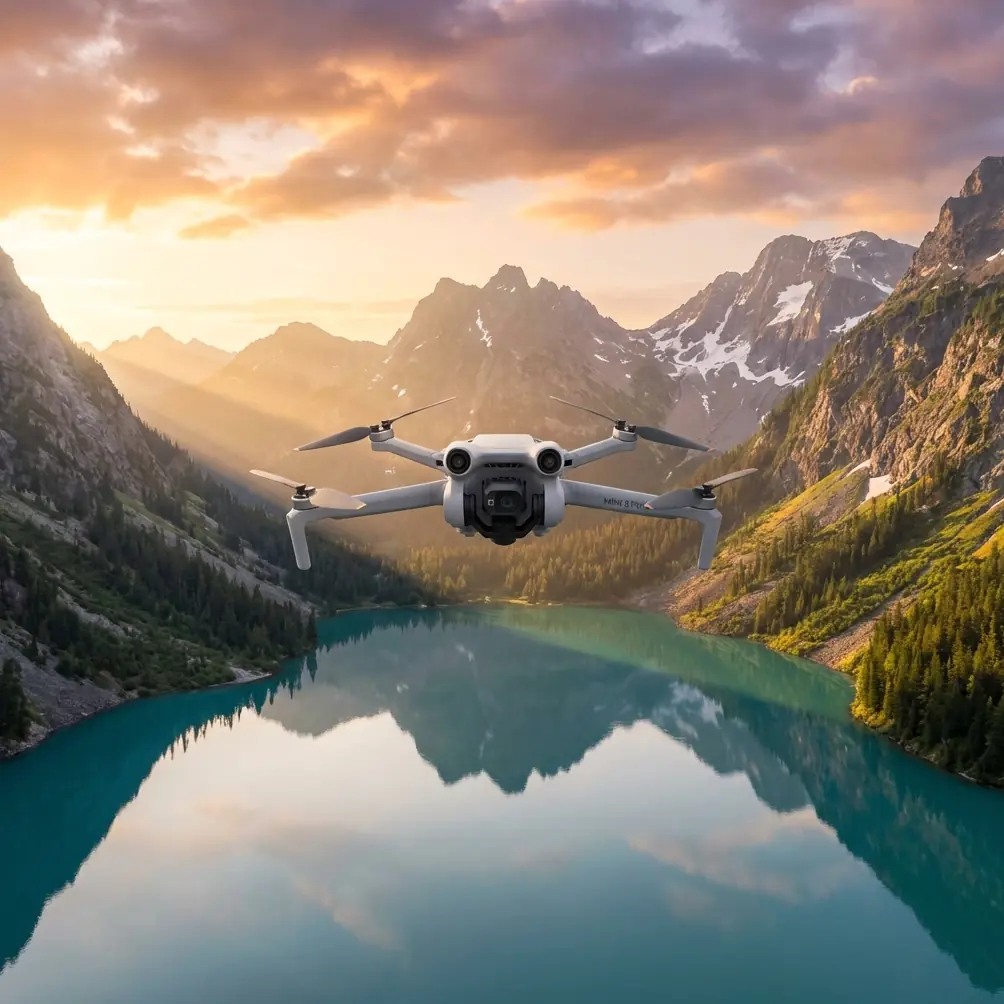
Mini 5 Pro for Coastal Mapping: What a 1:500 Rural Cadastre Project Taught Me About Precision on the Edge
META: A field-based case study on using Mini 5 Pro thinking for coastline tracking, grounded in real 1:500 aerial surveying standards, RTK control, coordinate accuracy, and practical coastal workflow decisions.
I’ve spent enough time around shorelines to know that “beautiful light” and “good data” are not the same thing.
As a photographer, I used to approach the coast as a visual subject first. Texture, tide lines, wet sand, rock contrast, low-angle sun. Then I started working alongside survey and mapping teams, and the coastline stopped being just scenery. It became a moving boundary condition. Water shifts. Sandbars migrate. Vegetation edges creep. Human use leaves traces everywhere. If you’re trying to document a coastal strip in a way that can support planning, land management, or a digital base map, you need more than nice footage. You need repeatable geometry.
That’s where the Mini 5 Pro conversation gets interesting.
Not because a compact UAV magically replaces a full surveying workflow. It doesn’t. But because the right small-platform workflow can make shoreline tracking faster, safer, and more realistic for teams that need frequent updates. And one of the best ways to think clearly about that is to look at a very specific reference case: a technical design for a 1:500 rural cadastral UAV aerial mapping project covering about 5 square kilometers, with 80% produced through aerial mapping and 20% completed through field revision.
That split matters more than it looks.
The lesson from a cadastral job: aerial work does most of the heavy lifting, but not all of it
The source project was not a generic drone brief. It was built around a defined deliverable: a 1:500 digital topographic map (DLG) for rural cadastre. That is a tight, practical scale. At 1:500, little mistakes stop being little. A misplaced boundary feature, a wrongly interpreted edge, or a control issue that seems harmless in a casual flight can become a real problem once data is used for management, planning, or recordkeeping.
The workflow in the document is revealing: 80% via aerial survey mapping, 20% via field补测, or field completion and correction.
For coastline tracking, that ratio is a healthy reality check. A Mini 5 Pro-style platform is strongest when it handles the repetitive, broad-area visual capture efficiently. It can cover long shoreline segments, embankments, access roads, dune margins, drainage outfalls, and exposed intertidal forms quickly. But coastal environments are full of ambiguous edges. Waterline location depends on tide timing. Sea walls hide toe conditions. Vegetation can mask erosion scars. Small structures blend into bright surf reflections.
So if you are using a compact drone to monitor a coastline, the smart target is not “100% from the air.” It’s the same logic reflected in that cadastral design: let the aircraft do the majority of collection, then reserve a defined portion for ground confirmation. That is how you protect accuracy without turning every mission into a slow, expensive field exercise.
Why 1:500 thinking is useful even if your coastal project is less formal
A lot of drone users underestimate how demanding 1:500 really is. This scale forces discipline. In the reference design, the project was governed by established Chinese mapping standards for aerial photography, digital topographic mapping, data dictionaries, and quality inspection. The point is not the paperwork for its own sake. The point is that tight-scale products need a chain of consistency from control to capture to editing.
For a coastline project, even if your final output is a progress map, erosion comparison set, asset inventory, or planning base layer rather than a cadastral deliverable, adopting 1:500 habits improves results dramatically:
- consistent flight geometry
- documented coordinate reference
- repeatable shoreline timing conditions
- clear distinction between mapped and inferred features
- ground checks where image interpretation is weak
This is exactly where the Mini 5 Pro would earn its place. A small drone used casually gives you content. A small drone used with surveying discipline gives you defensible information.
The control network is the real backbone, not the drone body
One detail in the project deserves special attention: the control framework relied on GDCORSS station data, using the Xi’an 1980 coordinate system for planimetric coordinates and the 1985 Yellow Sea elevation datum for heights.
That sounds dry until you work on the coast.
Coastline tracking breaks down fast when teams mix coordinate assumptions. One dataset is local engineering coordinates. Another is a web map export. Another is a drone-derived model with weak georeferencing. Then someone compares shoreline retreat across months and thinks the coast moved more than it actually did.
The reference project avoided that trap by anchoring work to a defined coordinate and height system through a CORS network. Operationally, this matters for at least two reasons.
First, it improves repeatability across survey dates. If you revisit the same coastline after storms or seasonal shifts, you need confidence that changes in the map reflect changes on the ground, not a drifting positional framework.
Second, it supports integration with other planning datasets. Coastal management rarely stands alone. You may need to align UAV data with cadastral layers, road centerlines, utility corridors, flood planning data, or environmental boundaries. A compact drone becomes much more valuable when its output fits the larger geospatial stack cleanly.
If I were planning a Mini 5 Pro shoreline program, I’d treat control strategy as the first design decision, not an afterthought.
The ±25 mm/km trigger is a serious clue about when “close enough” stops being enough
Another reference detail that stands out is the requirement tied to the Urban Survey Specification: if the total deformation in the plane coordinate system exceeds ±25 mm/km, the coordinate system should be recalculated or another legally approved independent coordinate system should be used, with transformation parameters provided back to the national system.
That threshold tells you something essential about professional mapping culture. Small distortions accumulate. Over a short scenic flight, nobody notices. Across an elongated coastal corridor, they can become operationally ugly.
Coastline work often follows long, narrow extents rather than compact blocks. That geometry is exactly where coordinate deformation can quietly undermine fit, especially if multiple sections are flown on different days and stitched into one product. In practical terms, this means a Mini 5 Pro workflow for coastal tracking should not just ask, “Is the imagery sharp?” It should ask:
- What projection is being used?
- What is the length of the corridor?
- Will sections be merged into a single map product?
- Is there a need to compare this month’s shoreline to earlier survey epochs?
- Does the coordinate framework remain stable enough over the project length?
Most pilots focus on obstacle avoidance or tracking modes first. Useful features, yes. But for shoreline documentation that needs mapping value, coordinate integrity outranks cinematic convenience every time.
A compact aircraft changes access, especially where the coast is awkward
This is where I’ll bring the Mini 5 Pro perspective back in.
One of my recurring problems on coastal assignments has been access. Not dramatic danger—just messy reality. Narrow paths above riprap. Muddy shoulder zones near drainage channels. Tourist traffic on promenades. Salt spray. Short weather windows. Bird activity. Patches where you can launch but not comfortably reposition a larger system.
A smaller platform changes the rhythm of the job. You spend less time negotiating the flight footprint and more time thinking about line planning and image overlap. For a coastline, that matters because the environment itself keeps moving. Light changes quickly over reflective water. Tides alter exposed geometry. Wind rarely sits still.
This is where features like obstacle avoidance and ActiveTrack-style subject tracking can help—but not in the way consumer marketing usually frames them.
For shoreline work, obstacle sensing is less about dramatic autonomous flying and more about reducing risk when you are operating near poles, sea walls, signage, elevated walkways, sparse trees, or built assets near the coast. It gives the pilot more margin while maintaining a careful route. And tracking tools can be useful when documenting moving reference subjects such as inspection vehicles, small work boats in permitted civilian contexts, or repeated linear passes along a defined edge. Not to automate judgment, but to reduce pilot workload during data capture.
That distinction matters. The best coastal data flights are boring in the best sense: consistent altitude, clean overlap, steady line spacing, minimal surprises.
A three-dimensional model is not decoration when the coastline is the story
The source document also mentions use of an intelligent 3D mapping system, SV360, to collect a detailed 3D model covering the topographic mapping range.
That is especially relevant to coastal environments because 2D shoreline lines often flatten the most informative part of the site. A plan view can tell you where the edge appears to be. A 3D model can tell you why.
On a coast, elevation form explains process:
- erosion scarps behind the beach
- revetment face condition
- drainage cuts through dunes
- embankment geometry
- exposed rock shelves
- transitions between built and natural edges
With a compact platform like Mini 5 Pro, the ability to capture imagery that supports dense reconstruction is a practical advantage. It lets a small team create more than a pretty orthomosaic. You get context that planners, land managers, and engineers can actually interrogate.
This is also where D-Log and strong image quality features become more useful than many mapping professionals assume. No, color profile alone does not improve geometry. But in bright coastal scenes with glare, white surf, dark rocks, and harsh midday contrast, better tonal retention can make feature interpretation easier in the post-review stage. If you’re trying to distinguish a wet sediment edge from a hard boundary, or locate minor surface changes on a revetment, cleaner source imagery can reduce editing ambiguity.
The photographer’s mistake I had to unlearn
My own early mistake was trusting visual confidence too much.
I’d look at a set of coastal images and think, this is clear, this is enough. But once you compare passes over time, “clear” isn’t the standard. Alignment is. Datum consistency is. Ground truth is. That cadastral project design gets this right by combining RTK-based control methods with strict mapping standards and a structured balance between air and field work.
One line from the reference is especially practical: image control points needed a planimetric accuracy with point error relative to nearby basic control not exceeding ±20 mm. That is a demanding target. And its significance is simple: if your control is loose, your confidence in every shoreline position derived from the model should also be loose.
For most Mini 5 Pro users working in civilian coastal monitoring, the takeaway is not that every job must chase cadastral-grade tolerances. It’s that the workflow should scale with the decision value of the output. If the map will support planning, land administration, infrastructure inspection, or recurring environmental review, then control quality is not optional scenery around the drone flight. It is the job.
What I’d borrow from this project for a Mini 5 Pro coastal workflow
If I were designing a repeatable coastline tracking method inspired by this reference, I’d keep these principles:
Define the map purpose before flying. A shoreline change log, a 3D erosion record, and a planning base map are not the same deliverable.
Use a stable coordinate and elevation framework. The reference project’s use of GDCORSS with Xi’an 1980 and 1985 Yellow Sea elevation systems shows how serious teams preserve comparability.
Watch long-corridor distortion. The ±25 mm/km coordinate deformation threshold is a reminder that narrow, extended coastal projects need projection awareness.
Expect a mixed workflow. The 80% aerial / 20% field correction model is realistic for coasts, where some edges remain ambiguous from imagery alone.
Capture for interpretation, not just appearance. A quality 3D model and controlled image set beat flashy clips every time.
Use compact-drone features selectively. Obstacle avoidance, ActiveTrack, Hyperlapse, and QuickShots can support documentation or communication, but they should never dictate the mapping method.
That last point is worth underlining. QuickShots and Hyperlapse are useful for stakeholder communication—showing shoreline change, site access, or project extent in a form non-technical audiences can grasp quickly. But they are supporting outputs, not survey evidence. The mapping-grade workflow still depends on planned acquisition, control, and validation.
Why the Mini 5 Pro fits the coastline conversation now
A compact UAV becomes compelling on the coast when teams need frequent, low-friction updates without mobilizing a full-scale survey response every time. It can shorten the interval between observations. It can make repeat passes easier. It can reduce setup friction in awkward access zones. And when used inside a disciplined control framework, it can produce data that is genuinely useful rather than merely watchable.
That, to me, is the real lesson from this 1:500 rural cadastral reference. The drone is only one part of the chain. But if you respect the chain—coordinate system, RTK control, deformation limits, 3D capture, and field verification—a smaller aircraft like the Mini 5 Pro can play a serious role in coastline tracking.
If you’re building a coastal workflow and want to compare mission design ideas or control strategies, you can message the mapping team here.
The shoreline doesn’t wait for perfect conditions. The best systems are the ones that let you return often, align confidently, and see what actually changed.
Ready for your own Mini 5 Pro? Contact our team for expert consultation.