
Mini 5 Pro Surveying Tips for Remote Fields
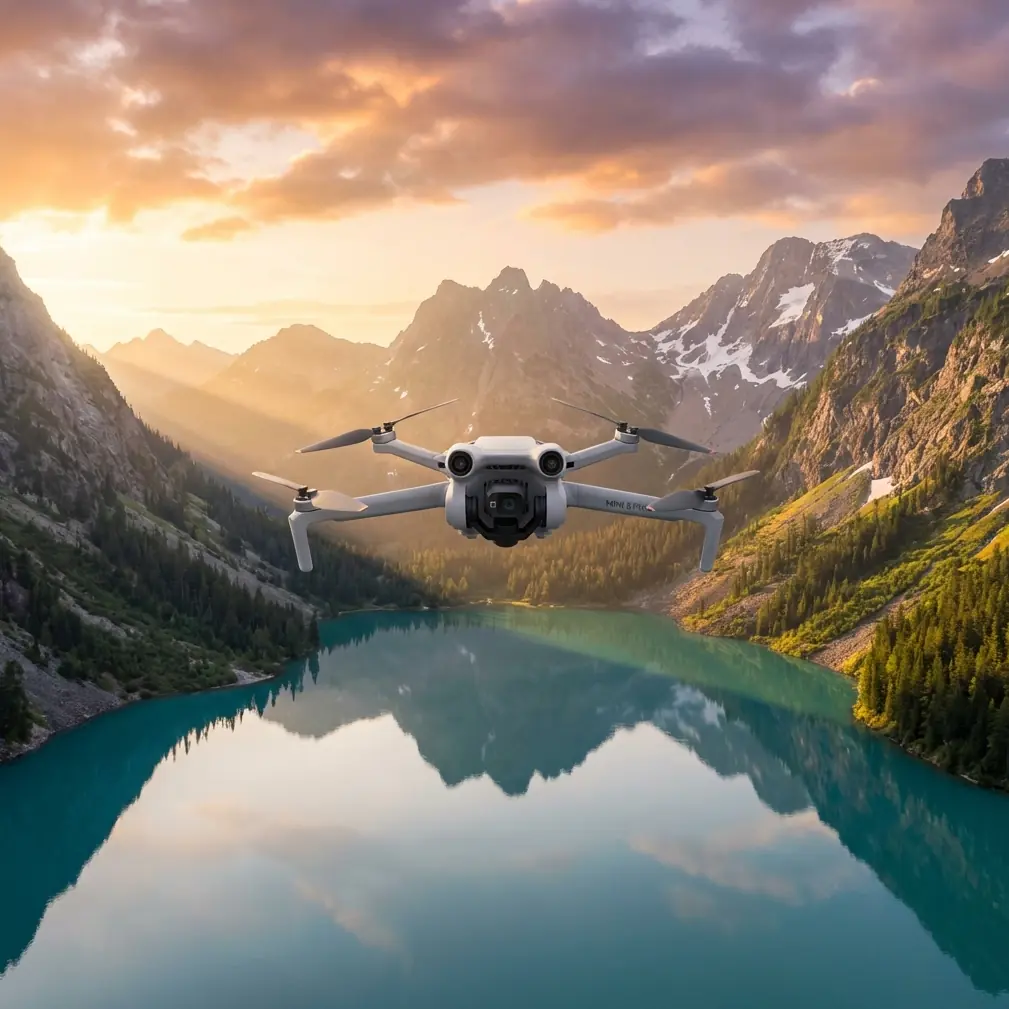
Mini 5 Pro Surveying Tips for Remote Fields: A Practical Workflow That Prioritizes Coverage, Safety, and Clean Data
META: Learn how to use the Mini 5 Pro for remote field surveying with practical tips on obstacle avoidance, ActiveTrack, D-Log capture, flight planning, and efficient data collection.
Remote field surveying sounds simple until the first real constraint shows up. Wind across open ground. Patchy signal near tree lines. Uneven terrain that looks flat from the road but rises and dips enough to distort your footage, your measurements, or both. That is where a small drone either becomes a serious tool or a frustrating compromise.
The Mini 5 Pro sits in an interesting position for this kind of work. It is compact enough to carry into isolated farmland, orchards, pasture, or test plots without turning the trip into a gear haul. At the same time, the feature set people usually associate with content creation, things like obstacle avoidance, ActiveTrack, QuickShots, Hyperlapse, and D-Log, can be repurposed into a very effective remote-field workflow when you understand what each one actually does on-site.
This is not about cinematic flying. It is about getting repeatable visual coverage, minimizing avoidable mistakes, and returning from a remote location with footage that is actually useful for reviewing crop condition, drainage patterns, access routes, boundary changes, and field surface issues.
Why the Mini 5 Pro Makes Sense in Remote Surveying
Field work punishes bulky setups. You may be walking along irrigation lines, crossing muddy access roads, or moving between plots where launch points are limited. A lightweight folding drone has one major advantage over larger aircraft: you are more likely to take it with you, fly it often, and use it for short, frequent checks instead of waiting for a perfect “big survey day.”
That matters because land conditions change quickly. A drainage problem after rain, wind damage along one edge of a field, or a vehicle rut affecting planting rows may only be obvious for a narrow window.
The Mini 5 Pro also stands out against many competing compact drones because its pilot-assist features reduce workload in locations that are visually deceptive. Open fields feel safe, but remote farmland often includes power lines, isolated trees, fence posts, irrigation rigs, barns, hedgerows, and abrupt elevation shifts. Obstacle avoidance is not just a convenience here. It helps protect continuity. A stopped or rerouted flight is annoying; a damaged drone two kilometers from the nearest easy access point is a lost day.
Start with the Right Objective, Not the Right Mode
A lot of operators begin by choosing a flight mode first. That is backward.
Before takeoff, decide what kind of answer you need from the field visit. Usually it falls into one of four categories:
Coverage overview
You want a broad read of crop uniformity, standing water, access condition, or perimeter changes.Linear inspection
You need to follow a ditch, fence, path, irrigation line, drainage route, or service road.Change detection
You are revisiting the same site and need footage that can be compared to an earlier flight.Stakeholder communication
You need material that a farm manager, agronomist, landowner, or contractor can review easily without interpreting raw survey outputs.
Each objective changes how you should use the Mini 5 Pro.
Workflow 1: Broad Field Overview
For a general survey of a remote field, resist the urge to climb immediately to the maximum comfortable altitude and capture one giant reveal. That gives context, but not much diagnostic value.
A better pattern is a staged climb:
- Start low to verify wind behavior and GPS stability.
- Fly a short perimeter at modest height.
- Then step upward in two or three altitude bands for wider context.
This approach gives you layered visual evidence. Low-altitude footage reveals row consistency, washout marks, tire tracking, and vegetation gaps. Mid-altitude footage helps you identify patterns across sections. Higher passes give the field’s relationship to roads, water channels, neighboring plots, and shade lines.
This is where D-Log becomes useful even outside media production. Flat-profile capture preserves more flexibility when you review footage later under different display conditions or share it with a consultant who needs clearer separation between soil, stressed vegetation, and reflective wet surfaces. You are not shooting a commercial. You are creating footage that may need color adjustment so subtle field differences remain visible.
Operationally, that means D-Log can reduce the chance that important detail gets crushed by harsh midday contrast, especially in remote fields where you do not always get to choose perfect light.
Workflow 2: Follow Irrigation, Drainage, and Access Routes with ActiveTrack
ActiveTrack is usually discussed as a tool for following people, vehicles, or moving subjects. In field surveying, the smarter use is often indirect.
If you are inspecting a farm utility vehicle moving along a service track, a tractor tracing a row edge, or a worker checking irrigation segments, subject tracking can produce consistent path coverage without requiring constant manual framing corrections. That is valuable because route inspection is less about artistic movement and more about maintaining stable visual continuity over distance.
The Mini 5 Pro’s tracking-related tools can outperform more basic compact drones in this role because they reduce pilot input during repetitive path-following work. On long edges of a field, small steering corrections add up. When the aircraft helps maintain framing, you can spend more attention on altitude, wind drift, and surrounding hazards.
The significance is practical: fewer erratic corrections usually means cleaner footage for later review and a lower chance of missing a washout, blockage, standing water pocket, or damaged access section.
That said, do not hand over full trust. In remote fields, moving shadows, tall weeds, dust, and intermittent visual obstruction can confuse any tracking system. Use ActiveTrack as a workload reducer, not as an excuse to stop supervising the aircraft.
Obstacle Avoidance Matters More in Fields Than Many Pilots Expect
There is a common assumption that farmland equals empty sky. Anyone who has done more than a handful of field flights knows that is wrong.
The real threats are often sparse and hard to judge:
- single power spans crossing open land
- lone tree canopies with irregular branches
- fence wires near takeoff zones
- pivot irrigation structures
- poles and weather stations
- abrupt embankments along canals
A compact drone with meaningful obstacle avoidance has a measurable edge over simpler models in these situations. Not because it makes risky flying acceptable, but because it catches some of the errors that happen during repetitive surveying work: backing up while reframing, sliding laterally during a return pass, or descending while focused on a tablet screen instead of the actual airspace.
For remote operations, that protection has extra value. You may be launching far from roads, in uneven terrain, with no easy retrieval route. Avoiding a minor collision is not just about repair cost. It preserves the mission and the day’s data.
Use QuickShots and Hyperlapse Selectively, Not as Gimmicks
QuickShots and Hyperlapse are easy to dismiss as “creator features,” but they have legitimate field use when applied with discipline.
QuickShots for repeatable context clips
A short automated orbit or pull-away can document site context in a consistent format across multiple visits. If you survey the same field every two weeks, a controlled automated sequence taken from the same launch zone can make comparison easier for non-pilots. Managers often notice changes faster when the viewing angle stays familiar.
Hyperlapse for movement and timing patterns
Hyperlapse becomes surprisingly useful when the question is temporal rather than spatial. You may want to document:
- water movement after release into a channel
- cloud shadow progression across a test area
- equipment activity over a loading zone
- changing visibility over a morning inspection window
In remote agricultural settings, this can help explain why one area appears stressed or why surface conditions change over a short period.
The key is restraint. Do not fill an inspection folder with stylized sequences. Use these tools when they clarify a field condition that standard footage cannot show as efficiently.
A Practical Flight Pattern for Remote Fields
If I were building a dependable Mini 5 Pro routine for a remote field operator, I would keep it simple and repeatable.
1. Ground scan before launch
Walk the takeoff area. Look for dust, loose debris, overhead lines, and animal movement. In open country, livestock and birds are not background details.
2. Establish a reference clip
Record 20 to 30 seconds facing the main field section from a fixed low hover. This becomes your baseline visual reference for later comparison.
3. Run a low perimeter pass
Stay low enough to catch edge condition but high enough to clear fences and shrubs safely. This reveals access issues, washouts, and intrusion along boundaries.
4. Climb to a mid-altitude grid-style sweep
Do not obsess over perfect mapping geometry if your goal is visual field assessment rather than formal photogrammetry. What matters is overlap in your own observation, not just overlap in images.
5. Capture two fixed-angle top-oblique clips
These are often more useful than a strict top-down shot for showing drainage and surface contour.
6. Inspect problem corridors
Use slower targeted passes along irrigation lines, low spots, vehicle tracks, or visibly uneven growth zones.
7. Finish with one high-context clip
This ties the field to surrounding terrain and infrastructure for reporting.
That sequence takes advantage of what the Mini 5 Pro does well: fast deployment, intelligent safety support, tracking assistance, and flexible capture modes without the burden of a larger survey aircraft.
Competitor Comparison: Where the Mini 5 Pro Has the Edge
Many compact drones can capture decent video over farmland. Fewer are genuinely comfortable in a mixed-use field role where one flight may involve overview capture, route inspection, obstacle-managed low-altitude passes, and footage that needs later grading.
That is where the Mini 5 Pro has a stronger case than stripped-down alternatives. A cheaper or simpler aircraft may fly fine in an open field on a calm day, but once you add real-world complexity, tree lines, moving equipment, changing light, repetitive revisits, and the need for shareable footage, the extra intelligence matters.
Three features in particular separate it from weaker competitors in this remote-surveying scenario:
- Obstacle avoidance improves survivability and confidence during edge work and repositioning.
- ActiveTrack supports cleaner route-following and moving-subject documentation.
- D-Log preserves more review flexibility when field contrast is harsh and visual interpretation matters.
Any one of those is useful. Together, they make the aircraft more than a basic aerial camera.
Data Quality Is Not Just About Resolution
A field survey can fail even if the footage looks sharp. The real test is whether someone can make a decision from what you captured.
Ask yourself after each flight:
- Can I identify drainage behavior clearly?
- Can I compare this pass with the last visit?
- Do the field edges and access points read cleanly?
- Is lighting hiding important variation?
- Did automation help me, or did it create lazy flying?
The Mini 5 Pro rewards disciplined operators because its advanced features shorten the gap between quick deployment and usable output. But that only happens if you build a repeatable method around them.
Final Advice for Remote Operators
If your work involves surveying fields in remote areas, the Mini 5 Pro should not be treated as a miniature substitute for a larger enterprise platform. It works better when treated as a fast-response aerial observer: something you can deploy often, carry easily, and use to create consistent visual records of field condition.
Lean on obstacle avoidance when working field edges. Use ActiveTrack for route-based checks, not as a novelty. Capture in D-Log when lighting is difficult or comparison work matters. Keep QuickShots and Hyperlapse in reserve for cases where they actually explain a condition better than a manual pass.
That combination is what makes the aircraft genuinely effective. Not one headline feature. The workflow.
If you are refining a remote-field setup and want a second opinion on accessories, batteries, or how to structure repeatable site checks, you can message a drone specialist here.
Ready for your own Mini 5 Pro? Contact our team for expert consultation.