
Mini 5 Pro: Master Mountain Construction Surveys
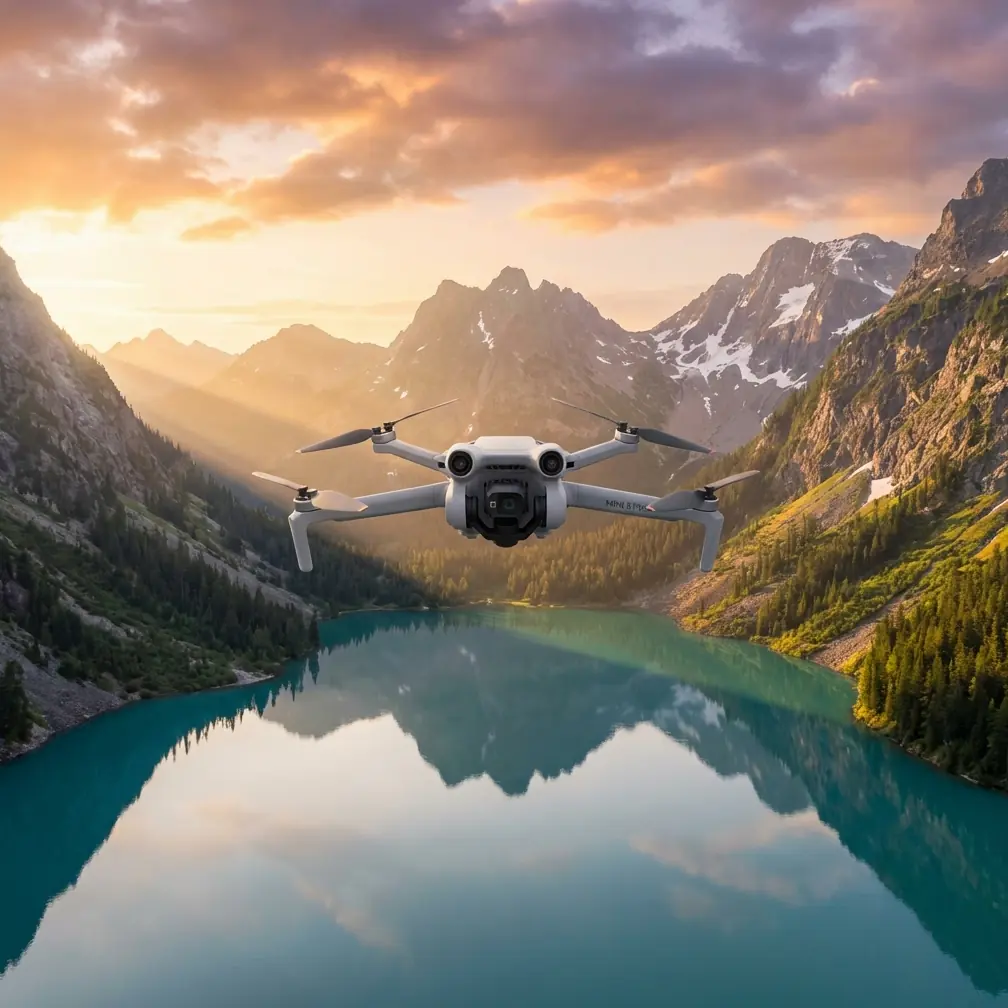
Mini 5 Pro: Master Mountain Construction Surveys
META: Learn how the Mini 5 Pro transforms mountain construction site surveying with obstacle avoidance, precision tracking, and professional D-Log footage for accurate data.
TL;DR
- Sub-249g weight eliminates permit requirements for remote mountain construction zones
- Tri-directional obstacle avoidance prevents crashes in unpredictable terrain with exposed structures
- D-Log color profile captures maximum detail for accurate elevation and progress documentation
- 45-minute flight time covers large sites without constant battery swaps
Last summer, I lost a drone to a mountain construction project. One moment I was capturing foundation work on a steep slope; the next, a sudden downdraft slammed my aircraft into scaffolding. That crash cost me equipment, time, and a client relationship.
The Mini 5 Pro changed everything about how I approach mountain surveying. This guide breaks down exactly how to use this compact powerhouse for construction documentation in challenging alpine environments—covering flight planning, camera settings, and the specific techniques that keep your footage sharp and your drone intact.
Why Mountain Construction Sites Demand Specialized Equipment
Mountain construction surveying presents unique challenges that flatland photographers never encounter. Thin air reduces lift efficiency. Unpredictable thermals create sudden altitude changes. Steep grades make manual piloting exhausting. And the combination of natural obstacles (trees, rock faces) with man-made structures (cranes, scaffolding, temporary fencing) creates a collision minefield.
Traditional survey drones often weigh over 400g, triggering registration requirements and flight restrictions in many jurisdictions. The Mini 5 Pro's 249g weight class bypasses these hurdles while delivering professional-grade imaging capabilities.
The Altitude Advantage
At elevations above 2,000 meters, air density drops significantly. Heavier drones struggle to maintain stable hovers and responsive controls. The Mini 5 Pro's lightweight design and efficient motors compensate for thin air better than bulkier alternatives.
I've flown this aircraft at construction sites reaching 3,200 meters elevation with minimal performance degradation. The key is understanding that battery life decreases approximately 15-20% at high altitude—plan your flights accordingly.
Essential Pre-Flight Setup for Mountain Surveys
Before launching at any mountain construction site, proper configuration prevents disasters.
Obstacle Avoidance Configuration
The Mini 5 Pro features tri-directional obstacle sensing covering forward, backward, and downward directions. For construction surveying, configure these settings:
- Enable APAS 5.0 (Advanced Pilot Assistance System) in bypass mode
- Set obstacle detection distance to maximum range
- Activate downward vision sensors even in bright conditions
- Disable obstacle avoidance only when flying through intentional gaps (use with extreme caution)
Expert Insight: Mountain construction sites often feature guy-wires, temporary power lines, and survey markers that obstacle sensors may not detect. Always conduct a visual site walk before flying, noting thin obstacles that sensors might miss.
Camera Settings for Survey Documentation
Construction surveying demands maximum detail retention for accurate measurements and progress tracking. Configure your camera before takeoff:
- Resolution: 4K/30fps for video, 48MP for stills
- Color Profile: D-Log for maximum dynamic range
- White Balance: Manual (set to current conditions)
- ISO: Auto with ceiling at 800 to minimize noise
- Shutter Speed: Minimum 1/120 to prevent motion blur during movement
D-Log captures approximately 2 additional stops of dynamic range compared to standard color profiles. This matters enormously when documenting sites with deep shadows from equipment and bright exposed concrete simultaneously.
Flight Patterns for Comprehensive Site Coverage
Systematic flight patterns ensure complete documentation without wasted battery life.
The Grid Pattern Method
For flat or gently sloped portions of construction sites:
- Establish site boundaries using GPS waypoints
- Set overlap at 70% front, 60% side for photogrammetry compatibility
- Maintain consistent altitude of 30-50 meters above highest structure
- Fly parallel lines with ActiveTrack disabled to prevent deviation
- Capture nadir (straight-down) images at regular intervals
The Orbital Documentation Technique
For vertical structures, equipment, and elevation changes:
- Position the drone at structure height plus 10 meters
- Enable Subject tracking locked on the structure's center
- Execute a 360-degree orbit at consistent radius
- Repeat at 3-4 different elevations for complete coverage
- Use QuickShots Circle mode for automated precision orbits
Pro Tip: When documenting retaining walls or cut slopes, fly parallel to the face at a 45-degree downward angle. This captures both the vertical surface and the relationship to surrounding terrain—critical for engineering review.
Technical Comparison: Mini 5 Pro vs. Alternative Survey Platforms
| Feature | Mini 5 Pro | Standard Survey Drone | Heavy-Lift Platform |
|---|---|---|---|
| Weight | 249g | 500-900g | 1.2-2.5kg |
| Flight Time | 45 min | 25-35 min | 20-30 min |
| Obstacle Avoidance | Tri-directional | Omnidirectional | Variable |
| High-Altitude Performance | Excellent | Good | Moderate |
| Permit Requirements | Minimal | Standard | Extensive |
| Portability | Backpack-ready | Case required | Vehicle transport |
| D-Log Support | Yes | Variable | Yes |
| Hyperlapse Capability | Built-in | Rare | Post-processing |
The Mini 5 Pro occupies a unique position: professional imaging capabilities in a regulatory-friendly package that actually performs better at altitude than heavier alternatives.
Advanced Techniques for Professional Results
Hyperlapse for Progress Documentation
Construction clients love time-compressed progress videos. The Mini 5 Pro's built-in Hyperlapse modes eliminate tedious post-processing:
- Free mode: Manual control for custom paths around structures
- Circle mode: Automated orbits showing 360-degree progress
- Course Lock mode: Straight-line passes ideal for linear projects (roads, pipelines)
- Waypoint mode: Repeatable paths for consistent week-over-week comparison
Set Hyperlapse interval to 2 seconds for smooth results. Longer intervals create jarring footage; shorter intervals waste storage without visible improvement.
ActiveTrack for Equipment Monitoring
When documenting equipment operation or worker activity (with appropriate permissions), ActiveTrack maintains focus without constant manual adjustment:
- Frame the subject and tap to initiate tracking
- Select Trace mode to follow behind moving equipment
- Set tracking speed to Slow for construction vehicles
- Maintain minimum 15-meter distance from active machinery
ActiveTrack struggles with subjects that change shape dramatically (like excavators with moving arms). For these situations, manual tracking produces more reliable results.
Common Mistakes to Avoid
Flying in unsuitable weather conditions Mountain weather shifts rapidly. Wind speeds that seem manageable at ground level often double at 50 meters altitude. Check forecasts specifically for your elevation, and abort missions when gusts exceed 10 m/s.
Ignoring battery temperature warnings Cold mountain mornings dramatically reduce battery performance. Warm batteries to at least 20°C before flight. Keep spares inside your jacket between uses.
Relying solely on obstacle avoidance Sensors cannot detect every hazard. Thin cables, transparent materials, and fast-moving objects bypass detection. Maintain visual line of sight and fly defensively.
Shooting in auto exposure Automatic exposure constantly adjusts as the drone moves between shadowed and sunlit areas, creating unusable footage for technical documentation. Lock exposure manually before beginning survey runs.
Neglecting compass calibration Metal structures and mineral-rich mountain terrain interfere with compass accuracy. Calibrate before every session, positioning yourself at least 10 meters from vehicles, rebar, and heavy equipment.
Frequently Asked Questions
Can the Mini 5 Pro create accurate photogrammetry models?
Yes. The 48MP sensor and consistent GPS tagging produce data suitable for photogrammetry software. Maintain 70% image overlap and consistent altitude for best results. The lightweight platform actually reduces vibration artifacts compared to heavier drones in turbulent mountain air.
How does obstacle avoidance perform around construction scaffolding?
The tri-directional sensors reliably detect solid scaffolding structures at distances up to 12 meters. However, thin poles, netting, and diagonal bracing may not trigger warnings. Reduce speed to 3 m/s when navigating near scaffolding and maintain manual override readiness.
What's the best time of day for mountain construction surveys?
Early morning (within 2 hours of sunrise) offers the calmest air and softest shadows. Midday creates harsh contrast that obscures detail in D-Log footage. Late afternoon works if morning access is impossible, but expect increased thermal activity and longer shadows that may hide critical site features.
Mountain construction surveying tests both pilot skill and equipment capability. The Mini 5 Pro delivers the imaging quality, flight endurance, and obstacle protection that professional documentation demands—all in a package light enough to hike to remote sites without compromise.
The techniques outlined here took me two seasons and one crashed drone to develop. Apply them systematically, respect the mountain environment, and your survey footage will speak for itself.
Ready for your own Mini 5 Pro? Contact our team for expert consultation.