
Mini 5 Pro Coastline Surveying Tips: What Actually Matters
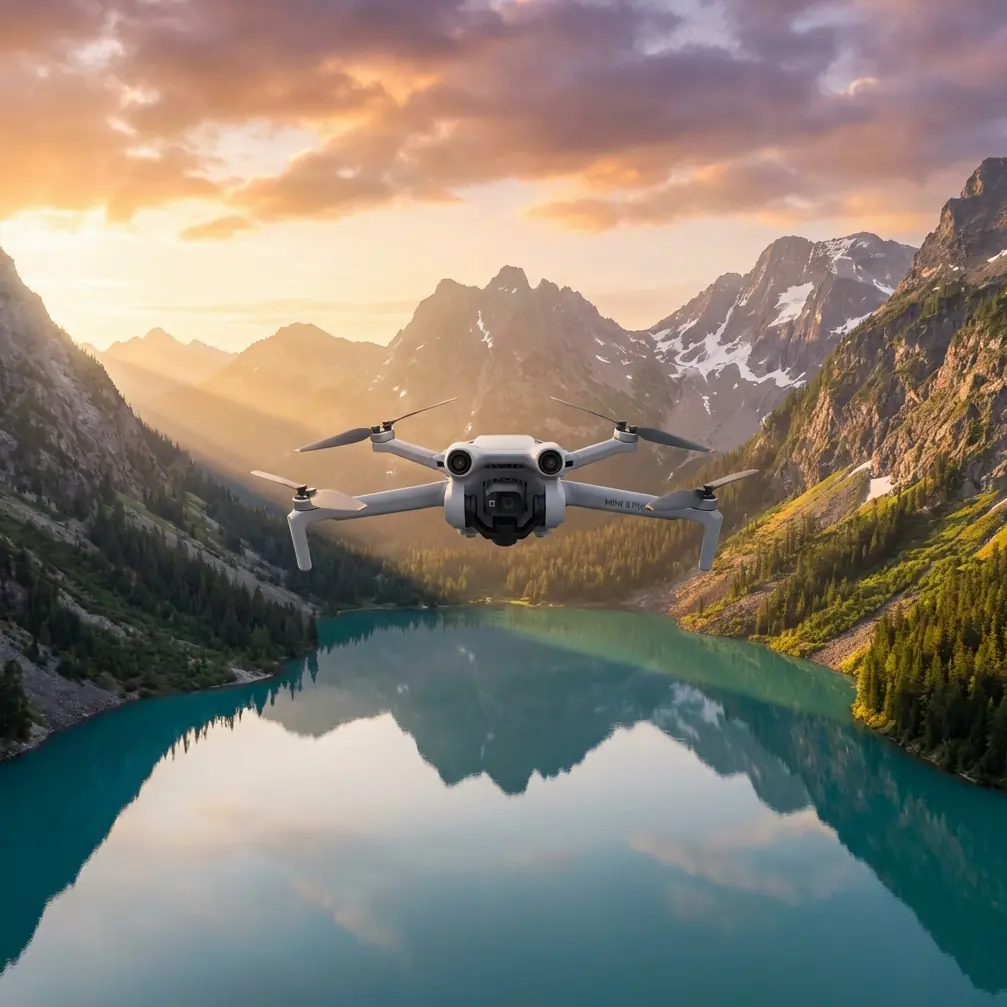
Mini 5 Pro Coastline Surveying Tips: What Actually Matters When You Need Mapping-Grade Results
META: Practical Mini 5 Pro coastline surveying tips with photogrammetry standards insight, DEM workflow context, and pre-flight safety checks for cleaner, more reliable coastal data.
Coastline surveying sounds simple until the shoreline starts fighting back.
Sand reflects light differently from wet rock. Tidal flats have weak texture. Vegetation shifts in the wind. Buildings near harbors rise out of otherwise low-relief terrain and distort surface models if you trust automation too much. On paper, a small drone mission along the coast can look routine. In practice, it exposes every weak point in your flight planning, your image capture discipline, and your post-processing choices.
That is exactly why the Mini 5 Pro deserves a more serious conversation than the usual feature recap.
If your goal is coastal documentation, erosion tracking, asset inspection support, or baseline mapping for planning teams, the question is not whether the Mini 5 Pro can fly the route. The real question is whether you can build a workflow around it that respects how shoreline data is actually produced. A useful clue comes from the low-altitude digital aerial photogrammetry standard CH/Z 3003—2010, which highlights a few operational principles that matter far more in coastal work than many pilots realize.
The coastline problem most pilots discover too late
Coastal environments often break automatic matching.
Photogrammetry software depends on clear, repeatable image features. But one section of a coastal site may contain smooth sand, another dark riprap, another reflective water edges, and another dense vegetation above embankments. The standard specifically points to feature-point matching requirements and emphasizes that matched points should be evenly distributed. That sounds technical, but the practical meaning is straightforward: if your image set creates clusters of strong tie points in only a few parts of the scene while leaving other zones weak, your model quality becomes uneven.
That unevenness is a serious issue in shoreline work because the places with the fewest usable features are often the places your client cares about most. Mudflats, dune faces, revetments, and vegetation margins are exactly where elevation transitions and boundary interpretation matter.
CH/Z 3003—2010 also notes that in areas where matching is difficult, supplementary feature data collection may be needed. For a Mini 5 Pro operator, that is not a post-processing footnote. It should shape the mission before takeoff. If the terrain includes low-contrast surfaces or repeating textures, you should assume the standard image block may not be enough.
Why a Mini 5 Pro workflow needs to be stricter near water
The Mini 5 Pro is attractive for coastal fieldwork because it is compact, quick to deploy, and easier to move between access points than heavier survey platforms. That matters when you are working from seawalls, beaches, piers, or narrow service roads. But portability can create bad habits. A lot of operators treat smaller aircraft as casual tools, then wonder why their outputs become messy.
Coastal surveying punishes casual habits.
Salt haze, fine sand, and sea spray can interfere with image quality and flight sensors. Before every sortie, add a short cleaning step that many crews skip: wipe the vision and obstacle avoidance sensors, inspect the lens for salt film, and check the front-facing surfaces for fine grit. This is not cosmetic maintenance. It directly affects flight safety and data consistency. If the obstacle avoidance system or subject tracking pipeline is partially obscured, the aircraft may behave unpredictably near poles, mooring hardware, rocks, or retaining walls. Even if you are not relying heavily on ActiveTrack, sensor clarity helps preserve stable positioning behavior in complicated coastal airspace.
That pre-flight cleaning step also supports the kind of repeatability shoreline jobs need. A soft haze on the lens can reduce local contrast, and reduced contrast can make feature matching weaker in already difficult terrain. Along the coast, where image texture is often marginal, that matters more than many crews expect.
The DEM issue: automation is not enough
One of the most useful references in CH/Z 3003—2010 is its treatment of DEM generation. The standard allows use of automatically generated digital surface model data, but it also makes clear that areas with buildings and vegetation require manual editing so point positions correctly represent the ground and a proper DEM can be obtained.
That distinction is critical for coastal survey work.
If your route includes houses near the waterfront, port sheds, breakwater structures, or vegetated embankments, your first automated surface is not the final terrain product. A digital surface model records what the camera sees on top: rooftops, shrubs, tree canopies, railings, dune grasses. A digital elevation model should represent the ground. If you skip manual review, your shoreline cross-sections, drainage assumptions, and erosion interpretations can be wrong in subtle but costly ways.
With the Mini 5 Pro, this means flying with post-processing in mind. Do not treat the mission as if the aircraft is the surveyor and the software is the answer machine. Plan enough image coverage and perspective consistency so the editing phase has something trustworthy to work with. In mixed coastal environments, the edge conditions are where your model usually fails first: around seawalls, under vegetation edges, beside roofs, and at transitions between dry and wet surfaces.
The standard also references DEM edge matching under CH/T 1015. In plain terms, adjoining data should connect cleanly. That becomes operationally significant if you are surveying a long coastline in sections over multiple flights, tide windows, or access points. If the blocks do not stitch well, you can end up with step changes or seam artifacts that look like terrain movement but are really production errors. For any Mini 5 Pro operator covering linear coastal corridors, this is one of the biggest reasons to standardize altitude, overlap, heading logic, and timing from segment to segment.
A practical problem-solution workflow for Mini 5 Pro coastline missions
Problem 1: Weak image matching over repetitive or low-contrast shoreline surfaces
Sand, shallow wet flats, and uniform riprap can starve the software of stable tie points.
Solution: design for even feature distribution, not just coverage.
The standard explicitly calls for evenly distributed feature points and limits grid size by formula and table references. You may not be working directly from the standard tables in the field, but the principle still holds: avoid assuming broad coverage equals usable geometry. Fly with sufficient overlap and keep your image set consistent across the site. If one section of the coastline is visually sparse, collect additional passes there rather than treating every segment identically.
If you want a second set of eyes on route planning for difficult coastal blocks, you can message a survey workflow specialist here.
Problem 2: Coastal obstacles and sensor inconsistency near reflective terrain
Piers, utility poles, rocks, seawall edges, and moored equipment can complicate close-range operations. Add glare and sea spray, and obstacle sensing may not behave as cleanly as it does inland.
Solution: build your pre-flight around the aircraft’s safety stack.
Mini 5 Pro pilots often focus on camera settings first. For coastline work, start with cleanliness and sensor confidence. Clean obstacle avoidance sensors, inspect the gimbal glass, verify horizon stability, and confirm no residue is left from the last marine outing. If you plan to use subject tracking or ActiveTrack for visual documentation of shoreline assets, remember that tracking is only useful when the aircraft can perceive the scene reliably. A small amount of salt residue can undermine that reliability.
This is where the Mini 5 Pro’s consumer-facing convenience features become commercially relevant. Obstacle avoidance is not just there to reduce pilot stress. In inspection-style coastal work, it helps maintain safer stand-off distances around hard structures. Subject tracking can support repeatable visual capture of moving maintenance targets or shoreline edge walkthroughs from a boat-adjacent perspective, though not as a substitute for disciplined map capture. QuickShots and Hyperlapse may sound creative rather than technical, but they can be useful for client reporting and site-progress storytelling after the mapping block is complete.
Problem 3: Terrain products polluted by buildings and vegetation
Coastal settlements and planted embankments frequently contaminate automated surface extraction.
Solution: assume manual editing is part of the job.
CH/Z 3003—2010 is clear on this point: automatically generated surface data should be edited in building and vegetation-covered areas so the final points reflect the ground. For shoreline surveys, that means reviewing anything near houses, dunes with plant cover, road-edge trees, and harbor-side structures. If you are delivering orthomosaics plus elevation outputs, this is where your credibility lives. A clean map with a bad terrain model is still a bad deliverable.
Why D-Log and image discipline matter even in survey-adjacent work
A pure mapping mission is not usually about cinematic profiles. Yet on coastline projects, many operators are asked for both technical data and presentable visual content. That is where D-Log can become useful, not as a vanity feature, but as a way to preserve tonal detail in high-contrast coastal scenes for secondary reporting outputs.
Waterline environments often contain bright highlights, dark armor stone, white structures, and shaded vegetation in the same frame. If your team also produces stakeholder visuals, D-Log can retain more flexibility for balancing those extremes later. Just do not confuse that with the capture logic for photogrammetry. Mapping reliability still depends on consistent geometry, stable exposure strategy, and overlap discipline. Use the Mini 5 Pro’s creative strengths after the survey block, not instead of it.
The hidden value of proper file structure and versioning
One detail from the standard that deserves more attention is product marking. The example notation includes a map sheet identifier like A-4, a grid size of 1 meter, a production time such as 200906, and a version number 2.1, where the integer indicates re-measurement count and the decimal indicates revision count.
This is not bureaucratic trivia. It is operational hygiene.
On coastal projects, shorelines change, access windows shift, and repeat surveys are common. If you are revisiting the same section after storm impact, nourishment work, or erosion season, disciplined versioning prevents confusion between original capture, full re-survey, and minor corrected revision. A Mini 5 Pro team that names files casually may survive on one-off jobs, but not on recurring shoreline programs where clients need traceable change records.
The same standard also references keeping outputs consistent with digital line map results. That consistency matters if your coastline mission feeds into a larger GIS or engineering workflow. Orthos, elevation layers, and vector interpretations need to agree. If your shoreline edge in the map does not align logically with the terrain and linework, the mismatch will show up later in design review or compliance checks.
A realistic use case: surveying a mixed coastal strip
Imagine a corridor that includes a beach access road, a short seawall, a vegetated dune, several low-rise waterfront buildings, and a narrow harbor edge. This is exactly the sort of environment where the Mini 5 Pro can be efficient, but only if the operator thinks like a photogrammetrist rather than a weekend flyer.
You begin with the cleaning routine: lens, obstacle sensors, airframe seams, gimbal movement. Then you plan segments around tidal timing and sun angle to reduce glint where possible. During capture, you pay special attention to the low-texture beach and wet transition zone, collecting enough consistent imagery to support matching. In processing, you do not accept the first surface model at face value. You manually review the vegetation-covered dune edge and the roofs near the waterfront so the DEM reflects actual ground where required. You maintain naming conventions that distinguish the initial block from later updates.
That is not overkill. That is the difference between a shoreline map that supports real decisions and one that merely looks detailed.
What the Mini 5 Pro is actually good at on the coast
For coastal users, the Mini 5 Pro is best understood as a high-mobility capture platform that becomes genuinely valuable when paired with disciplined survey habits. Its obstacle avoidance system supports safer low-altitude work near shoreline structures. ActiveTrack and subject tracking can help gather supplementary visual records around assets and access routes. QuickShots and Hyperlapse can produce concise site documentation for stakeholders after the technical mission is complete. D-Log helps retain flexibility in difficult light. But none of those features rescue a weak acquisition plan or a lazy DEM workflow.
The deeper lesson from CH/Z 3003—2010 is that shoreline mapping quality is built from small decisions: even feature distribution, extra data collection in difficult matching areas, manual correction of surface data in buildings and vegetation zones, clean edge matching between DEM sections, and traceable versioning.
That is where Mini 5 Pro operators can separate themselves.
Not by flying farther. Not by talking about specs in isolation. By understanding what coastal data demands and making the aircraft serve that outcome.
Ready for your own Mini 5 Pro? Contact our team for expert consultation.