
Mini 5 Pro Surveying Tips for High-Altitude Coastline Work
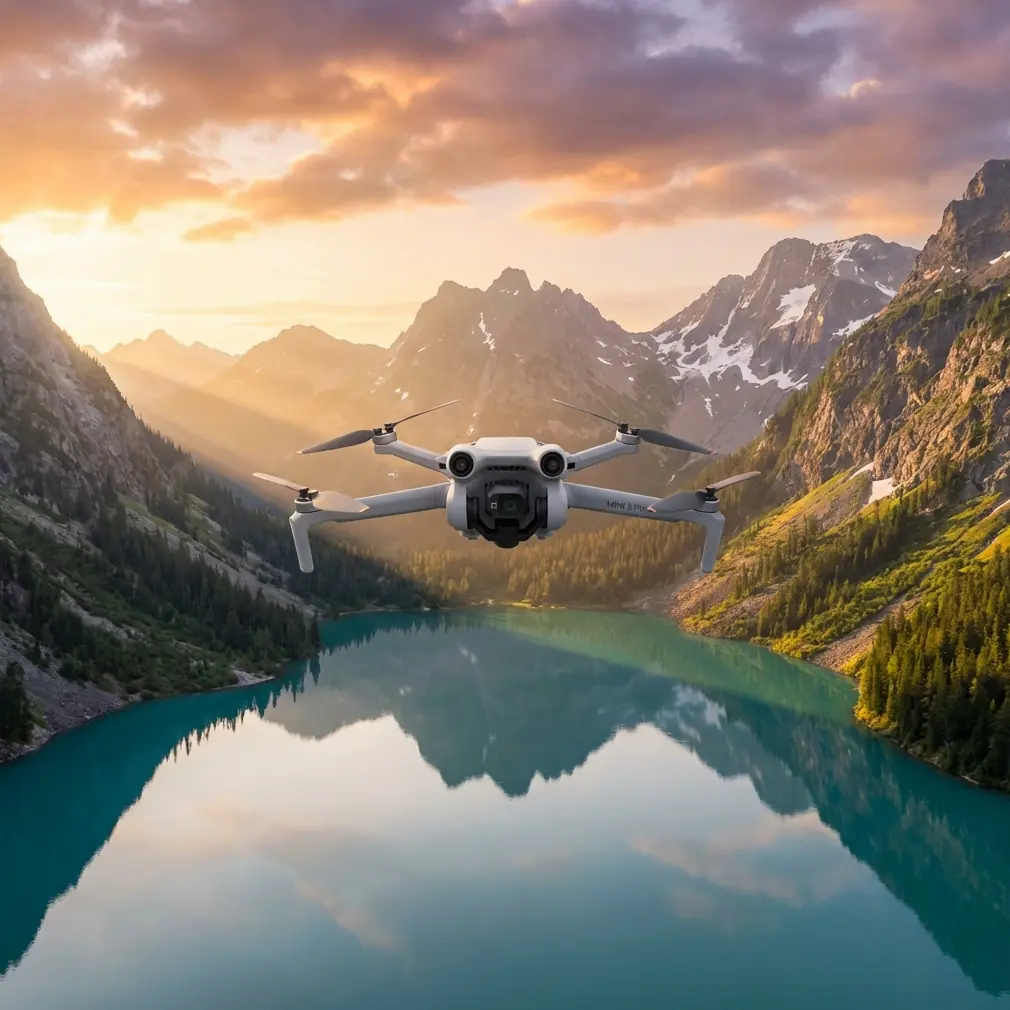
Mini 5 Pro Surveying Tips for High-Altitude Coastline Work
META: Practical Mini 5 Pro coastline surveying tips for high-altitude missions, with flight planning, stability, payload thinking, and smarter accessory choices grounded in real UAV design principles.
Coastline surveying looks simple from the ground. Wide open water. Clear edges. Big visual landmarks. Then you launch at altitude and the real problems show up fast: unstable air, uneven lighting, reflective water, steep cliffs, GPS behavior near dramatic terrain, and the constant need to hold image consistency over long linear routes.
That is exactly where a disciplined setup matters more than headline features.
If you are planning to use the Mini 5 Pro for coastline survey work in high-altitude environments, the smartest approach is to borrow a few lessons from larger multirotor engineering rather than treating the aircraft like a casual camera drone. A useful reference comes from a Harbin Institute of Technology hexacopter design paper, which highlights something many pilots learn the hard way: structural rigidity reduces vibration, and lower vibration directly helps control-system performance. That principle does not belong only to a 606 mm wheelbase six-rotor aircraft built for 11-inch props. It applies just as much to a compact platform like the Mini 5 Pro when you are trying to extract reliable mapping data from a windy shoreline.
The airframe is smaller. The mission discipline should not be.
Why high-altitude coastline work punishes weak setups
A coastline survey at elevation is rarely just “fly parallel to shore and shoot.” You are usually dealing with at least three competing constraints:
- maintaining safe terrain clearance over cliffs or sloping shorelines
- keeping enough overlap for photogrammetry or visual inspection
- preserving stable exposure and consistent motion despite wind shear
At higher elevations, the aircraft can feel more nervous in pitch and roll transitions. Water glare reduces visual texture. Rock faces and vegetation create abrupt contrast shifts. If your setup introduces extra vibration, loose mounting, inconsistent filtering, or badly chosen flight modes, those errors get baked into every image set.
This is why the structural takeaway from the hexacopter design is so relevant. In that paper, the stated goal of higher mechanical strength was to reduce body shake and improve control performance. For a survey operator, the operational meaning is straightforward: cleaner stabilization produces cleaner source data. That means straighter shoreline reconstruction, more trustworthy orthomosaics, and fewer frames ruined by micro-jitters that are easy to miss in the field and expensive to discover later.
Start with route design, not camera settings
Most Mini 5 Pro users think about image settings first. For coastline work, route logic comes first.
High-altitude shorelines are long, repetitive environments. If you improvise, you will end up with inconsistent spacing from the coast, irregular overlap, and sections where your angle to the subject keeps changing. That weakens both visual comparison and mapping output.
A better workflow is to split the mission into three passes:
1. The reference pass
Fly a conservative line well away from terrain to read wind behavior, satellite stability, and lighting changes. This is your diagnostic leg. Do not rush to collect the final data immediately.
2. The mapping pass
Use your most consistent altitude and speed profile. This is where image overlap matters. Keep bank angle changes minimal. The less the aircraft fights itself, the more uniform your image set becomes.
3. The oblique inspection pass
Once the clean baseline is secured, run a lower or angled pass for erosion, seawall condition, rock fracture visibility, vegetation encroachment, or access-path documentation.
Mini 5 Pro features such as obstacle avoidance and ActiveTrack can help in selected segments, especially where terrain contours are irregular. But they should support the mission, not define it. Along cliffs, obstacle avoidance is best treated as a safety layer rather than a substitute for route planning. Subject tracking can be useful if the assignment includes following a moving survey vessel along the coast, but for fixed shoreline capture, manual route discipline usually produces better geometry.
Stability is not just a comfort issue
The hexacopter reference includes a second practical number worth paying attention to: each motor was carrying about 400 g load, drawing around 5 A, for a total working current near 30 A. On paper, that sounds like a power-system detail from a different class of drone. In practice, it points to something every Mini 5 Pro operator should understand—stable flight quality depends on the relationship between load, thrust margin, and control headroom.
That larger aircraft was designed around a roughly 2 kg all-up weight and a total thrust of about 6 kg, creating the kind of thrust reserve needed for aggressive attitude corrections and high-speed movement. Your Mini 5 Pro is obviously not a 2 kg hexacopter, but the lesson carries over perfectly: do not consume your control margin unnecessarily.
What does that mean in the field?
- Avoid stacking unnecessary accessories
- Use only lightweight add-ons with secure mounting
- Watch wind exposure at cliff edges where air can tumble upward
- Preserve battery reserve for return legs against headwind
- Avoid abrupt manual inputs during image capture runs
Surveying at altitude often tempts pilots to add things they do not need. A bright strobe, oversized landing gear, decorative guards, or poorly balanced filters can all undermine the one thing a survey mission depends on: stable, predictable aircraft behavior.
The third-party accessory that actually helped
One add-on I have seen genuinely improve coastline survey results is a high-quality third-party ND/PL filter set. Not the bargain-bin kind with inconsistent coatings or sloppy fit. A properly machined filter reduced glare off the water surface, helped hold shutter values in bright conditions, and improved frame-to-frame consistency during oblique shoreline passes.
That matters more than it sounds.
When sunlight hits the sea at an angle, reflections can wipe out edge definition along the coast. A good filter will not solve every exposure problem, but it can make shoreline boundaries easier to read and reduce the visual chaos that often appears in mixed water-rock scenes. For pilots shooting D-Log for later grading or analysis, the benefit is even more noticeable because preserving highlight detail over water gives you more room to normalize the sequence later.
The key is moderation. Every accessory changes the aircraft’s aerodynamic and weight profile, even if only slightly. The old hexacopter design logic still applies: reduce unnecessary mechanical complexity whenever possible. If an add-on helps image quality without compromising stability, it earns its place. If it adds drag, vibration, or mounting uncertainty, it does not belong on a survey flight.
Camera mode choices that make sense for coastline missions
Mini 5 Pro creative modes like QuickShots and Hyperlapse are excellent for presentation work, stakeholder updates, and pre-project visuals. They are not the backbone of a technical coastline survey.
For actual documentation, your best results usually come from:
- consistent manual exposure when light is stable
- D-Log when post-processing latitude matters
- repeatable speed and heading
- deliberate gimbal angles for each pass type
Where Hyperlapse can still help is environmental change communication. If you need to show tidal movement, cloud shadow progression, or wave impact patterns over time, a controlled hyperlapse sequence can provide useful context for project teams. Just keep it separate from your primary survey capture.
QuickShots are even more limited in this context. They can produce a polished overview clip for a non-technical audience, but they should never replace mission-specific route planning. Shoreline work rewards repeatability, not novelty.
Using ActiveTrack without letting it ruin the mission
ActiveTrack is often misunderstood in survey-adjacent workflows. For static coastal inspection, you generally do not want the aircraft making autonomous composition decisions while you need consistent spatial coverage. But there are a few situations where it is genuinely useful.
If your survey includes:
- escorting a shoreline inspection team on foot
- following a boat checking sea defenses
- documenting access routes to remote cliff sections
then ActiveTrack can reduce pilot workload and produce context footage that supports the technical deliverables.
The trick is to separate “data capture” from “context capture.” Use structured manual or waypoint-style flying for the actual survey set. Use tracking modes only for supporting footage. Mixing the two usually creates uneven geometry and inconsistent framing.
Obstacle avoidance is not a cliff-reading system
High coastline walls can create false confidence in obstacle avoidance users. Yes, obstacle sensing can help when approaching irregular terrain or when flying lateral inspection lines near protrusions. But steep cliffs, narrow ledges, low-contrast rock, birds, and sea spray all complicate sensor reliability.
The safer mindset is this: obstacle avoidance is backup, not judgment.
In high-altitude shoreline environments, wind can shove the aircraft toward terrain faster than a pilot expects, especially when rotor wash and cliff uplift interact. Keep more lateral spacing than you think you need. Give the system time to react. If the mission requires repeated close standoff work, practice the line at a safer distance first.
Battery planning matters more on the way back
The reference paper calculated a battery requirement of 11.1 V and 7500 mAh to achieve around 15 minutes of endurance on a larger six-motor platform drawing roughly 30 A in normal operation. Again, that is not a Mini 5 Pro specification. But the operational lesson is highly relevant: endurance estimates are only meaningful when tied to actual current demand and mission profile.
For coastline surveys, pilots often burn more energy than expected on the return segment. Why?
Because outbound legs are frequently flown with a tailwind or crosswind along an easy visual line, while the return requires more aggressive correction and headwind penetration. Add high-altitude density effects and stop-and-correct flying near terrain, and battery forecasts can become optimistic very quickly.
A few habits reduce risk:
- turn around earlier than your casual photography instincts suggest
- treat cliff-side hover time as battery-expensive
- avoid ending the mission at the farthest point from launch
- log actual consumption patterns by route type, not just total flight time
If you want help selecting lightweight filters, pad systems, landing accessories, or field workflow add-ons that suit this kind of mission, I’d suggest messaging a drone accessory specialist here before loading random third-party gear onto the aircraft.
A practical flight workflow for Mini 5 Pro coastline surveys
Here is a field-ready sequence that works well for high-altitude shoreline jobs:
Pre-launch
Check wind not just at takeoff point, but at expected cliff height and over water. Confirm home point reliability and satellite lock before moving toward the edge.
Test hover
Hold a stable hover for long enough to observe micro-drift, gimbal behavior, and any abnormal vibration. If the aircraft looks nervous in place, it will only get worse on the line.
Short calibration leg
Fly a short segment parallel to the coast. Review footage or stills for glare, vibration blur, and edge readability.
Primary capture
Run the main line at conservative speed. Keep altitude changes smooth. Avoid combining aggressive yaw with shoreline-parallel movement if you need clean mapping output.
Secondary angled pass
Capture obliques for structural context: retaining walls, erosion zones, drainage cuts, footpath conditions, or vegetation overgrowth.
Environmental context clips
Only after the technical material is secure should you use modes like Hyperlapse or controlled tracking for presentation footage.
Post-flight review
Do not leave the site without checking representative frames at full zoom. The most expensive mistake in coastal work is discovering later that reflections, blur, or route inconsistency compromised the data.
The bigger lesson from a bigger aircraft
What I like about the Harbin hexacopter design reference is that it cuts through feature hype. It reminds us that UAV performance starts with fundamentals: a rigid structure, sensible propulsion choices, enough thrust margin, and an understanding of how vibration affects control.
Those are not old-school engineering footnotes. They are the reason one survey mission delivers usable data while another produces a folder full of pretty but unreliable imagery.
Even though the Mini 5 Pro sits in a very different class from a 606 mm hexacopter designed around 11-inch props and a six-motor thrust system, the mission logic is shared. Reduce shake. Preserve control authority. Avoid needless complexity. Match accessories to the job, not to internet trends. And always plan the route around the environment, not around the app.
That is how a compact drone becomes a serious coastline survey tool.
Ready for your own Mini 5 Pro? Contact our team for expert consultation.