
Mini 5 Pro in Mountain Coastline Work: How to Plan Reliable
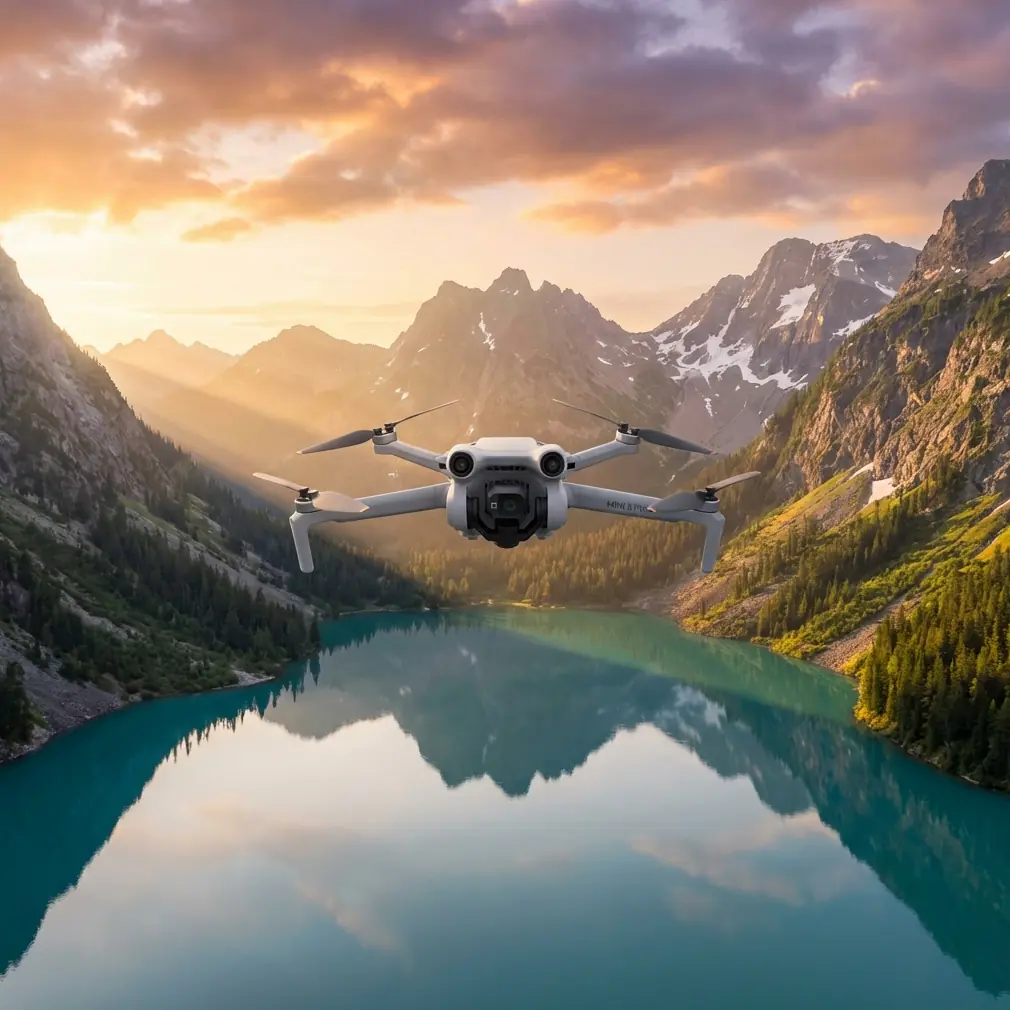
Mini 5 Pro in Mountain Coastline Work: How to Plan Reliable Low-Altitude Imaging When Terrain and Glare Fight Back
META: A practical Mini 5 Pro tutorial for mountain coastline operations, covering photogrammetry overlap, glare timing, steep-terrain flight planning, and why these details matter for usable mapping results.
Mountain coastline work punishes lazy flight planning.
The moment a route leaves flat ground and starts tracing steep slopes above reflective water, every small setup choice becomes visible in the final dataset. Gaps appear at ridge edges. Shadowed cuts lose detail. Bright ground and water reflections push exposure and consistency in ways that many casual drone operators underestimate. If you are looking at the Mini 5 Pro for this kind of civilian fieldwork—site documentation, vegetation monitoring, slope condition review, environmental assessment, or pre-project mapping—the real question is not whether the drone can fly there. It is whether it can return imagery that still stitches cleanly when the terrain gets difficult.
That is where the operational standards behind low-altitude UAV photogrammetry matter more than any headline feature.
Why mountain coastline missions are harder than they look
A coastline in mountainous terrain combines three separate problems:
- Large elevation changes
- Strong local shadows
- Highly reflective surfaces
Those conditions increase the risk of thin overlap, especially around survey edges and in areas with sharp relief. In standard aerial photogrammetry, forward overlap is often specified at 56% to 65%. For low-altitude UAV photogrammetry, that target rises significantly to 75% to 90%, with 80% commonly used. Side overlap also changes. Traditional work may accept 30% to 35%, but UAV low-altitude operations typically need 55% to 80%.
Those are not abstract numbers. They are the reason one dataset produces a coherent model while another collapses into holes, warping, or weak tie points along cliff edges.
The Mini 5 Pro, if used for this kind of mission, should be treated as a precision capture platform first and a convenience drone second.
The overlap settings that actually protect your data
For mountain coastline imaging, the standard “looks good on screen” approach is not enough. If your terrain includes height differences, the source guidance is explicit: overlap should be increased appropriately, and side overlap is often set around 60% in areas with large ground relief to support stereo measurement and image mosaicking.
That single detail is operationally significant.
Why? Because slopes facing away from the camera footprint can rapidly consume overlap. A mission planned too tightly over rolling or stepped terrain might still appear complete from the flight app, yet fail in post-processing where the software needs repeated visual matches between adjacent frames.
With the Mini 5 Pro, this means your mission planning logic should look something like this:
- Start near 80% forward overlap rather than treating it as an upper-end luxury.
- Move side overlap toward 60% or higher when the route crosses steep ridges, coastal cuts, or mixed elevation zones.
- Avoid trimming margins too aggressively at the map boundary, because edge zones are where overlap often falls apart first.
This is one area where a well-configured compact drone can outperform less disciplined operators using larger aircraft. The aircraft matters, but mission geometry matters more.
Why competitors often stumble in this exact scenario
A lot of sub-250 g and compact prosumer drones are marketed around convenience features: quick launch, subject tracking, cinematic presets, social-ready footage. That has value. But in mountain coastline work, convenience alone does not solve the real problem: maintaining consistent image geometry in a place where terrain and lighting are actively working against you.
That is where the Mini 5 Pro has an edge if its user understands how to exploit it.
Features like obstacle avoidance, ActiveTrack, subject tracking, QuickShots, Hyperlapse, and D-Log tend to dominate conversations online, but not all of them matter equally in technical fieldwork. For slope inspection, coastal vegetation review, or environmental documentation, obstacle awareness is far more consequential than flashy automated shots. In narrow terrain corridors or above broken shoreline topography, better spatial awareness reduces the odds of having to deviate abruptly from your intended capture path. And every unnecessary deviation can damage overlap consistency.
Competitors often look similar on paper. The difference shows up when you need stable, repeatable low-altitude route execution over uneven ground, not just a beautiful hero clip.
Timing matters as much as hardware
The reference guidance also highlights something many operators skip: choosing the right flight time is essential not only for illumination, but for shadow control. The goal is to ensure enough light while avoiding excessive shadow. In reflective areas—such as desert, gobi, forest, grassland, large salt flats, and saline-alkali surfaces—the guidance advises against photography within 2 hours before or after local noon because reflected brightness becomes too strong.
That principle translates well to mountain coastlines.
Even if your exact terrain is not a salt flat, coastal rock, bright sediment, exposed dry grass, and water can all create harsh reflection and contrast. Around midday, you may get plenty of light, but the image quality you need for mapping or surface interpretation may actually get worse. Specular glare from water, bright shoreline patches, and hard-edged cliff shadows can reduce the consistency of your dataset.
So if you are using a Mini 5 Pro to document a mountain coastline corridor, do not equate “bright” with “best.”
A better approach is:
- Fly when the sun is high enough to illuminate terrain details.
- Avoid the harshest reflection window if the ground and water are producing severe glare.
- Watch for long shadows from cliffs and vegetation if you fly too early or too late.
- If the route includes both ridge slopes and coastal flats, prioritize balanced light rather than dramatic visuals.
This is where D-Log becomes genuinely useful—not as a cinematic buzzword, but as a way to preserve tonal flexibility when the scene contains both reflective surfaces and deep terrain shadow. D-Log will not fix bad flight timing, but it can help retain information in difficult contrast conditions.
Don’t let route coverage fail at the edges
One of the most practical details in the source material concerns coverage design. The capture combination should cover the entire mapped area with no gaps. Along the flight direction, both ends of the flight strip should extend beyond the work zone by more than one baseline, and in actual practice often by more than three baselines. Cross-track coverage should overlap by one flight strip, and track offset in overlapping strips should remain under 10% of the image format.
This matters enormously in coastline mountain work because mission boundaries are rarely simple rectangles.
You may be tracing:
- a coastal road under a steep slope
- a vegetation restoration band
- a narrow utility access corridor
- a shoreline erosion segment
- a terraced mountainside near the sea
These are long, irregular shapes. Operators often crop the route too tightly to save battery time. That is a false economy. If the aircraft turns too soon or you fail to extend the line far enough past the area of interest, the end sections become weak. In practice, that is exactly where processing software begins to struggle with continuity.
For the Mini 5 Pro, the lesson is clear: plan margin deliberately. Give the route room before and after the primary work zone. If you are flying segmented areas, make sure there is no uncovered seam between them.
East-west or follow the feature?
The source notes that flight lines are generally laid out east-west in straight, parallel form, though under special conditions they may also run north-south or along linear features such as roads, rivers, or coastlines.
That flexibility is not trivial.
For a mountain coastline, the “correct” direction is often not the textbook default. If the operational objective is to map a narrow coastal strip, inspect a slope stabilization area, or document a shoreline construction corridor, flying along the coastline may be more efficient and may preserve better coverage geometry than forcing a broad rectangular pattern.
But there is a catch: the route still needs straightness and consistency. In terrain with major elevation difference, adding too many bends can create alignment and overlap problems. The best Mini 5 Pro workflow in this setting is often a compromise:
- keep lines as straight as the terrain and airspace allow
- align with the corridor when the project is linear
- increase overlap if slope complexity threatens coverage
- use obstacle avoidance as a safety layer, not as a substitute for route design
That last point is worth stressing. Obstacle avoidance helps protect the aircraft, especially in broken coastal terrain with outcrops, trees, and elevation transitions. But if the drone constantly reacts to avoid hazards because the route was designed too aggressively, your imagery geometry may become less repeatable.
A practical Mini 5 Pro workflow for mountain coastline operations
Here is how I would approach a civilian mountain coastline imaging task with a Mini 5 Pro mindset.
1. Define the data goal before the flight mode
If the job is mapping, orthomosaic generation, slope condition review, or coastal restoration documentation, prioritize route consistency over creative capture modes. QuickShots and Hyperlapse are useful for supplementary visual reporting, not the core dataset.
2. Plan for UAV-grade overlap, not conventional aerial minimums
Use the low-altitude UAV ranges as your baseline:
- forward overlap: 75% to 90%
- side overlap: 55% to 80%
For difficult relief, I would treat 80% forward and roughly 60% side overlap as a serious starting point, not an overcautious one.
3. Add coverage beyond the work boundary
Extend route ends beyond the target area. Do not stop exactly at the edge of the feature you need to map. This protects stitching quality and avoids weak end sections.
4. Choose the light window for detail, not drama
Avoid heavy shadow and avoid extreme reflective glare. Midday can be deceptively bad in bright coastal terrain. If you need a second opinion on planning a route around glare and terrain, you can share the site conditions here: https://wa.me/85255379740
5. Watch terrain-driven overlap loss
Where cliffs, benches, or abrupt height differences are present, assume overlap will degrade faster than the planner suggests. Build margin into both route geometry and image density.
6. Use D-Log when contrast is severe
When bright shoreline surfaces and dark hillside cuts appear in the same frame, D-Log can preserve more workable tonal information for later interpretation and reporting.
7. Keep automation in the right lane
ActiveTrack and subject tracking are valuable in moving-subject scenarios, but static terrain documentation is not the place to lean on them as a primary capture method. For professional-grade mapping logic, predictable route execution wins.
The real value of Mini 5 Pro here
The Mini 5 Pro story in mountain coastline work is not about turning a compact drone into a heavy survey platform. It is about understanding where a small aircraft can deliver dependable results if the operator respects photogrammetry fundamentals.
Two reference details stand above the rest:
- Forward overlap should typically rise to around 80% in UAV low-altitude work, because varied terrain and edge areas need extra image redundancy.
- Side overlap often needs to reach about 60% in large-relief areas, because steep ground can quickly break stereo continuity and mosaic quality.
Those numbers directly affect whether your final output is usable.
The second set of details is just as critical:
- choose seasons and weather that reduce interference from vegetation, snow, cloud, fog, floodwater, and blowing sand
- choose a flight time that balances illumination and shadow
- avoid strong reflective windows when the surface is likely to glare
That is not academic guidance. On a mountain coastline, it is the difference between a clean, interpretable surface model and a frustrating patchwork of blown highlights, deep shadows, and weak overlap.
A lot of drone content online focuses on headline features because they are easy to explain. Real field results come from less glamorous decisions: overlap, line extension, light angle, route orientation, and terrain margin. Get those right, and the Mini 5 Pro becomes more than a travel-friendly aircraft. It becomes a genuinely capable tool for coastal mountain documentation, environmental work, and small-area mapping support.
That is where this model can excel over competitors that are flown casually or configured around convenience rather than capture discipline. Not because physics changes. Because better planning lets the aircraft produce data that survives contact with reality.
Ready for your own Mini 5 Pro? Contact our team for expert consultation.