
Mini 5 Pro for Urban Solar Farm Scouting: Safety
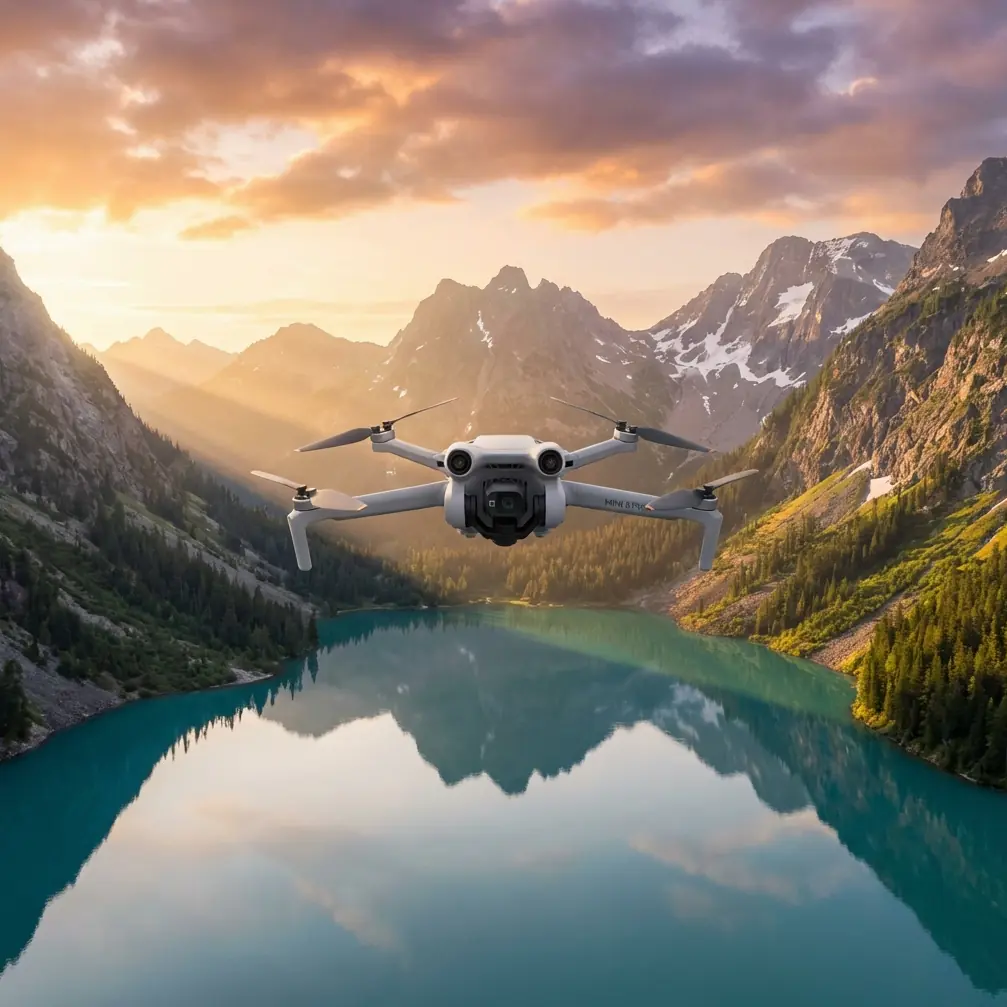
Mini 5 Pro for Urban Solar Farm Scouting: Safety-First Field Tips That Actually Matter
META: Learn how to use Mini 5 Pro for urban solar farm scouting with a GIS-focused safety workflow, obstacle avoidance tactics, ActiveTrack planning, D-Log capture tips, and antenna positioning advice for stable range.
Urban solar scouting looks simple from the sidewalk. Get airborne and it stops being simple fast.
Rooftop arrays sit near parapet walls, steel structures, HVAC units, cranes, utility lines, reflective glass, and patchy GNSS environments. If you are planning to scout solar assets with a Mini 5 Pro, the real challenge is not just getting clean footage. It is collecting useful visual data while keeping the operation disciplined enough for repeatable GIS and inspection workflows.
One line from a Chinese GIS drone integration document captures the mindset better than most glossy manuals: “把每一次飞行当做最后一次飞行” — treat every flight as if it were the last. That is not drama. In dense urban solar work, it is practical operating doctrine.
This article is built around that principle and tailored to one scenario: using a Mini 5 Pro to scout solar farms and rooftop solar sites in urban environments, where image quality matters, but flight safety matters more.
Why a GIS safety mindset fits Mini 5 Pro work
The source material comes from a UAV solution focused on integrated use in the GIS industry, and the clearest surviving theme is 飞行安全 — flight safety. That matters because solar scouting is often the bridge between media capture and spatial decision-making.
You may begin with a photographer’s eye. You still end up answering GIS-style questions:
- Where are access paths blocked?
- Which rows or rooftop sections show visible soiling or shading risk?
- Where are surrounding obstacles likely to affect future maintenance or expansion?
- Which structures create line-of-sight breaks for future drone inspection routes?
The Mini 5 Pro is a compact platform, but when used thoughtfully, it can support early-stage visual reconnaissance that feeds a larger mapping or inspection workflow. The aircraft’s obstacle avoidance, subject tracking tools, and controlled color capture modes help, but none of them replace a serious pre-flight method.
That is where the “every flight could be your last” rule becomes operationally significant. It forces you to stop treating a short hop over panels as casual content creation. In urban solar scouting, even a 6-minute sortie can involve more variables than a wide-open rural mapping run.
Start with the site, not the drone
Before the Mini 5 Pro leaves the ground, scout the site from ground level like a GIS technician, not just a camera operator.
For urban solar, I break the site into four layers:
- Launch and recovery zone
- Obstacle field
- Signal environment
- Visual objective
That order matters.
A clean visual objective means very little if your launch point puts you under a metal awning, beside a cellular mast, or behind a concrete elevator shaft that kills signal quality. In the city, the safest launch point is often not the closest point to the panels. It is the point with the best sky visibility, clean return path, and least electromagnetic clutter.
Mini-class drones are especially convenient because they can be deployed quickly. That convenience can create bad habits. The GIS safety message from the reference document pushes the opposite behavior: slow down before takeoff. Build the sortie around survivability first.
The rooftop trap: obstacle avoidance is useful, but not magical
Many pilots overestimate obstacle avoidance around solar sites.
Mini 5 Pro-class workflows benefit from forward and multi-directional sensing when moving along panel rows or approaching rooftop equipment, but urban solar environments are full of tricky edge cases:
- thin rails
- cables
- reflective surfaces
- repeating panel geometry
- abrupt elevation changes at parapets
- dark utility structures at low contrast angles
Obstacle avoidance helps reduce workload, but it should not be your primary protection strategy. Your primary strategy is route design.
For scouting, I prefer a three-pass method:
Pass 1: High reconnaissance orbit
Stay well above the highest obstacle on site and make a slow perimeter pass. This gives you context: access roads, adjacent buildings, trees, tower shadows, rooftop clutter, and likely interference sources.
Pass 2: Medium-altitude structural read
Bring the aircraft lower to inspect panel block layout, maintenance corridors, inverter locations, and roof transitions. This is often where GIS-linked value starts to emerge because you can connect the image to spatial arrangement.
Pass 3: Targeted low pass
Only after the first two passes should you attempt closer looks at suspect zones such as dirty sections, shading points, drainage issues, or damaged mounting areas.
This sequence reduces surprises. It also aligns with the safety-centered logic in the source material. If every flight is approached as high-consequence, you do not rush straight into the tightest airspace.
Antenna positioning advice for maximum range in urban solar work
The user context specifically calls for antenna positioning advice, and this is one of those small details that makes a very large difference.
In an urban environment, your usable control link is often limited less by raw distance and more by obstruction and poor antenna orientation. To get the most stable range and signal quality from your Mini 5 Pro controller:
- Keep the broad side of the antennas facing the aircraft, not the antenna tips pointed directly at it.
- Maintain line of sight above roof edges, railings, and equipment housings.
- Reposition your body, not just the controller, if a parapet or steel structure sits between you and the drone.
- Avoid standing beside large metal units or under overhangs, which can distort or block signal paths.
- If the aircraft shifts laterally across the site, rotate your torso and controller with it rather than flying from a fixed stance.
This matters operationally because solar scouting often involves long lateral passes across rooftops or compact solar fields boxed in by adjacent buildings. Pilots sometimes assume “maximum range” means flying farther. In practice, maximum range starts with maximum signal integrity. A 150-meter path with partial obstruction can be less reliable than a 300-meter path in clean line of sight.
If you want a quick field checklist for rooftop signal setup, I usually share one directly before site work through this WhatsApp field contact.
ActiveTrack and subject tracking: use them selectively
Subject tracking features like ActiveTrack can be useful on solar jobs, but not in the way lifestyle creators usually use them.
You are not tracking a runner or cyclist here. In scouting work, tracking tools are best used to maintain framing on a fixed maintenance corridor, a rooftop path, or a moving technician during training demonstrations where safe separation is maintained. The operational benefit is smoother framing with less stick input, which lowers pilot workload.
But in dense urban environments, I treat tracking as a controlled aid, not an autonomous substitute for planning. Why?
Because the source document’s safety emphasis implies a hard truth: any automated mode should be judged by how it behaves near obstacles, signal interruptions, and changing geometry. Solar arrays create repeating patterns that can confuse visual interpretation, especially when panels, shadows, and rooftop hardware compete for attention.
My rule is simple:
- Use ActiveTrack only after a manual reconnaissance pass
- Avoid it near cables, rooftop edge transitions, and narrow side clearances
- Disable it if glare or low-angle sunlight degrades contrast
That way, tracking becomes a productivity tool instead of a source of unnecessary risk.
D-Log for solar scouting: not just for pretty footage
A lot of people hear “D-Log” and think cinematic color grading. For solar scouting, its practical value is different.
Solar sites are contrast-heavy. You can have bright reflective panels, deep shadows under equipment, pale concrete, white membrane roofing, and dark structural steel in the same frame. A flatter capture profile can preserve highlight and shadow detail that would otherwise clip in standard footage.
That matters when you are reviewing for:
- visible dirt or residue patterns
- shading encroachment
- cable routing clarity
- roof membrane condition around mounts
- distinction between damaged and merely reflective surfaces
If your goal is operational review rather than social content, D-Log gives you more room to interpret the scene accurately later. It also helps when multiple stakeholders are involved. Asset managers, GIS teams, and maintenance planners often need footage that can be normalized in post, not footage with baked-in contrast that looks dramatic but hides information.
QuickShots and Hyperlapse still have a place
I would not lead with QuickShots or Hyperlapse on a technical scouting mission, but they are not fluff if used with intent.
A short orbital QuickShot can help create a fast spatial orientation clip for non-technical stakeholders. If someone needs to understand how the solar site sits relative to neighboring towers, parking areas, or service roads, a concise automated movement can communicate that faster than a static frame.
Hyperlapse can also be useful for documenting changing shadow movement on urban arrays, especially when you are trying to show how nearby structures affect panel exposure through part of the day. The key is to frame these modes as communication tools, not inspection substitutes.
Again, the GIS angle matters. The value is not the effect itself. The value is whether the effect helps others interpret the site.
Build a repeatable mini-mission template
For Mini 5 Pro solar scouting, I recommend a fixed mission template that can be repeated across locations. Consistency is what turns isolated flights into useful site records.
Here is the template I use:
1. Ground scan
Walk the launch zone and identify:
- wind channeling between buildings
- likely signal blockers
- rooftop hazards
- emergency landing options
2. Controller orientation check
Before takeoff, face the planned operating zone and verify antenna alignment. This is basic, but in urban sites it can determine whether the flight feels effortless or unstable.
3. Vertical climb and hover pause
Climb to a safe buffer altitude and pause. Watch for drift, interference warnings, odd obstacle readings, and exposure issues from glare.
4. Perimeter overview capture
Make a slow circuit for contextual footage. This gives you your GIS frame of reference.
5. Row and corridor passes
Fly deliberate linear passes over or beside panel rows and maintenance paths. Avoid aggressive speed. Slow footage is more reviewable and safer around rooftop clutter.
6. Detail shots
Capture close observations only after the general route is complete.
7. Return review
On landing, check the footage immediately. If one section is weak, re-fly only that section rather than improvising a whole second mission.
This method is not flashy. It is dependable. That is the point.
Why the source document’s safety message is more than a slogan
The most usable details from the reference are sparse but strong: the page is framed around flight safety, and it includes the instruction to treat each flight as if it were your last. Those are not decorative statements.
For urban solar scouting, their operational significance is clear:
- Flight safety means you design around signal quality, obstacle separation, and recovery options before worrying about cinematic movement.
- Treat every flight as if it were your last means you assume no maneuver is trivial, especially in compressed urban airspace where one mistake can end the mission and damage equipment.
That mindset is especially valuable with lightweight drones. Small aircraft can lull even experienced operators into underestimating risk. A compact drone near solar infrastructure is still an aircraft operating in a busy physical environment. The discipline should match the setting.
Final field perspective
As a photographer, I understand the urge to chase the nicest light first. On solar sites, I still care about light, composition, and elegant movement. But the strongest Mini 5 Pro workflows come from thinking like a safety officer and a GIS observer before thinking like an editor.
Urban solar scouting rewards restraint.
Use obstacle avoidance as backup, not permission. Use ActiveTrack only when the route is already understood. Use D-Log when detail retention matters more than instant polish. Position your antennas for clean signal geometry, not just nominal distance. And above all, keep that source line in your head every time the props spin up: treat the flight like it carries final consequences.
That is how a small drone becomes a reliable field tool instead of just a convenient camera.
Ready for your own Mini 5 Pro? Contact our team for expert consultation.