
Mini 5 Pro Field Report: Scouting Solar Farms in Complex
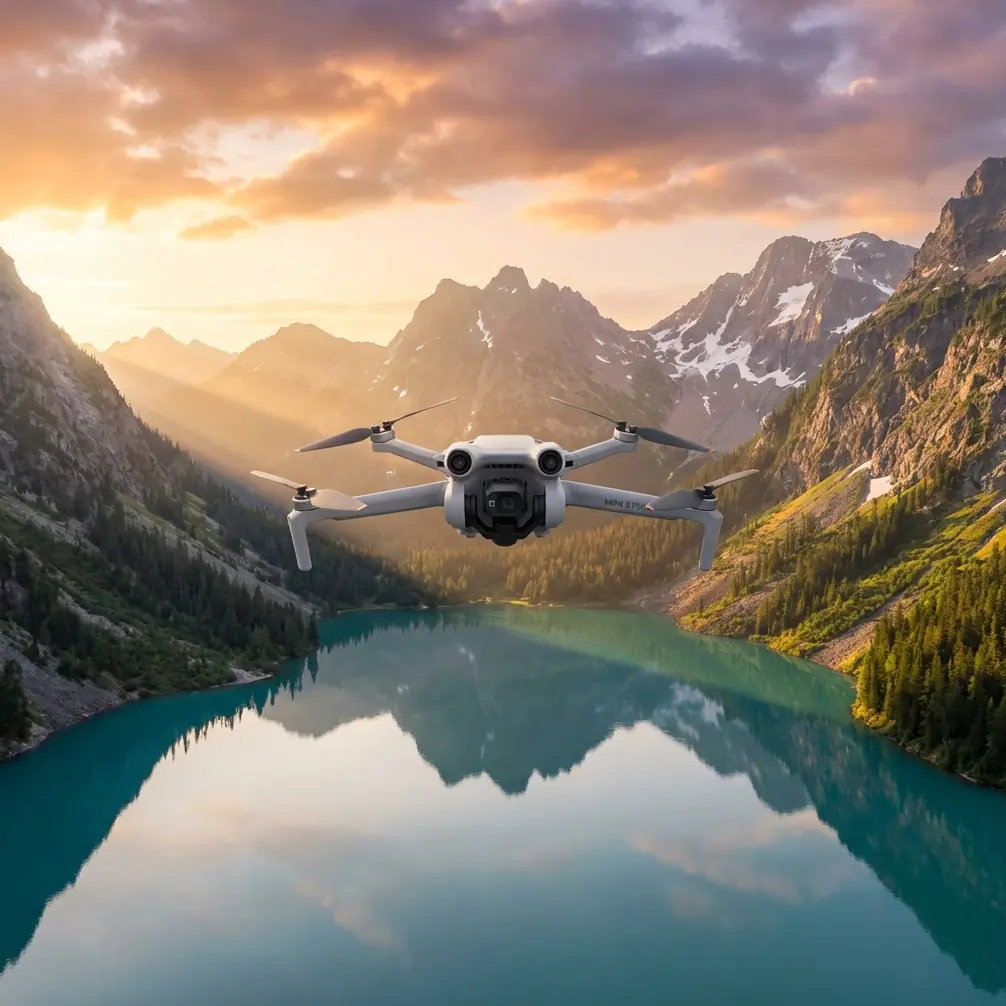
Mini 5 Pro Field Report: Scouting Solar Farms in Complex Terrain
META: A field-tested Mini 5 Pro scouting report for solar farms, covering obstacle avoidance, ActiveTrack, D-Log workflow, Hyperlapse, QuickShots, and battery management in uneven terrain.
I spend a lot of time around landscapes that look simple from a distance and turn complicated the moment you put a drone in the air. Solar farms are a perfect example. From the road, they can seem orderly and flat. Walk the site, and the real picture appears: drainage cuts, perimeter fencing, service roads with sharp elevation changes, reflective panel rows, scattered equipment pads, and edge vegetation that catches wind differently from one section to the next.
That is where a compact aircraft like the Mini 5 Pro becomes interesting.
For scouting solar farms in complex terrain, size matters less than control, visibility, and speed of decision-making. You are rarely trying to produce a cinematic masterpiece on the first pass. You are trying to answer practical questions. Where does access become difficult? Which blocks sit in uneven ground? Where are shadows likely to interfere with output at different hours? Which row corridors are clear enough for follow-up inspection flights? Can you document terrain transitions without dragging a larger platform into a location that is awkward to launch from?
A small drone with obstacle avoidance, reliable subject tracking, and a flexible image profile changes that workflow. Not because it turns a scout into a survey-grade platform by magic, but because it lets you move faster between visual assessment, route validation, and usable documentation.
Why the Mini 5 Pro Fits Solar Farm Scouting
The strongest argument for the Mini 5 Pro in this role is not one flashy feature. It is the way several features work together in the field.
Obstacle avoidance is the first one that matters. Solar farms create a strange visual environment for pilots and aircraft alike. Rows repeat. Reflections shift. Access lanes narrow unexpectedly. Terrain can rise behind a row and hide a fence line or utility cabinet from your eye level on the ground. In these conditions, obstacle sensing is not a luxury. It is what allows you to work closer to the useful edge of the site without turning every low-altitude pass into a stress test.
The second is ActiveTrack and related subject tracking functions. On paper, people associate tracking with sports or lifestyle shooting. In practice, it is valuable on infrastructure sites when you want the aircraft to maintain visual priority on a moving inspection vehicle or a technician walking a route, while you focus on terrain awareness and framing. If a site manager wants a quick record of road quality from gate to inverter station, subject tracking can create a stable visual reference instead of forcing you to manually juggle yaw, pitch, and lateral alignment the whole way.
Then there is D-Log. This matters more than many site operators expect. Solar farms are full of contrast traps: bright panel surfaces, darker ground between rows, and harsh sky conditions that can flatten detail or clip highlights. Shooting in D-Log gives you more room to recover tonal information later, especially if your job is to show subtle landform shifts, drainage channels, or vegetation encroachment without losing the context of the broader array. It is not just about making footage look “cinematic.” It is about preserving information.
QuickShots and Hyperlapse also have a place here, though not in the way social media usually presents them. A QuickShot can create a fast orientation clip for stakeholders who have not visited the site. A Hyperlapse can compress a long perimeter movement into something a project team will actually watch. Used carefully, these modes become communication tools, not gimmicks.
Complex Terrain Exposes Weak Planning Fast
A solar farm on rolling ground can punish lazy flight planning.
Panel rows often follow the site’s contours rather than a perfectly uniform grid. That means height above ground changes faster than it appears from a map. A low pass that feels comfortable at one end of a row can become tight halfway through as the ground rises or as tall vegetation appears near stormwater channels. The practical value of obstacle avoidance here is obvious, but the deeper advantage is psychological: it frees up mental bandwidth. When the aircraft can help monitor nearby hazards, you can devote more attention to what the site is telling you.
That matters when you are scouting rather than performing a formal survey. Scouting is interpretive. You are looking for indicators. Tire marks that suggest difficult access after rain. Color shifts in vegetation near drainage paths. Row-end congestion where maintenance teams may struggle to turn vehicles safely. Fence sections that create awkward launch-recovery pockets. The drone is not replacing site judgment. It is extending it.
I have found that the Mini 5 Pro works best when treated as a fast reconnaissance layer before any deeper inspection workflow. Start high enough to understand the site geometry. Then step down in altitude section by section. Use the first pass to identify problem zones. Use the second to document them with purpose.
A Real Battery Tip From the Field
Battery management on solar sites sounds boring until it saves your flight window.
Here is the tip I give people after long days scouting in uneven terrain: do not plan your return based on distance alone. Plan it based on the highest point you may need to climb back over on the way home.
On rolling sites, it is easy to fly “downhill” along the array, spending less power than expected, and feel comfortable with the remaining percentage. Then the return leg asks the drone to climb against wind over higher ground, and the battery drops faster than your earlier consumption suggested. That is how pilots end up landing short at the least convenient edge of the property.
My rule in the field is simple. If I have spent the outbound leg descending into a lower section of the site, I mentally treat the battery as if it has less remaining than the number on screen suggests. I also break the mission into smaller loops instead of trying to clear an entire block in one flight. On complex terrain, one extra battery swap is usually cheaper than one rushed return.
A second habit helps even more: finish each flight with a short spoken note on what the battery actually delivered in those conditions. Wind exposure, temperature, altitude changes, and stop-start hovering near obstacles all affect endurance. After two or three flights, you stop relying on brochure expectations and start operating on site reality.
That kind of discipline is especially useful if you are building a repeatable scouting routine for multiple farms. The Mini 5 Pro’s portability encourages quick deployment, but quick deployment should not become casual power planning.
Using ActiveTrack for Ground Team Coordination
One of the most practical uses of ActiveTrack on a solar site is documenting access routes with a moving reference point.
Let’s say an operations lead wants to show where a maintenance cart slows down because the road crown becomes uneven, or where turning radius near equipment housing creates a bottleneck. Instead of flying a loose manual follow shot that wanders, you can track the vehicle and keep the viewer oriented. The resulting footage is easier for engineering, maintenance, and non-flying stakeholders to interpret.
The same applies when a technician walks a route to indicate panel row spacing, vegetation growth, or washout areas. The point is not to make the person look good on camera. The point is to anchor the footage to human scale. Distances and grade changes read more clearly when a moving subject is present.
This is where obstacle avoidance and tracking need to be understood together. Tracking without good hazard awareness can become a distraction in tight row ends or near fencing. But when the aircraft can help manage spatial awareness, tracking becomes useful operationally rather than just visually.
D-Log Is a Practical Choice on Reflective Sites
Anyone who has filmed solar infrastructure knows how quickly exposure can get ugly. Dark soil. Bright panel edges. White service equipment. Midday haze. Then a cloud shifts and the whole site changes character in seconds.
D-Log gives you a better starting point for balancing those competing elements in post. If your purpose is scouting, that flexibility helps you preserve details that would otherwise disappear. A washed-out access road tells you very little. A shadowed drainage channel can vanish if your highlights are prioritized too aggressively. The extra grading room is what makes the image useful after the flight.
For field reports, I usually pair wider establishing clips with more deliberate medium-altitude passes over transition areas. The wide material explains the site layout. The tighter passes reveal why certain blocks deserve attention. D-Log helps those two layers feel consistent even when the light shifts during the mission.
If you are sharing footage with teams who do not want to grade anything, I still recommend capturing key sequences in the more flexible profile when conditions are difficult. You can always create an easier viewing version later. You cannot recover detail that was never captured.
QuickShots and Hyperlapse as Reporting Tools
QuickShots are often dismissed by experienced operators, but that misses the point. A short automated move can create a clean orientation clip at the start of a report: here is the gate, here is the first array block, here is the terrain rise beyond it. For decision-makers who are not drone-native, a clear 10-second establishing move can do more than a longer manual sequence.
Hyperlapse is even more underrated on large solar sites. If you need to communicate the scale of a perimeter route, nearby topography, or the changing angle of light across a section of panels, compressing time can reveal patterns that a standard clip hides. This is especially useful when terrain complexity is part of the story. A static map may show contour, but a Hyperlapse can show how the site actually unfolds along a movement path.
Used well, these tools shorten meetings. People grasp the site faster.
A Compact Drone, But Not a Casual Workflow
The Mini 5 Pro makes it tempting to arrive, launch, and improvise. Sometimes that is fine. More often, the best results come from a lightweight but disciplined field routine.
Mine looks like this:
- Walk the launch area first, especially if fencing or vegetation narrows recovery options.
- Identify the highest terrain point that may affect your return path.
- Take a high orientation pass to read the site as a whole.
- Mark two or three areas where row geometry, slope, or access seem irregular.
- Drop lower only after you know where the hidden risks are.
- Use ActiveTrack only when the tracked subject adds operational clarity.
- Capture a few D-Log sequences even if the job seems simple.
- End each battery with a spoken note on wind, climb demand, and actual remaining margin.
That routine sounds basic because it is. Basic routines are what keep small-aircraft operations efficient on large, repetitive sites.
What I’d Hand to a Client After the Flight
For a solar farm scout, the most useful deliverable is rarely one long polished video. It is a compact package:
- A short orientation clip showing overall layout.
- Two or three annotated sequences highlighting terrain or access concerns.
- A tracked clip with a vehicle or technician for scale.
- A Hyperlapse or elevated pass that explains perimeter context.
- A brief note on where follow-up inspection or mapping would be worth the time.
If you are building that workflow and want to compare field setups or accessory choices, I’d use this direct line for a practical conversation: https://wa.me/85255379740
That is the level where the Mini 5 Pro makes sense for solar work. It is not about replacing specialist platforms. It is about getting eyes on the site quickly, safely, and in a format that helps the next decision happen faster.
The Real Value in Complex Terrain
What makes the Mini 5 Pro useful for scouting solar farms is not portability alone. It is how portability combines with obstacle avoidance, ActiveTrack, QuickShots, Hyperlapse, and D-Log to create a sharper field report with less friction.
On complex terrain, those features are not checkboxes. Obstacle avoidance reduces workload near rows, fencing, and elevation shifts. ActiveTrack turns moving staff or vehicles into readable references for site conditions. D-Log keeps reflective, contrast-heavy scenes workable after the flight. QuickShots and Hyperlapse help non-pilots understand the site without sitting through raw footage.
And the battery lesson is the one worth remembering: on uneven ground, judge your margin by the climb and wind you still have to face, not by how easy the outbound leg felt.
That single habit has saved more flights for me than any spec sheet ever did.
Ready for your own Mini 5 Pro? Contact our team for expert consultation.