
Mini 5 Pro Best Practices for Scouting Power Lines in Windy
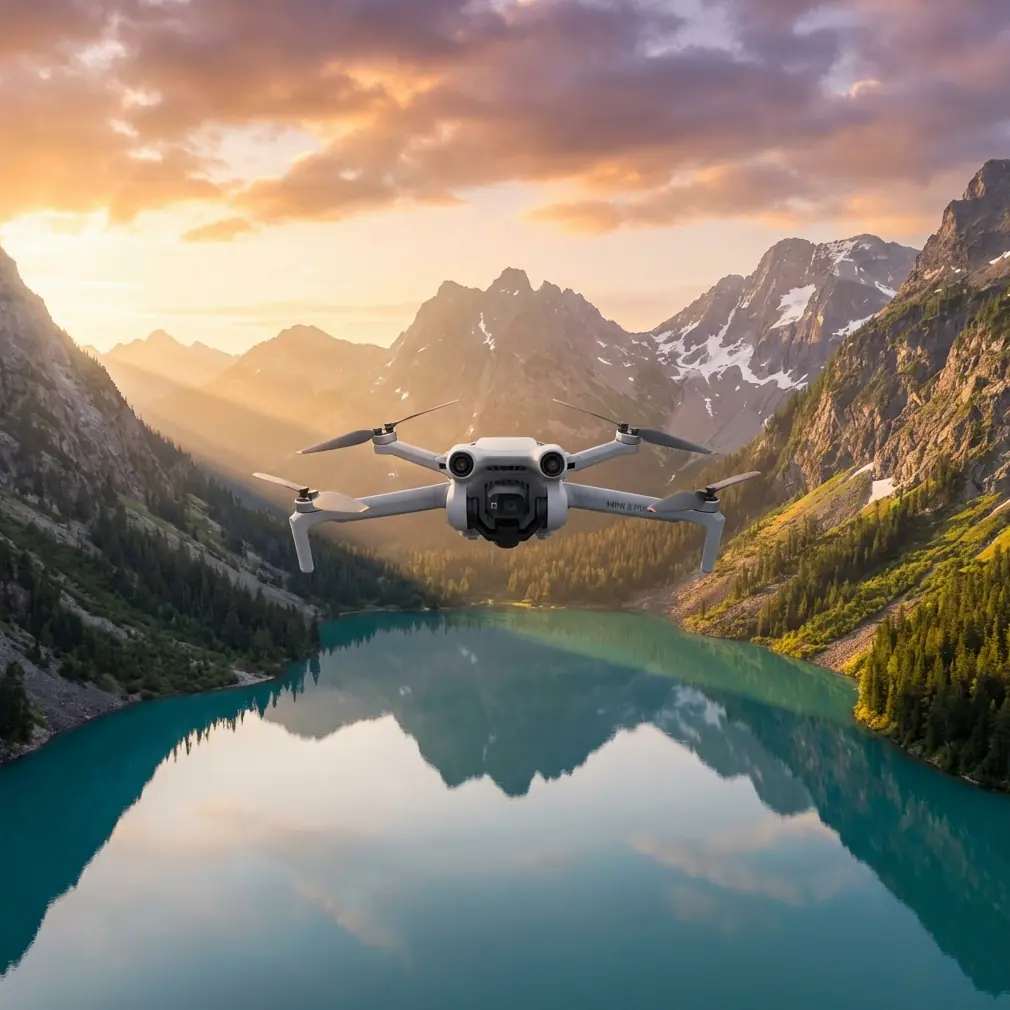
Mini 5 Pro Best Practices for Scouting Power Lines in Windy Conditions
META: A practical how-to guide for using the Mini 5 Pro to scout power lines in wind, with pre-flight cleaning, obstacle sensing checks, camera setup, flight technique, and safer inspection workflows.
Scouting power lines with a compact drone sounds simple until the wind starts pushing the aircraft sideways and the scene is full of thin, high-risk obstacles. That is where technique matters more than spec-sheet bragging rights. If you plan to use a Mini 5 Pro in breezy conditions around utility corridors, your workflow needs to protect two things at once: the aircraft and the inspection value of the footage.
I approach this as a photographer first, but power-line scouting changes how you think in the air. You are not chasing dramatic reveal shots. You are trying to read line condition, vegetation encroachment, pole hardware, access routes, and surrounding terrain without letting the drone drift into a hazard. That shifts the priority list. Stable positioning comes first. Clean sensor performance comes second. Camera settings come third. Fancy flight modes only matter if they help you gather usable information.
The Mini 5 Pro, at least as most pilots expect this class of aircraft to perform, is appealing here for one reason above all: it gives you advanced imaging and automated flight support in a very small platform. In practice, that compact size is both the advantage and the compromise. It is easy to launch near rough access roads, field edges, and roadside pull-offs. It is also lighter than larger inspection drones, which means wind management is not optional. You need a disciplined method.
Start with the least glamorous step: clean the safety system
Before propellers spin, wipe the aircraft down properly. Not the whole drone obsessively. Focus on the parts that protect you from a bad decision.
Use a clean microfiber cloth to clear the forward, rear, and downward vision sensors, along with the camera lens. If there is dust, pollen, road grit, or a faint oily smear on those surfaces, obstacle avoidance performance can degrade at exactly the moment you need it most. Around power lines, that matters because you are often working against visually confusing backgrounds: bright sky, dark cables, tree edges, crossarms, insulators, and changing contrast as clouds move through.
A dirty lens is obvious. A dirty sensing surface is more dangerous because the drone may still fly normally while giving you reduced confidence in braking or avoidance behavior. With a Mini 5 Pro-sized aircraft, the margin is already slim in gusts. If the drone drifts and the sensing system is compromised, your recovery window gets short fast.
This pre-flight cleaning step is not cosmetic maintenance. It is part of the risk-control chain.
After cleaning, check the gimbal movement during startup. Watch for a smooth initialization sweep. If the gimbal hesitates or twitches, do not brush it off. Power-line scouting depends on stable footage and reliable framing. Small gimbal issues become big interpretation problems when you are reviewing line sag, attachment points, or branch proximity later.
Build a wind-first flight plan
Pilots often think about the inspection target first. In windy conditions, think about your return path first.
Before launch, stand still for a minute and read the environment. Look at grass movement, tree tops, flags, dust, and how the drone’s launch area is sheltered compared with the airspace near the poles. Wind near the ground can be mild while the corridor above is much more aggressive. That difference catches people off guard, especially with lightweight drones.
For a power-line scouting run, I recommend flying the first leg into the wind whenever possible. That does two things:
- It lets you test aircraft authority early, while the battery is fresh.
- It gives you a tailwind on the way back, which is useful if the conditions build.
This matters operationally because line corridors are deceptive. They invite long, linear flights. A pilot drifts farther than planned while inspecting multiple spans, then discovers the return leg is slower and more battery-hungry than expected.
Set your home point carefully and confirm it. If the route follows a road or open utility access strip, choose a launch position with a generous recovery zone, not a cramped roadside pocket surrounded by wires and brush. The best launch point is often slightly offset from the line rather than directly under it.
Do not trust obstacle avoidance blindly around wires
Obstacle avoidance is helpful on the Mini 5 Pro. It is not magic, and power lines are the exact kind of subject that exposes the limits of any visual sensing system.
Thin wires can be difficult for small drone vision systems to interpret consistently, particularly in bright backlight, low-contrast haze, or complex backgrounds. That means obstacle avoidance should be treated as a backup layer, not your primary protection strategy. The primary protection is standoff distance and controlled flight path design.
My rule is simple: inspect power lines from the side with deliberate separation, not by creeping toward them to see how close you can get. You usually do not need to be nearly as close as pilots assume. A stable offset view often reveals more than a nervous near-wire hover because your framing is cleaner and the aircraft is less likely to make abrupt corrections.
Operationally, this is where the cleaning step pays off again. If the obstacle sensors are clear and functioning well, they may help you avoid larger nearby hazards such as poles, transformers, vegetation, and terrain changes. But for the conductors themselves, your spacing discipline is what keeps the mission safe.
Use camera settings that preserve inspection value
Power-line scouting is not cinematic flying, but image quality still matters. If your goal is reviewable footage, not just live viewing, I would lean toward a flatter recording profile like D-Log when the lighting is contrasty. Bright sky and dark utility structure in the same frame can push a standard profile too hard, especially around midday.
D-Log is useful here because it holds more highlight and shadow information for later review. That operational benefit is straightforward: you are more likely to recover detail in insulators, hardware, tree edges, and background terrain when conditions are visually harsh. If you or your team actually review footage seriously, that latitude matters.
That said, D-Log only helps if you expose it properly. Slight underexposure can be safer than blowing out a pale sky behind wires, but do not go so dark that the poles and line attachments become muddy. For direct operational scouting, a clean standard profile may be the better choice if you need immediate clarity without post-processing.
Shoot some stills along with video. A handful of high-resolution frames at key locations can be easier to analyze than a long rolling clip. Think in checkpoints: pole top, mid-span, vegetation crossing, access route, termination hardware.
Keep automated modes on a short leash
QuickShots and Hyperlapse are fun, and in the right context they can help tell the story of a corridor or document broader site conditions. But for active power-line scouting in wind, they are usually secondary tools.
QuickShots can be useful before or after the core inspection pass if you want an establishing perspective of the route, adjacent terrain, or maintenance access constraints. Hyperlapse can show environmental movement and cloud buildup over a site, but it is rarely the mode I would prioritize when the real task is line assessment.
The feature that deserves more attention here is subject tracking, especially ActiveTrack. Pilots sometimes get tempted to use tracking on utility vehicles or crews moving along the right-of-way. That can work in open terrain, but I would be cautious. In a corridor full of poles, cables, and trees, automated tracking adds complexity when the aircraft should really be under close manual supervision.
The operational significance is clear: ActiveTrack is designed to maintain focus on a subject, not to understand your inspection priorities. If the wind shifts and the drone repositions aggressively to preserve the track, you may end up with worse line awareness, not better. Around infrastructure, automation should reduce workload, not redirect your attention away from hazards.
Fly slower than you think you need to
Wind encourages overcorrection. The drone moves, the pilot reacts, then the aircraft overshoots and the whole pass becomes messy. Slow inputs solve a lot of that.
For power-line scouting, use measured lateral movement and small yaw changes. Keep the gimbal angle intentional. A slightly downward perspective often helps with vegetation encroachment and access mapping, while a more level view is better for line hardware and span geometry. Switching between those perspectives deliberately gives you a more complete record.
Avoid long stationary hovers directly exposed to crosswind near the line. A lightweight aircraft can hold position impressively well until it suddenly has to work harder. Instead, make short, purposeful holds, collect the image, and move on.
Also pay attention to sound. Experienced pilots know when the motors are straining more than they should. If the aircraft sounds busy just holding a position, that is a clue to widen your standoff, reduce altitude exposure, or cut the pass short.
Read the corridor, not just the wire
A useful scouting flight does more than stare at conductors. It reads the whole environment around them.
Look for:
- Tree growth that is not touching now but will matter soon
- Slope or washout issues affecting ground access
- Pole lean or unusual alignment changes
- Nearby structures or fencing that complicate maintenance
- Wind patterns created by ridges, gaps, or open fields
This is where a small drone like the Mini 5 Pro can be surprisingly effective. Its compact footprint makes it practical to reposition quickly and inspect from multiple angles without turning the whole operation into a major setup. That agility matters when you are working around changing weather windows.
If you need a second opinion on route planning or field workflow, it makes sense to message a pilot support contact before you improvise on site.
Battery discipline is part of safety
In windy inspection work, battery percentages lie by omission. They tell you remaining charge, but not how hard the aircraft will need to fight on the return leg.
Treat your reserve more conservatively than you would for casual landscape flying. If the outbound leg required persistent tilt into the wind, assume the margin is thinner than the number on screen suggests. Turn back earlier. Power-line routes make pilots greedy because there is always one more pole, one more crossing, one more tree cluster worth checking.
A smaller drone does not give you much room for ego. The best inspection pilots are boring about battery decisions, and that is a compliment.
A practical Mini 5 Pro workflow for windy utility scouting
If I were packing for this exact job, my workflow would look like this:
Clean the lens and all vision sensors. Confirm props are in good condition. Wait through startup and verify stable gimbal behavior. Check wind direction with the corridor in mind. Launch from a recovery-friendly position offset from the line. Fly the first pass into the wind. Maintain a conservative side offset rather than approaching conductors directly. Capture a mix of steady video and still frames at key structures. Use D-Log when lighting contrast is severe and footage review matters. Keep obstacle avoidance active, but never assume it will save you from a wire. Limit automation unless it serves a very specific purpose. Return early enough that a gusty headwind does not turn the last minute into a scramble.
That may sound restrained. It should. Power-line scouting rewards restraint.
The Mini 5 Pro is best used here not as a stunt-capable camera platform but as a compact aerial observation tool. If you treat obstacle avoidance, subject tracking, QuickShots, Hyperlapse, D-Log, and ActiveTrack as tools rather than marketing labels, the aircraft becomes far more useful. Each feature has a place. None of them replaces judgment.
For windy corridor work, the smallest habits make the biggest difference. A wiped sensor. A smarter launch point. A wider offset. A slower pass. Those are the details that keep the aircraft safe and the footage worth reviewing later.
Ready for your own Mini 5 Pro? Contact our team for expert consultation.