
Mini 5 Pro in Coastal Forests: A Field Report on Light
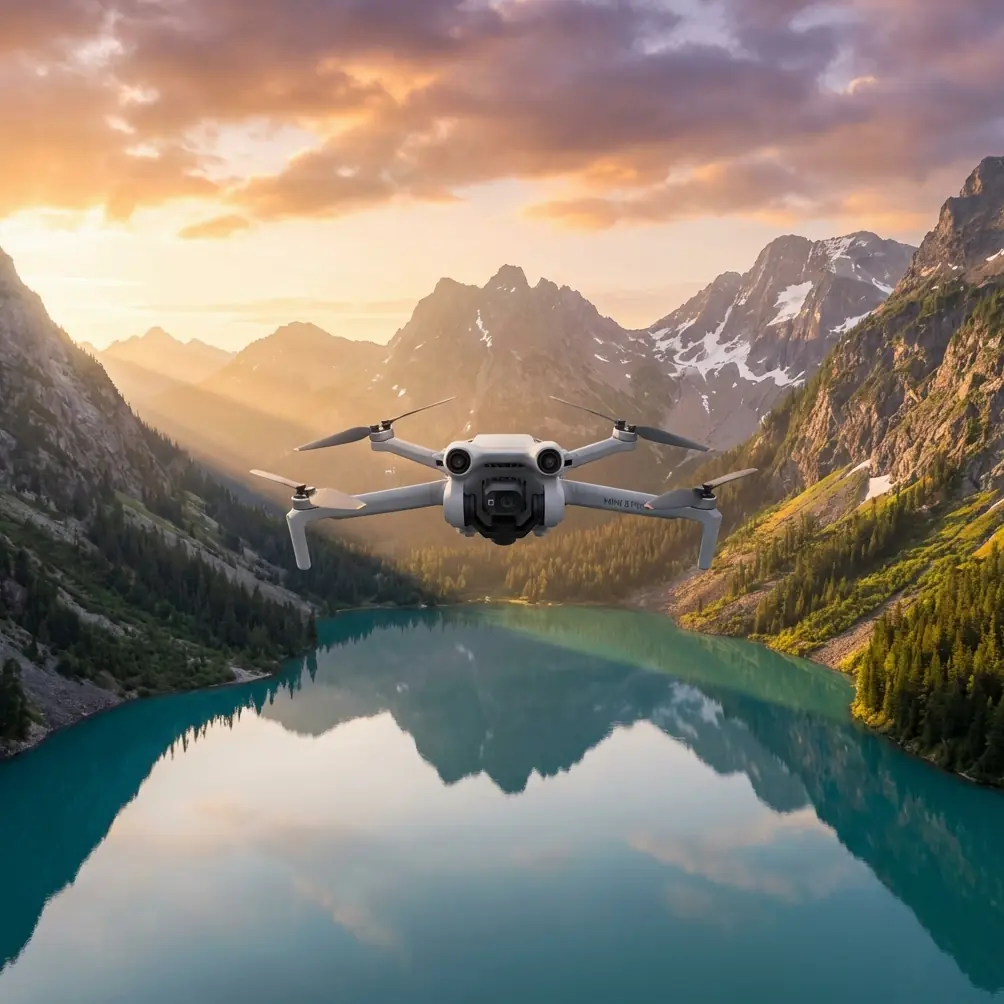
Mini 5 Pro in Coastal Forests: A Field Report on Light Shifts, Capture Discipline, and Real-World Flight Decisions
META: A field report on using the Mini 5 Pro for coastal forest scouting, with practical insight on changing light, capture timing, video settings logic, and why mode-specific adjustments matter in the field.
I took the Mini 5 Pro into a coastal forest with a simple job brief: scout access routes, identify canopy breaks, and capture enough usable footage to support later review without turning the flight into a settings experiment. Coastal woodland sounds straightforward on paper. In practice, it rarely is. The light changes by the minute, the wind moves in layers, and the transition from open shoreline to dense tree cover can force a pilot to make exposure, framing, and timing decisions almost continuously.
That day, the weather shifted mid-flight.
A bright, reflective edge near the water turned into a flatter, dimmer scene as cloud cover moved in. A few minutes later, the aircraft was crossing between open clearings and darker corridors under the canopy line. Those transitions are exactly where a small drone either becomes a reliable scouting tool or starts producing footage that looks inconsistent enough to undermine the whole mission.
This is where the Mini 5 Pro conversation gets more interesting than a standard feature rundown. For coastal forest work, the question is not whether the aircraft can fly a preset path, run subject tracking, or generate a cinematic QuickShot. It is whether the operator understands how changing light interacts with capture choices, and whether the drone is being used as a disciplined field instrument rather than a toy with advanced software.
Why coastal forest scouting is hard on small drones
Forests near the coast create conflicting visual conditions. Open sky at the edge of the scene can be significantly brighter than the trail, creek line, or understory beneath the trees. If you are documenting routes, erosion, vegetation health, storm impact, or access constraints, you often need both context and detail in the same flight segment.
That tension matters.
A drone pointed outward from a shaded corridor toward a bright opening can easily expose for the wrong part of the frame. A drone moving from full sun into tree shadow can force sudden adjustments if the camera strategy is not thought through in advance. Wind adds another complication. Even if the aircraft remains stable, leaves and branches create visual noise that can distract tracking systems and reduce the clarity of inspection footage if your capture settings are not chosen with intent.
The Mini 5 Pro is well suited to this kind of civilian scouting mission because it can combine obstacle awareness, route flexibility, and creator-friendly tools such as ActiveTrack, Hyperlapse, and D-Log. But the aircraft alone does not solve the real problem. The real problem is consistency under variable conditions.
The most useful lesson came from a camera manual, not the drone spec sheet
One of the reference points I keep coming back to in field work is a straightforward camera principle drawn from an action camera manual: auto low light is designed to help when shooting in dim conditions or when moving quickly into and out of low-light areas, and it does this by automatically adjusting frame rate to improve exposure. That single operational idea has major relevance for anyone flying a Mini 5 Pro in forests.
Why does that matter in a drone workflow?
Because a coastal forest flight is rarely lit evenly. You may start above a brighter clearing, descend near a stand of trees, then yaw toward a sunlit break in the canopy. In that sequence, exposure stability becomes more valuable than theoretical maximum sharpness from one fixed setup. If your shooting plan ignores the fact that light levels are in flux, the result is footage that looks stitched together from different days.
The manual also included a limit that deserves attention: the auto low light function was not available at 240 fps or at 30 fps and below. Even though that fact comes from another camera ecosystem, the lesson transfers cleanly. High-speed or certain frame-rate choices can restrict how much flexibility the camera has when the scene darkens. Operationally, that means you should think twice before selecting a frame-rate strategy based purely on creative preference if the mission involves moving from bright coast to shaded timber.
For a Mini 5 Pro operator scouting forests, the significance is clear. If weather is unstable and the route includes repeated light transitions, you should prioritize a video setup that preserves exposure behavior and grading latitude rather than chasing extreme motion options you may not need. In plain language: choose settings for the environment, not for the thumbnail.
What happened when the weather changed
About eight minutes into the flight, the sunlight that had been breaking through the upper canopy disappeared behind a moving bank of coastal cloud. The shift was quick enough that the scene flattened before I reached the far edge of the survey zone. This is exactly the kind of moment where pilots overreact. They stop, start adjusting everything, lose positional awareness, and come home with fragmented footage.
I did not want that.
Instead, I kept the Mini 5 Pro moving on a conservative scouting line and let the aircraft’s stabilization and obstacle awareness do their share of the work while I focused on scene priorities. The immediate goal was not to create a dramatic reveal. It was to preserve visual continuity across terrain segments that would later be reviewed for route access and canopy density.
In open sections, the drone held a clean perspective over the tree line. In tighter areas, I slowed down and let obstacle avoidance provide a buffer while manually managing the camera direction. That combination matters in forests. Subject tracking and ActiveTrack can be useful, but in dense natural environments they should support judgment, not replace it. Branches, vertical trunks, and partial occlusion can make any autonomous behavior less predictable than it seems in marketing clips.
Still, the Mini 5 Pro earned its place there. It remained composed as the environment became visually muddier, and that let me keep recording through the weather change rather than treating it as a mission failure.
Why mode-specific discipline matters more than most pilots think
Another reference detail that deserves more attention comes from the same manual: changes made to Protune in Video mode apply only to video capture. They do not automatically carry over to photo or multi-shot settings. That sounds small until you are in the field trying to document a changing scene efficiently.
This is one of the most common operational mistakes I see from otherwise competent pilots. They tune the video profile carefully, then assume their still captures or interval-based sequences will inherit those same decisions. They do not. Or at least, they should never assume they do without checking.
For Mini 5 Pro work in coastal forests, this has direct consequences.
If you are shooting D-Log video for later grading while also capturing stills for vegetation review, route marking, or client reference, you need to verify each mode separately. The practical significance is huge: your video may preserve highlight detail beautifully while your stills end up looking mismatched or less useful for comparison if you forgot that settings behavior can be mode-dependent.
That same manual also notes a hands-on capture behavior that is easy to overlook: while recording video, a user can manually trigger a photo, and holding the mode button enables one photo every 5 seconds. For field scouting, that kind of timed still capture logic is extremely relevant. On the Mini 5 Pro, even if the control implementation differs, the underlying lesson is excellent: build a capture workflow that allows you to preserve both motion context and repeatable still references without interrupting the mission.
When I fly in forests, I like to think in layers:
- Continuous video for route interpretation and environmental context
- Periodic stills for documentation checkpoints
- Controlled pauses for specific canopy gaps, trail junctions, or erosion features
That layered method is much more valuable than trying to decide after landing which single format should have done all the work.
How I used the Mini 5 Pro’s feature set without letting it dictate the mission
The Mini 5 Pro has the kind of feature list that can tempt a pilot to overshoot the brief. For a creator, QuickShots and Hyperlapse are useful. For commercial scouting, they are only useful if they answer a real need.
In this forest mission, obstacle avoidance was not just a safety cushion. It changed how I approached edge transitions. When moving from a shoreline opening toward denser coverage, I could keep a steadier line and devote more mental bandwidth to exposure and composition. That is operational significance, not just convenience.
ActiveTrack and subject tracking also have a place, but not the place many people imagine. I would not use them aggressively through a dense stand with mixed branch depth and intermittent occlusion unless I had already confirmed a clean visual path. Where they did make sense was at the boundary zone: following a person moving along a visible access trail near a clearing, or maintaining perspective on a vehicle or field team as they moved toward the forest edge. In those moments, the tracking tools reduce pilot workload and can produce more usable situational footage.
D-Log was equally important. Not because it sounds professional, but because forests often contain bright sky holes and dark ground texture in the same frame. A flatter capture profile gives more room later when balancing those elements. If the weather changes mid-flight, that flexibility matters even more. It will not rescue a bad exposure strategy, but it can keep a workable image from falling apart during edit.
Hyperlapse, interestingly, became useful only after the primary scouting passes were complete. Once I had the documentation footage secured, I used a restrained motion sequence over the canopy edge to show how the cloud layer was moving inland. That short clip ended up being valuable for briefing because it explained the light shift visually. Not a gimmick. Context.
The hidden value of slowing down
There is a tendency to assume that scouting means covering maximum ground as quickly as possible. In a forest, especially a coastal one, speed often reduces information quality. The Mini 5 Pro can move well, but the better result usually comes from deliberate pacing.
As the light dropped, I reduced speed near the darker sections not because the aircraft needed help flying, but because the camera needed a more stable visual workload. Quick changes in brightness, texture, and direction can make footage harder to read later. A slower line gives the sensor and the operator a better chance to preserve usable detail.
That same principle helps obstacle systems too. Dense natural spaces are not uniform. Branches protrude, leaves flicker in wind, and depth can be deceptive. A careful pilot uses obstacle avoidance as one layer in a broader safety strategy, not as permission to rush through a corridor because the aircraft “has sensors.”
If I were planning the same mission again
I would brief the flight in three phases:
Open-edge establishing pass
Capture the relationship between shoreline, tree line, and access routes while the light is most even.Low-altitude forest-edge scouting
Use conservative speed, obstacle awareness, and mode-specific capture checks. This is where mode discipline matters most.Supplementary stills and environmental context
Gather repeatable reference images and, if conditions justify it, a short Hyperlapse or controlled reveal to document weather movement or canopy behavior.
I would also keep one rule fixed: if the weather begins to shift, do not rebuild the mission in the air unless safety demands it. Adapt the shot priorities, not the entire operational logic.
For teams trying to refine a similar workflow, I sometimes share field notes directly through this WhatsApp contact for UAV workflow questions, especially when the mission mixes scouting, documentation, and creator deliverables.
Final assessment from the field
The Mini 5 Pro makes sense for coastal forest scouting not because it promises perfect automation, but because it gives a skilled operator enough control to manage unstable conditions intelligently. That distinction matters. The real value is in how the aircraft supports continuity when the environment refuses to stay constant.
The strongest lesson from this flight came from marrying drone capability with disciplined camera thinking. The reference details about automatic low-light behavior, frame-rate limitations, and mode-specific settings are not trivia. They are reminders that real field performance depends on understanding how image capture behaves under pressure.
When cloud cover rolls in and the forest floor darkens, the pilot who knows why settings matter will usually come back with the more useful footage. The Mini 5 Pro can absolutely be the right tool for that job. But only if it is flown with the mindset of an observer, not just an operator.
Ready for your own Mini 5 Pro? Contact our team for expert consultation.