
Mini 5 Pro for Mountain Field Scouting: A Practical
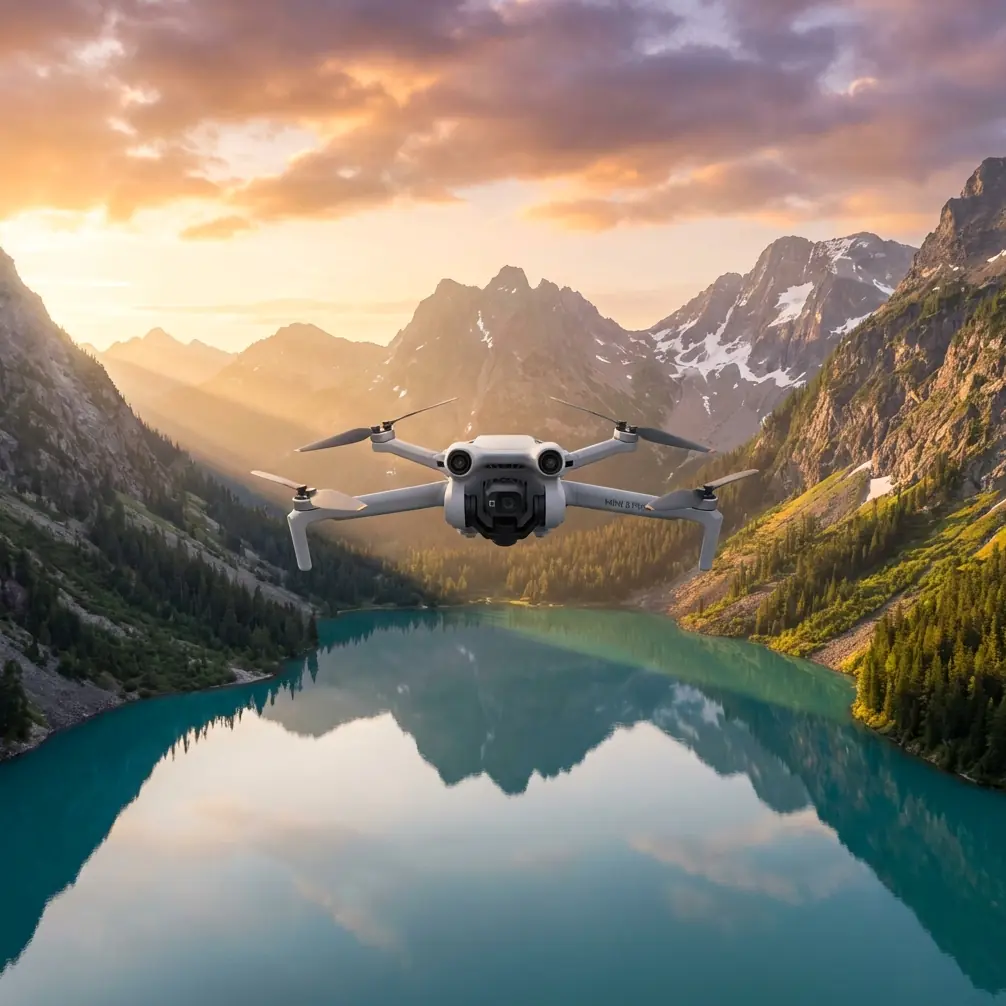
Mini 5 Pro for Mountain Field Scouting: A Practical Workflow That Protects Your Data Before You Ever Build a Map
META: Learn how to use Mini 5 Pro for mountain field scouting with a photogrammetry-first workflow focused on image quality, obstacle avoidance, ActiveTrack, and cleaner 3D mapping results.
When people talk about a drone for field scouting in the mountains, they usually jump straight to flight time, range, or how dramatic the footage looks at sunrise. That misses the real issue.
If your end goal is useful terrain insight, vegetation review, route planning, or a workable surface model, the mission is won or lost by image quality discipline. Not cinematic quality. Matchable quality.
That distinction matters for anyone considering the Mini 5 Pro for mountain fields, especially if the drone is being used by a photographer, land manager, grower, or survey-adjacent operator who needs more than pretty clips. In steep terrain, every shadow edge, glare patch, fog bank, and repeating texture pattern can quietly poison the downstream reconstruction. You may not notice the problem in the air. You will notice it later when your stitched mosaic looks uneven, your true 3D texture turns muddy, or your model develops gaps where the software could not confidently match the ground.
The best reference point here comes from established aerial photogrammetry practice: true 3D modeling depends on computer-based texture matching across the source images. When the raw imagery varies too much, the result can show color inconsistency, uneven brightness, and unclear textures. The operational fix is simple in theory and demanding in practice: improve the quality of the images that enter the match process, and remove photos affected by fog, cloud cover, lens flare, deep shadows, abnormal resolution changes, and large areas of repetitive texture.
That sounds technical. In the mountains, it is just reality.
Why the Mini 5 Pro makes sense for mountain scouting
For field scouting, the Mini 5 Pro sits in an interesting position. It is small enough to carry into hillside access points without turning the hike into a burden, yet advanced enough to support the camera discipline that mapping-oriented work actually requires. The features many buyers focus on for recreation—obstacle avoidance, subject tracking, QuickShots, Hyperlapse, D-Log, and ActiveTrack—become more useful when viewed through a fieldwork lens.
Obstacle avoidance is not just a convenience in mountain terrain. It is a margin-of-error tool when you are working near tree lines, terrace edges, utility poles, rock outcrops, and uneven ridges. Subject tracking and ActiveTrack can help if you need to follow a worker, an ATV path, or a livestock movement corridor across rolling ground, but they also serve as reconnaissance tools to understand line continuity and access routes before a manual mapping run.
D-Log matters less for social media and more for preserving tonal flexibility in harsh terrain lighting. Mountains create contrast extremes that can sabotage texture extraction: bright exposed slopes on one side, shadow-filled cuts on the other. A flatter capture profile gives you more room to normalize output later if your workflow includes image evaluation before processing.
QuickShots and Hyperlapse are not primary mapping modes, but they are useful for pre-mission reconnaissance. A short automated orbit or elevated reveal can show where mist is collecting, where reflective water is causing glare, and where repetitive crop or grass textures may become hard for matching software to interpret.
The mountain problem: good flying can still create bad mapping
A clean flight path does not guarantee a usable dataset.
This is where many first-time operators get burned. They assume that if the Mini 5 Pro stayed stable and captured sharp-looking images, the model should come together cleanly. But photogrammetry software is not “looking” at a landscape the way a human photographer does. It is trying to identify and match texture patterns from one image to the next. If the source set includes inconsistent exposure, haze, flare, blocked shadows, or large swaths of nearly identical texture, the computation gets weaker.
The reference material is blunt on this point: to improve texture precision, you need to raise the quality of the images entering the matching process and remove problematic frames. Specifically, images affected by cloud or fog coverage, lens reflections, shadows on ground objects, large similar-texture areas, and abnormal resolution changes should be excluded to improve matching accuracy.
For mountain field scouting, that translates into a practical rule:
Do not treat every captured image as an asset. Some are liabilities.
A Mini 5 Pro operator who understands this will outperform a less disciplined pilot using a bigger aircraft.
A real mountain scouting scenario
Last autumn, I was scouting steep mixed-use hillside fields where grazing strips met scrub and broken stone walls. The goal was straightforward: document access lines, drainage behavior, and the condition of vegetation patches before a restoration plan.
Halfway through the sortie, a roe deer broke from the brush and cut diagonally across the lower terrace. This was exactly the kind of moment that tests whether “smart” drone features are actually useful in the field. The aircraft’s sensing system handled the sudden scene change without drifting into the tree edge, and I was able to let the drone maintain a safe visual track long enough to confirm the animal’s route and clear the area before resuming the planned pass.
That matters for two reasons. First, obstacle awareness in mountain scouting is not only about branches and cliffs. It is also about avoiding erratic maneuvering when wildlife unexpectedly enters the scene. Second, the interruption itself can ruin a mapping sequence if the operator rushes back into the mission without checking light angle, framing consistency, and overlap continuity.
In this case, the encounter was memorable, but the professional lesson was more valuable: recovery discipline after an interruption is as important as the interruption response itself.
A Mini 5 Pro workflow for mountain fields
Here is the workflow I recommend if your Mini 5 Pro missions are meant to support field decisions rather than just visual documentation.
1. Scout for image risk before you scout the land
Before launching a structured capture run, use a short manual ascent or a brief QuickShot-style recon move to identify the five image killers called out by photogrammetry practice:
- haze or low cloud crossing the field
- lens flare from low-angle sun
- terrain shadows obscuring detail
- repetitive texture, such as uniform grass or crop rows
- abrupt resolution inconsistency caused by rushed framing changes
This first pass is not about collecting final data. It is about deciding whether the field is currently mappable.
If the mountain light is breaking badly across alternating sun and shadow bands, wait. Ten patient minutes can save hours of failed stitching later.
2. Use obstacle avoidance as a consistency tool
Most pilots think of obstacle avoidance as crash prevention. In mountain fields, use it to support steadier, more repeatable paths.
Consistency helps your dataset. Sudden altitude corrections, panic braking near branches, or aggressive yaw adjustments can create uneven framing and perspective shifts that complicate matching. When the Mini 5 Pro’s sensing system helps you maintain calmer, more controlled movement near terrain, it indirectly improves the image set.
That is an operational significance people often overlook: safety features can improve data quality, not just aircraft survival.
3. Shoot for matching, not drama
This is where the photographer in me has to restrain the artist.
The most beautiful frame of the morning may be the least useful frame in the model. Deep contrast, dramatic backlight, and reflective highlights look wonderful in isolation. They often perform badly in automated texture matching.
The reference source emphasizes that true 3D reconstruction relies on texture information. So when you are collecting source imagery in the mountains, prioritize detail that software can reliably recognize from frame to frame. Clear, evenly exposed textures beat dramatic lighting almost every time.
If you want the cinematic sequence too, capture it separately after the structured run.
4. Review and reject aggressively
One of the strongest lessons from the source material is the need to remove flawed images before matching. This is not optional housekeeping. It is a quality-control step with direct impact on reconstruction accuracy.
Mountain operators should reject frames with:
- fog wash or low-contrast haze
- flare from sun angle changes
- dark terrain pockets where surface texture disappears
- smeared details from abrupt movement
- oversized areas of repeating grass, scrub, or crop texture with little distinguishing variation
This is where software workflow matters. The source document mentions specialized image stitching and processing tools designed to accelerate large-image handling and improve stitching quality. One example cites multi-GPU acceleration and a benchmark of 100 aerial photos in just 3 minutes, which is a useful reminder that processing speed has long been treated as a serious operational bottleneck in UAV image work.
Why does that matter to a Mini 5 Pro user? Because faster processing changes field behavior. If your software can quickly test a subset, you can validate whether the morning’s imagery is holding together before leaving the site. That is far better than discovering alignment failure back at the office.
5. Understand that ease of use is not the same as data reliability
The reference material also points to software that can turn thousands of images into measurement-grade digital surface models, orthophotos, and dense true-3D point clouds with minimal operator intervention.
That sounds ideal, and in many cases it is. But automation only helps when the inputs deserve it.
The Mini 5 Pro can absolutely support lightweight field scouting that feeds into mapping or surface interpretation. What it cannot do is rescue a careless capture strategy. Automatic processing is strongest when the operator has already controlled haze, shadows, flare, and texture ambiguity.
The old photogrammetry principle still wins: clean inputs, clean outputs.
Where ActiveTrack and Hyperlapse fit in a professional workflow
ActiveTrack is valuable during pre-planning and contextual documentation. If you are assessing access along mountain field margins—say, tracking a maintenance vehicle, a footpath inspection, or livestock movement along a boundary—ActiveTrack can help you understand route interaction with terrain.
Hyperlapse is useful for monitoring shifting mountain conditions over a short period. Fog movement, shadow travel across a slope, and vehicle or worker access timing become much easier to interpret in accelerated form. That can inform when to fly the actual structured capture.
Neither feature replaces a mapping workflow. Both can improve the decision of when and how to run it.
The hidden advantage of a small drone in mountain work
Large systems can carry more. They can also slow down deployment.
A Mini 5 Pro-sized aircraft has an overlooked advantage for mountain field scouting: it encourages repetition. You are more likely to relaunch from a second ridge, recheck a drainage line, or return at a better sun angle when the kit is light and the setup friction is low. That translates into better datasets because you are not forcing a flawed mission to succeed simply because the logistics are painful.
If your work routinely involves scouting narrow upland fields, orchard strips, grazing terraces, vineyard edges, or restoration sites, that portability has practical value. It lets you chase conditions, not fight them.
Final field advice for Mini 5 Pro operators
If I had to reduce all of this to one professional habit, it would be this:
Treat image selection as part of flying.
Do not separate the two. The drone mission starts before takeoff and ends only after you have decided which frames deserve to enter the model.
The Mini 5 Pro is most useful in mountain fields when its smart features support a disciplined image pipeline:
- obstacle avoidance for steadier terrain-following movement
- ActiveTrack for route context and pre-mission situational awareness
- D-Log for difficult light management
- QuickShots and Hyperlapse for environmental reconnaissance
- careful rejection of fogged, shadow-blocked, reflective, or repetitive-texture frames before stitching
That approach aligns with the core truth from professional photogrammetry systems, from long-established platforms like VirtuoZo to newer fast-stitching UAV software: image matching quality drives model quality. Fancy automation does not replace source discipline.
If you are planning a Mini 5 Pro setup for mountain field scouting and want a workflow tuned for cleaner mosaics and more reliable 3D results, you can message a field workflow specialist here.
Ready for your own Mini 5 Pro? Contact our team for expert consultation.