
Mini 5 Pro for Windy Construction Sites: A Practical Field
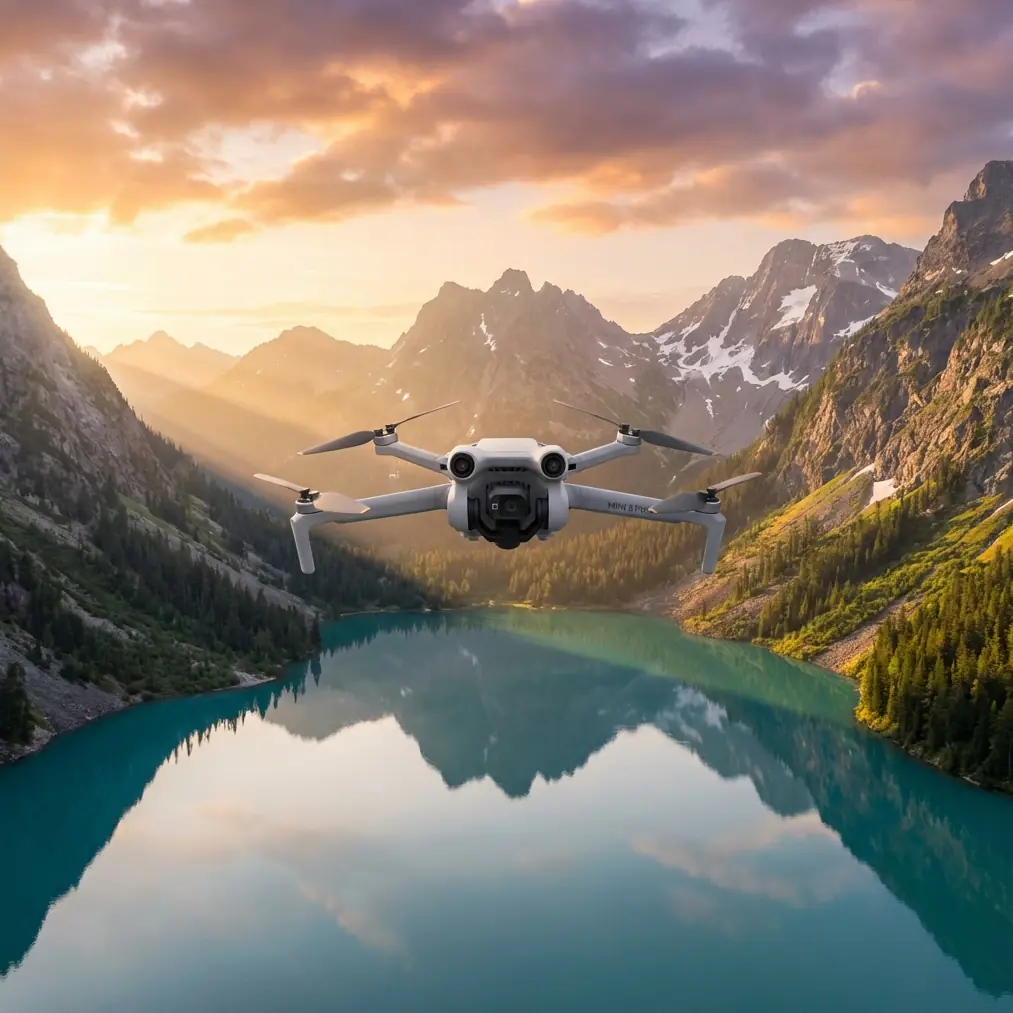
Mini 5 Pro for Windy Construction Sites: A Practical Field Guide
META: Learn how the Mini 5 Pro can monitor windy construction sites with safer flight planning, obstacle avoidance, subject tracking, D-Log workflows, and practical aerial documentation tips.
Wind changes everything on a construction site.
A drone that feels perfectly stable over an open field can become much harder to trust when it is working above scaffolding, rebar, tower cranes, temporary fencing, and half-finished structures that create their own turbulence. That is where the Mini 5 Pro conversation gets interesting. Not because “small drone” automatically means “easy drone,” but because a compact aircraft with the right sensing, tracking, and imaging tools can be unusually useful when the job is recurring site monitoring rather than one-off cinematic flying.
If you are evaluating the Mini 5 Pro for construction progress work in windy conditions, the real question is not whether it can fly. It is whether it can produce repeatable, usable documentation without turning every inspection into a manual wrestling match.
This guide is built around that exact scenario.
Why the Mini 5 Pro matters on construction sites
Construction monitoring is less about dramatic footage and more about consistency. You need reliable visual records of earthworks, steel placement, façade progress, access roads, stockpile movement, roofing status, drainage changes, and safety perimeter conditions. You may be documenting a site every week, sometimes every day. The aircraft has to fit into a workflow that is fast enough for reality.
That is where a Mini-series platform can earn its place.
A small drone is easier to move between site offices, vehicles, and field teams. It is also faster to deploy for short flights when all you need is a 10-minute capture of a crane base, a new concrete pour, or the edge conditions around a retaining wall. On windy days, that portability matters even more because flight windows can be short. You may get twenty calm minutes and then lose them.
The Mini 5 Pro concept becomes compelling when you combine that portability with features people usually associate with larger systems: obstacle avoidance, subject tracking, ActiveTrack, QuickShots, Hyperlapse, and D-Log capture. Those are not decorative spec-sheet items. On a construction site, each one can reduce risk, improve repeatability, or save editing time.
Start with the wind, not the camera
Many operators make the same mistake. They begin by thinking about image quality. On a live construction site, the smarter approach is to start with airflow.
Wind around buildings is rarely uniform. It accelerates around corners, spills over parapets, and swirls behind elevator cores or temporary screening. A drone can be holding position well at one point in the flight and then drift the moment it crosses the wake of a structure.
That changes how you should use the Mini 5 Pro.
Do not treat the site as one big open sky. Break it into micro-zones:
- open staging areas
- partially enclosed slab levels
- crane-adjacent airspace
- roof edges
- façade corridors
- stockpile zones near perimeter fencing
The operational significance here is simple: obstacle avoidance is much more valuable when wind pushes the aircraft into unpredictable lateral corrections near vertical structures. A sensing system is not a replacement for pilot judgment, but on a site with scaffolding poles, temporary hoists, and protruding formwork, it can provide a buffer when gusts turn a routine orbit into a messy one.
That matters most during close visual capture of structural progress, especially when you are documenting elevation changes from week to week and trying to keep framing consistent.
How to plan a stable weekly progress flight
A construction monitoring mission should not look improvised, even if the weather is.
Here is a practical Mini 5 Pro workflow that holds up well on windy sites.
1. Fly the same route every visit
Repeatability is the foundation of useful progress records. Pick four to six core viewpoints and keep them fixed:
- one high overview of the full site
- one diagonal angle showing logistics flow
- one elevation-specific façade view
- one overhead pass for structural sequencing
- one low oblique shot for access and perimeter conditions
The Mini 5 Pro’s compact format helps here because it is quick to launch and reposition. If the wind builds, you can still complete your priority captures before conditions deteriorate.
2. Use obstacle avoidance as a spacing tool
On site, pilots often fly either too close for comfort or too far to inspect details. Obstacle avoidance can help you work in the middle ground.
For example, when orbiting a partially completed building, maintain a wider standoff than you think you need, then let the sensing system support that envelope rather than challenge it. This is especially useful near scaffolding and temporary edge protection where visual depth cues can be deceptive.
The key operational point: obstacle sensing is not just about avoiding a collision. It allows more confident, repeatable positioning around cluttered structures, which is exactly what construction documentation needs.
3. Use ActiveTrack and subject tracking selectively
Construction sites move. Dump trucks enter and leave. Telehandlers reposition material. Concrete pumps snake across a slab. A feature like ActiveTrack or subject tracking can be useful, but only if used with restraint.
Tracking is best for documenting controlled movement, such as:
- a haul route from gate to stockpile
- a mobile plant unit crossing a defined work zone
- a roof crew material lift from a safe standoff distance
It is less useful in visually chaotic scenes with cranes, suspended loads, and overlapping vehicle movement.
Why mention this? Because subject tracking on a windy site can save the operator from over-correcting manually while also preserving cleaner framing for project managers who need to see workflow, not just static geometry. The feature matters when you want to show how the site operates, not merely how it looks.
A wildlife moment that proves why sensors matter
One of the more revealing moments I have seen during a site-monitoring flight involved a shoreline-adjacent development plot on a gusty afternoon. The goal was straightforward: capture a weekly perimeter update and a roofline progress pass. Halfway through a lateral move, a gull cut across the flight path at low angle, likely riding the same updraft coming off the building edge.
That kind of encounter happens faster than people expect.
The drone’s sensing and braking behavior made the difference. Instead of continuing the move into a tightening gap between the bird’s line and a scaffolded corner, the aircraft checked forward motion and gave the pilot an extra beat to reposition. On paper, obstacle avoidance is about structures. In real field use, its value often appears in mixed environments where wind, wildlife, and unfinished architecture all compete for the same piece of air.
That is operational significance, not theory. Construction sites near water, open land, or waste-handling zones often attract birds. A drone used for recurring monitoring should be flown with that in mind.
QuickShots and Hyperlapse are not just for show
QuickShots and Hyperlapse tend to get dismissed as creative extras. On construction work, they can actually serve documentation.
QuickShots for stakeholder updates
A short automated reveal or orbit can help produce a clean overview clip for project stakeholders who do not want to parse dozens of still images. When used sparingly, these modes create consistent motion sequences that make weekly changes more obvious.
For example, the same orbit around a steel frame every seven days can show sequencing progress far more intuitively than a random collection of handheld-feeling flight clips.
Hyperlapse for schedule storytelling
Hyperlapse is useful when you want to show broader site evolution, especially for:
- staging area reconfiguration
- road access changes
- façade enclosure progress
- crane and material flow patterns over time
A compressed time sequence from a repeatable vantage point can reveal operational bottlenecks that still photography misses. If one delivery area remains chronically congested week after week, the problem becomes visible in seconds.
That is why these tools deserve a place in a serious workflow. They help transform raw capture into readable site intelligence.
Why D-Log matters for construction teams
D-Log is one of those features that sounds niche until you deal with a high-contrast site.
Construction environments regularly combine bright sky, reflective metal, pale concrete, dark excavation pits, shaded recesses, and temporary coverings in one frame. Standard-looking footage can clip the highlights on the roof while losing detail under the slab edge. A flatter profile like D-Log gives more flexibility when balancing those extremes in post.
That has practical value in at least three ways:
- preserving detail in white membranes, concrete decks, and reflective cladding
- keeping shadow information visible under overhangs and inside partially enclosed areas
- making different weekly flights easier to match visually despite changing light
If your output goes to developers, consultants, or marketing teams, D-Log also gives the editor more room to build a clean, consistent look across an entire project timeline. It is not only about making footage prettier. It is about making records easier to compare.
Best practices for windy-day site monitoring with the Mini 5 Pro
Windy construction flying rewards discipline more than bravery.
Keep your altitude choices deliberate
Higher is not always safer. On many sites, wind becomes less predictable above roofline level and around crane influence zones. A lower, offset position can produce cleaner footage and less aircraft stress than a dramatic high arc.
Fly obliques before overheads
If conditions are changing, capture your oblique structural angles first. They usually carry more interpretive value for site managers than top-down shots, and they become harder to hold steady once gusting increases.
Use tracking only where the background is readable
ActiveTrack is useful when the subject separates clearly from its surroundings. If the frame is packed with moving machinery and vertical steel, manual control may still be the cleaner option.
Build a “minimum acceptable set”
Before launch, define the five captures that matter most. If the weather closes in, finish those and land. A complete essential record beats a half-finished ambitious mission.
Watch for wildlife near thermal and wind corridors
Bird activity tends to increase around open spoil areas, waterfront edges, and rising warm air near sun-heated surfaces. That earlier gull encounter was not unusual. It was a reminder that environmental awareness belongs in your site plan.
A sample capture routine for a 15-minute visit
If you are monitoring a site regularly, this short routine works well:
Minute 1-3: launch, hover check, wind read, sensor status confirmation
Minute 3-6: high overview from the windward side
Minute 6-9: two oblique passes along the main structure using obstacle-aware spacing
Minute 9-11: one tracked movement sequence of a vehicle route or material flow if conditions permit
Minute 11-13: QuickShot or short orbit for stakeholder summary footage
Minute 13-15: landing approach with extra margin for gusts near structures
That kind of routine produces both record footage and communication footage. Different audiences need different things. Site engineers may want detail. Executives may want clarity. The Mini 5 Pro can serve both if the flight is planned with intent.
The human factor still decides everything
No smart feature removes the need for judgment.
Obstacle avoidance can help near protruding steel and scaffolding. ActiveTrack can reduce manual workload during controlled movement capture. QuickShots and Hyperlapse can improve weekly reporting. D-Log can preserve more usable visual information. But the operator still decides where to stand, when to launch, which route to abandon, and how much wind is too much for the mission objective.
That is why the Mini 5 Pro, in this construction context, should be thought of as a precision notebook rather than a stunt machine. Its value is in helping teams record change, verify progress, and communicate site reality with less friction.
If you are building a repeatable workflow and want to compare capture plans or discuss site-specific wind strategy, you can message Chris Park here.
The best results usually come from operators who stop chasing dramatic footage and start thinking like project observers. On windy construction sites, that shift matters. It is what turns a compact drone from a convenient gadget into a reliable documentation tool.
Ready for your own Mini 5 Pro? Contact our team for expert consultation.