
Mini 5 Pro for Vineyard Mapping in Extreme Temperatures
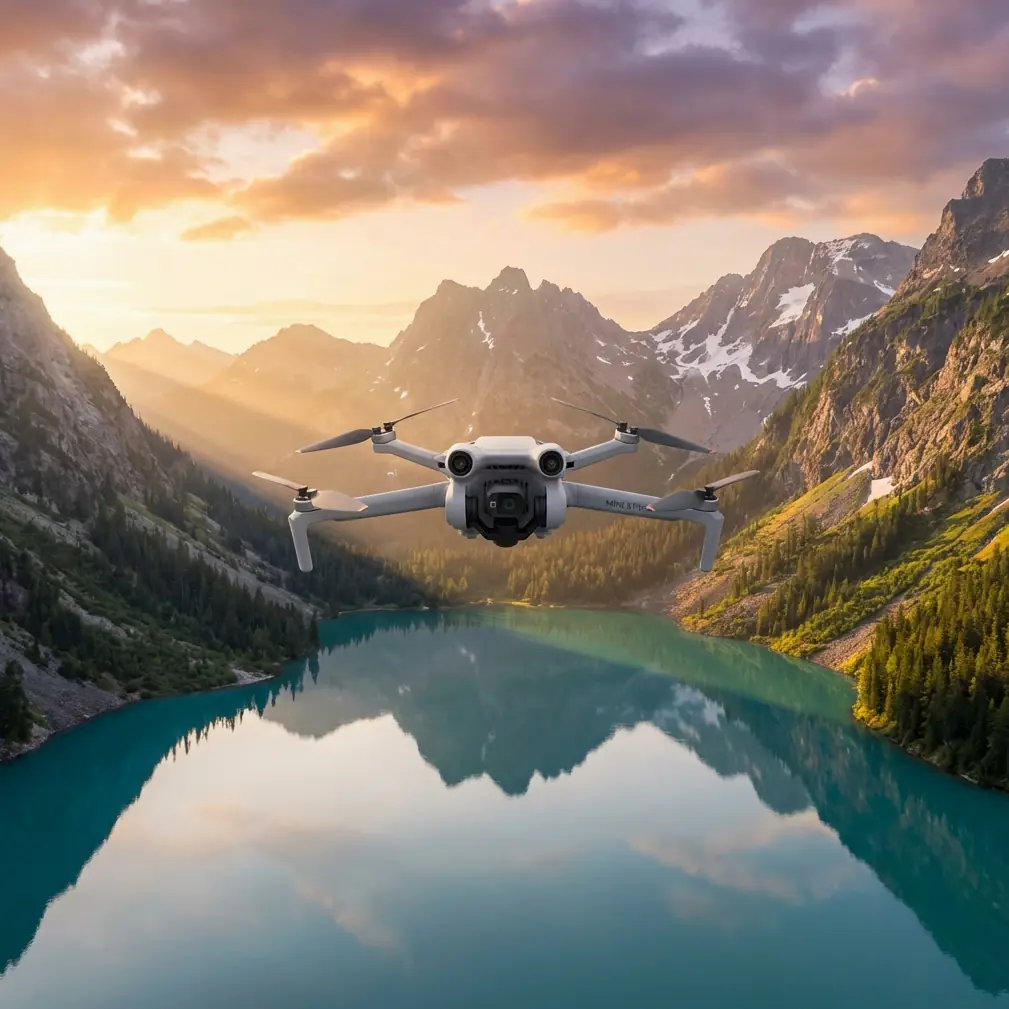
Mini 5 Pro for Vineyard Mapping in Extreme Temperatures: A Field Workflow That Holds Up
META: Learn a practical Mini 5 Pro workflow for vineyard mapping in extreme temperatures, including battery management, obstacle avoidance, D-Log capture, ActiveTrack use, and antenna adjustment under electromagnetic interference.
Vineyard mapping sounds straightforward until the weather stops cooperating.
Heat shimmer can soften detail over long rows. Cold mornings can flatten battery performance before the second pass. Add trellis wire, irrigation hardware, nearby pumps, metal fencing, and the occasional source of electromagnetic interference, and a clean survey becomes a lot more technical than most people expect.
I approach this as a photographer first, but vineyards taught me to think like an operator. Pretty footage is easy. Repeatable, useful aerial data is harder. If you are using a Mini 5 Pro in extreme temperatures, the drone is only part of the equation. The real difference comes from how you plan each flight, how you position yourself relative to the aircraft, and how you adapt when signal quality or battery behavior starts drifting.
This tutorial focuses on one job: mapping vineyards in harsh temperature conditions with a Mini 5 Pro, while still capturing footage that can support visual assessment, row inspection, and presentation work. I will also cover one detail that gets ignored until it causes trouble in the field: handling electromagnetic interference with deliberate antenna adjustment.
Why vineyard mapping pushes a small drone harder than most flights
Vineyards create a strange mix of open and cluttered space. From above, the geometry looks simple. On the ground, it is full of risk factors for a lightweight platform.
Rows can stretch long enough that operators become complacent and let the aircraft get too far ahead. Slope changes affect perceived altitude. Wind funnels differently between blocks. In summer, heat radiating from dry soil can reduce visual crispness and make manual positioning feel less precise. In winter or near-freezing dawn conditions, battery chemistry becomes the limiting factor before your mission plan does.
The Mini 5 Pro makes sense here because portability matters. You can move quickly between blocks, launch from narrow access roads, and work without hauling a heavier rig through mud, dust, or steep terrain. But small size never exempts you from flight discipline. In vineyard work, it actually raises the stakes. You need to be more intentional with route design, battery timing, and signal management.
That is where features like obstacle avoidance, ActiveTrack, QuickShots, Hyperlapse, and D-Log become useful in a practical way rather than as a checklist on a spec sheet.
Step 1: Build the mission around temperature, not around battery percentage
The most common mistake I see in extreme conditions is treating all battery percentages as equal. They are not.
In high heat, a battery can show healthy charge while the aircraft deals with thermal load, especially if you are climbing repeatedly, fighting wind, or hovering longer than planned over inspection points. In cold conditions, the opposite happens: the number can look normal at takeoff, then sag faster once you are out over rows and turning at the end of a pass.
My rule is simple. I do not plan a vineyard mapping session around the advertised capacity of a battery. I plan around the weakest part of the day.
If the morning is cold, I shorten the first mission and use it as both a warm-up flight and a systems check. If the afternoon is hot, I reduce hover time and avoid unnecessary climbs because heat plus repeated throttle changes can turn a clean mapping sequence into a rushed return.
Operationally, that means breaking one large property into smaller, logical sections. North block. South slope. Irrigation edge. Access road perimeter. This does two things:
- It reduces the temptation to stretch range.
- It gives you more consistent data because each segment is flown under similar aircraft conditions.
That consistency matters if you are comparing row vigor, canopy gaps, or stress patterns. It also matters for photography. D-Log footage from one pass is much easier to grade and match when the aircraft is not gradually cooking itself through a long, uneven mission.
Step 2: Use obstacle avoidance as a buffer, not a crutch
In vineyards, obstacle avoidance is most valuable near irregular edges, utility lines, lone trees, machinery staging areas, and sudden elevation changes. It is less useful if you treat it like permission to fly lazily.
Rows encourage tunnel vision. You start following the clean linear pattern and forget about what sits just outside it. A service vehicle parked near the end of a block, a wire crossing, a rise in terrain, a pole near an irrigation control station. Those are the places where obstacle sensing earns its keep.
The Mini 5 Pro’s obstacle avoidance becomes operationally significant in two specific ways during mapping:
First, it helps stabilize decision-making in high-glare or high-fatigue conditions. Extreme heat wears down attention. Cold does too. The system gives you a margin when your eyes and reaction time are not at their best.
Second, it lets you maintain smoother low-altitude transitions at block edges, which is important when you are collecting imagery that needs to be spatially coherent. A jerky correction at the end of each row does not just look bad. It can make visual review less reliable because perspective changes become inconsistent.
Still, I keep extra distance from trellis ends and utility features. Thin structures and complicated backgrounds are exactly where overconfidence creates problems.
Step 3: Handle electromagnetic interference before it escalates
This is the part that deserves more attention in vineyard operations.
Electromagnetic interference often does not announce itself with drama. It starts subtly. Slight signal instability. Small delays in image transmission. A control link that feels less crisp than it did ten seconds earlier. In vineyard environments, likely culprits include pump systems, power infrastructure, metal-dense farm equipment, and even your own positioning relative to fencing or service installations.
When that happens, my first correction is not a random repositioning of the drone. It is antenna discipline.
Antenna adjustment matters because the control link is directional in practice, even when operators act like it is magic. If your controller antennas are pointed poorly relative to the aircraft, or if your body, vehicle, or a metal object is partially blocking the signal path, interference feels worse than it actually is.
My workflow is straightforward:
- Stop trying to “push through” the weak link.
- Face the aircraft directly.
- Re-angle the antennas so broadside orientation is aligned with the drone rather than pointing the tips at it.
- Step away from trucks, fencing, pump housings, or metal railings if you launched too close to them.
- Gain a little elevation yourself if terrain or vine rows are degrading line-of-sight.
This is not theory. It changes outcomes in the field.
The operational significance is huge. Better antenna alignment can restore a cleaner control and video link without forcing an abrupt climb or a panicked return path. That means you preserve the consistency of your mapping run and reduce the chance of introducing gaps in your visual record. In a vineyard, where repeating a pass under identical light and wind is not always possible, saving the original run matters.
If you want help refining field setup for difficult sites, I usually suggest operators compare notes with a pilot support group like this operator chat before a major mapping day. A five-minute discussion about signal positioning can save a battery and a lot of frustration.
Step 4: Fly for overlap, but also fly for interpretation
A vineyard map is only useful if someone can read it.
That sounds obvious, yet many operators collect footage that is technically complete and practically unhelpful. The fix is to think about interpretation while you fly.
I usually build a session in three layers.
Layer one: the high overview pass.
This gives you block shape, row orientation, access lanes, drainage patterns, and context. It is your reference structure.
Layer two: the medium-altitude row pass.
This is where you start seeing canopy uniformity, obvious weak sections, missing vines, and edge effects from terrain or water flow.
Layer three: the low-detail inspection pass.
This is selective, not exhaustive. You use it where the earlier passes showed inconsistencies.
The Mini 5 Pro’s flight automation helps here, but not all automated modes are equally useful for mapping. QuickShots are not mapping tools in the strict sense, yet they can be valuable at the start or end of a session when you need a clean establishing perspective for a grower report or visual presentation. Hyperlapse is similar. It is not for crop analysis, but it can show moving shadow patterns, irrigation activity, or fog burn-off across a block in a way that gives context to what the static passes reveal.
Those features become more than creative extras when you use them to document conditions around the mapping session.
Step 5: Use D-Log when light is harsh and vine contrast is high
Extreme temperature days often come with difficult light. Cold mornings can produce hard, low-angle contrast. Hot afternoons can wash rows in bright overhead glare. Either way, vineyards are full of tonal complexity: dark under-canopy shadows, bright soil, reflective leaves, and specular highlights from irrigation hardware.
That is where D-Log becomes operationally useful.
If you are only flying for a quick social clip, standard color may be enough. But if the footage needs to support closer review of plant condition or block variability, D-Log gives you more room to preserve highlight and shadow detail. This matters when one side of a row is sunlit and the other falls into deep contrast. It also matters when you revisit footage later and realize the subtle difference between stressed and healthy sections was sitting near the edge of clipping.
I still expose conservatively. Protect the highlights. Vineyards in bright heat can burn out faster than expected, especially around pale soil or reflective mulch. A flatter profile is not a license to be careless. It is a buffer.
For photographers transitioning into mapping work, that distinction is critical. D-Log is not about making footage look cinematic first. It is about protecting interpretability.
Step 6: Use ActiveTrack carefully around moving equipment and edge inspections
ActiveTrack is not something I use for mainline mapping passes. Straight survey-style work should stay deliberate and manual or route-based. But it does have a place in vineyard operations.
If a utility vehicle is moving along a perimeter road, or a worker is checking irrigation zones and you need contextual footage of the inspection process, ActiveTrack can capture that efficiently while you focus on framing and airspace awareness. The benefit is speed and consistency. The risk is forgetting that vineyards are cluttered at the margins.
Operationally, ActiveTrack helps when you need to document workflow around the vines rather than just the vines themselves. That can be useful for estate operations, field documentation, or project updates. But I would not trust any tracking mode blindly near poles, netting, wires, or irregular tree lines. Obstacle avoidance reduces risk. It does not remove judgment from the job.
Step 7: Adjust timing to beat thermal distortion
One of the least discussed problems in hot-weather vineyard mapping is thermal distortion. By midday, heat rising from soil can subtly soften the image, especially over long straight rows where you need detail to hold from one end of the frame to the other.
The workaround is timing.
If the purpose is analytical mapping, I prefer the earliest stable light window that still gives me enough brightness for clean capture. Not pre-dawn. Not overly shadowed. Just before the ground starts radiating aggressively. If a second session is needed, late afternoon often performs better than the hottest central hours.
This is another reason not to waste batteries on unfocused flights. The best visual window may only be 30 to 60 minutes long on a harsh day. Spend it on the passes that matter most.
Step 8: Finish with a verification loop, not a cinematic lap
A lot of operators end a job with a dramatic orbit. I end with a verification loop.
Before packing up, I do one fast review cycle:
- Did I cover every planned block?
- Did any pass suffer from signal instability?
- Did extreme temperatures change battery behavior enough to affect consistency?
- Do I need one more low pass over a suspect area before the light shifts?
- Did interference appear near a specific structure or pump zone?
This final loop is where small drones earn their place. The Mini 5 Pro can be relaunched quickly, repositioned easily, and used to patch gaps without turning the whole day into a logistics project.
That agility is the real advantage in extreme-temperature vineyard work. Not just portability. Recovery. Adaptation. The ability to correct a problem while conditions are still close to your original capture.
What actually matters in the field
For this kind of work, the Mini 5 Pro is not at its best when it is treated like a toy camera. It is at its best when you use its compact footprint and intelligent features with discipline.
Obstacle avoidance matters because vineyard edges are messier than they look. D-Log matters because harsh light hides useful detail in both shadows and highlights. ActiveTrack matters only in selective support scenarios. QuickShots and Hyperlapse matter when they explain conditions surrounding the map rather than distract from it. And antenna adjustment under electromagnetic interference matters because signal problems often have a human fix before they become a mission failure.
That last point is the one I wish more pilots understood. In agricultural environments, not every unstable link means the aircraft is the problem. Sometimes the issue is where you are standing, what is near you, and how poorly the antennas are aligned. Correcting that can be the difference between finishing a clean row set and wasting the best light of the day.
If you are mapping vineyards in extreme temperatures, plan less like a hobbyist and more like a field operator. Segment the property. Respect temperature effects early. Keep line-of-sight clean. Protect your signal path. Capture with intent. Review before you leave.
The drone will do its part. The rest is on you.
Ready for your own Mini 5 Pro? Contact our team for expert consultation.