
Mini 5 Pro Guide: Mapping Power Lines in Windy Conditions
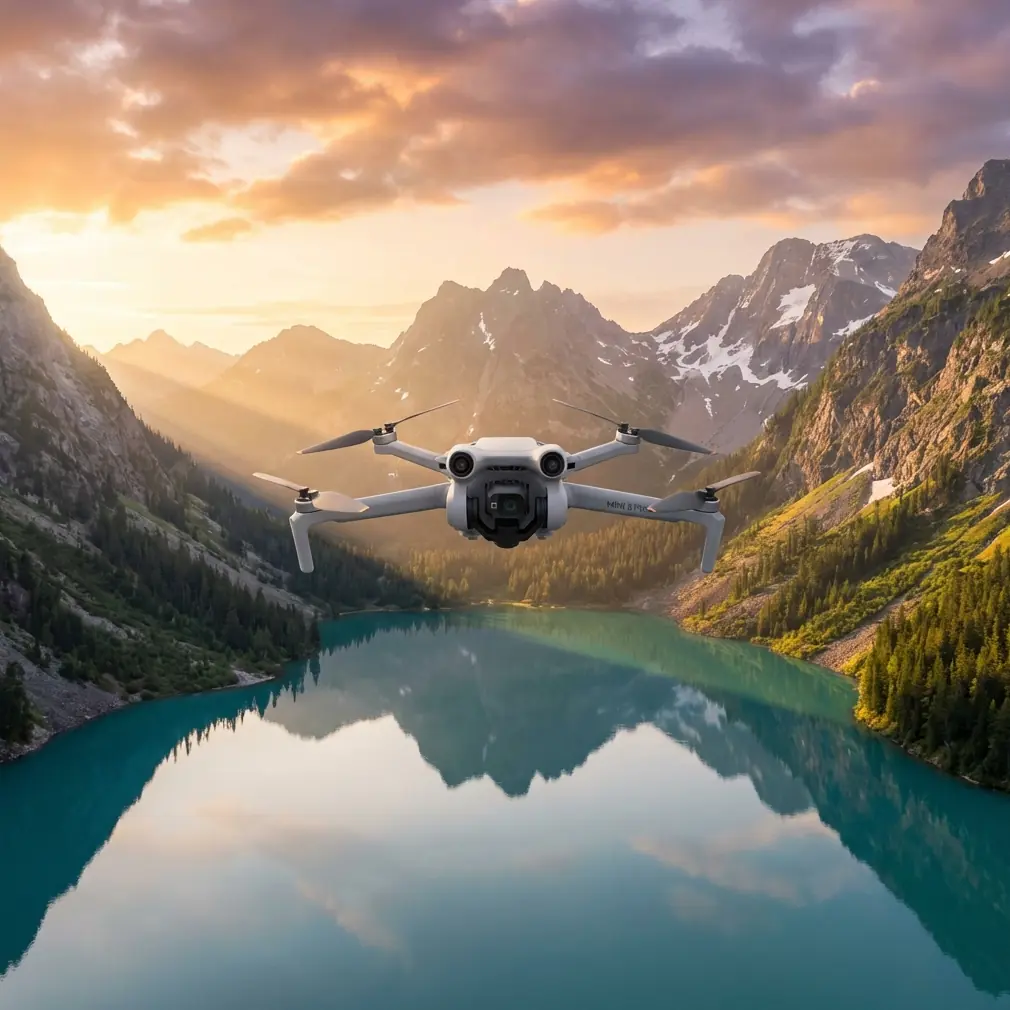
Mini 5 Pro Guide: Mapping Power Lines in Windy Conditions Without Losing the Line
META: A practical Mini 5 Pro guide for mapping power lines in windy weather, with workflow tips on obstacle avoidance, ActiveTrack, D-Log, Hyperlapse, and mid-flight weather changes.
By Chris Park
Power-line mapping sounds simple until the wind starts moving across a corridor and the aircraft stops feeling like a camera platform and starts feeling like a negotiation between pilot, software, and air. That is where a small drone either proves its value or shows its limits.
The Mini 5 Pro conversation usually drifts toward travel flying, quick setup, and compact storage. For utility corridor work, that misses the point. A lightweight aircraft only becomes useful when it can stay composed near linear infrastructure, recover smoothly when conditions shift, and capture imagery that remains usable after the flight. If you are mapping power lines in windy conditions, the Mini 5 Pro is not just being asked to fly. It is being asked to hold geometry, maintain predictable framing, and protect the inspection workflow from weather-driven chaos.
What matters most is not a flashy feature sheet. It is how the aircraft behaves when your route runs parallel to poles and wires, when gusts hit from the side, and when the light changes halfway through the mission.
Start with the job, not the drone
Power-line mapping usually has a narrow operational target: collect repeatable visual data along a corridor without drifting too close to structures, trees, or conductors. In calm weather, this is mostly about planning. In wind, it becomes a test of discipline.
Before launch, define which of the following you actually need:
- broad corridor context
- pole-by-pole visual documentation
- vegetation encroachment checks
- asset condition references
- repeatable imagery for comparison on later visits
That choice changes everything. If you need a corridor overview, you can fly wider and give the aircraft more space. If you need detail around poles, insulators, and vegetation adjacency, you are asking the Mini 5 Pro to work tighter and more carefully. Wind shrinks your safety margin, so your route has to expand before the aircraft ever leaves the ground.
This is one place where the larger industry offers a useful lesson. A recent drone deployment highlighted how an automated DroneBox and tethered system were used to keep an aircraft persistently airborne during a major exercise involving 1,200 drones and 12,500 personnel. Strip away the sensitive context and one fact remains relevant for civilian utility work: persistent aerial observation only matters when the aircraft can hold a dependable position over time. For power-line mapping, you are solving a smaller version of that same problem. You do not need endurance from a tethered platform, but you do need repeatability and steadiness when the wind tries to push you off the line.
Build a wind-aware flight plan
A power-line route flown in still air often becomes a bad route once the wind builds. The first mistake many pilots make is treating the line itself as the only reference. It is not. Trees, slope, field openings, service roads, towers, and crosswind exposure all shape how the Mini 5 Pro will behave.
A practical way to plan:
1. Identify the exposed sections
Open farmland, ridgelines, river crossings, and road gaps tend to produce the roughest airflow. Mark those segments before takeoff. If conditions worsen, those are the places where you shorten the mission first.
2. Choose offset distance conservatively
Never plan to “thread the line.” For mapping, you want a consistent lateral offset that keeps conductors and poles visible while allowing room for drift correction. Wind gusts can move a light aircraft sideways faster than pilots expect, especially near uneven terrain.
3. Break one long route into sections
Instead of attempting the whole corridor in a single pass, split the mission into manageable legs. That makes battery decisions cleaner and gives you natural checkpoints when weather changes.
4. Fly the upwind leg first if possible
This gives you a stronger margin on the return. If the wind intensifies mid-flight, you are less likely to end up fighting a difficult trip back at a low battery state.
The Mini 5 Pro’s obstacle avoidance matters here, but not as a permission slip to fly aggressively. Its real operational value is that it adds a layer of spatial awareness when you are working near poles, branch lines, and vegetation. In utility mapping, obstacle sensing is best used as a backup against subtle drift, not as a primary navigation method.
Camera setup that survives changing conditions
A mapping flight can fail even when the aircraft returns safely. If the footage is unstable, over-sharpened, badly exposed, or inconsistent from one segment to the next, your data review turns into guesswork.
For corridor work, I prefer a setup that prioritizes consistency over drama.
Use D-Log when the light is unstable
If the weather is shifting and clouds are moving in and out, D-Log gives you more room to recover detail later. That matters when bright sky sits behind dark poles or when reflective hardware catches intermittent sun. The operational significance is simple: you preserve more usable information across a flight where exposure conditions are changing minute by minute.
Keep shutter behavior predictable
Avoid settings that create excessive motion blur when gusts nudge the airframe. Fine structural details on lines and poles are easier to review when each frame holds together cleanly.
Save the cinematic modes for supporting context
QuickShots and Hyperlapse are not the core of a mapping mission, but they do have value. A short Hyperlapse from a safe standoff point can document corridor context, nearby terrain, and surrounding vegetation patterns in a way stills sometimes miss. QuickShots are less useful for primary inspection data, but can help create a concise site overview for client briefings or training notes.
The mistake is using these tools instead of a disciplined corridor pass. They are supplements, not substitutes.
Subject tracking and ActiveTrack: useful, but only within limits
People hear ActiveTrack and immediately think hands-off convenience. Around power infrastructure, that is the wrong mindset.
For power-line mapping, subject tracking can help when following a service road, maintenance vehicle, or ground crew movement at a safe distance as part of a broader site documentation task. It can also support repeatable corridor framing when the environment is open and obstacles are sparse. But wires are thin, backgrounds are messy, and windy conditions make everything less forgiving.
The real value of ActiveTrack in this type of job is not automation for its own sake. It is workload management. If the aircraft can help maintain a stable visual relationship to a corridor edge or ground reference while you focus on exposure, spacing, and route discipline, your output improves. If you ask tracking to solve navigation near complex wire environments, you are overreaching.
Use it when:
- the route has clean visual references
- your offset is generous
- surrounding vegetation is not closing in
- you have already flown the segment manually and know the terrain
Avoid it when:
- poles are closely spaced
- side branches and tree lines intrude into the route
- the wind is gusty enough to cause abrupt corrections
- your mission requires precise conductor-relative positioning
When the weather changed mid-flight
This is the moment that separates theory from field work.
On one windy corridor run, conditions started out manageable. The first leg was flown under broken cloud, with a crosswind that was annoying but consistent. The Mini 5 Pro held the line well enough, and obstacle avoidance was mostly just insurance while I maintained a careful offset from the poles. Then the weather shifted.
The cloud cover thickened faster than expected. Light dropped. Gusts began arriving in uneven pulses instead of a steady push. That change matters more than many pilots realize. A steady wind can be planned around. Variable gusts force the aircraft into repeated micro-corrections, and that shows up in both framing and battery consumption.
The response was not heroic. It was procedural.
First, I stopped trying to maintain the original pace. Speed is the first thing to sacrifice when the air gets messy. Slowing down gave the Mini 5 Pro more time to correct without overshooting the corridor. Second, I widened the lateral offset slightly in the roughest section, accepting a less dramatic composition in exchange for cleaner, safer data. Third, I shifted the camera profile to protect the footage under flatter light, which made D-Log especially useful once the sun disappeared behind the cloud bank.
This is where a compact aircraft earns trust. Not by pretending the weather does not matter, but by staying understandable when it does. The Mini 5 Pro did not become magically immune to gusts. What it did was remain controllable enough that the mission could be shortened intelligently instead of aborted chaotically.
That distinction matters in commercial work. A drone that gives you a predictable retreat path is far more valuable than one that only feels good in perfect conditions.
How to maintain mapping quality in wind
If you want usable corridor data rather than just evidence that you flew there, focus on repeatability.
Keep altitude changes intentional
Pilots often chase the terrain too aggressively in wind. That creates uneven perspective and complicates later comparison. Make altitude adjustments only when they serve a specific visual purpose.
Overlap your coverage
Do not rely on a single clean pass. Wind creates small framing inconsistencies. Slight overlap between segments gives you recovery options during review.
Pause at critical structures
If one pole, crossing, or vegetation pinch point matters more than the rest, stop and document it deliberately. A brief hover for controlled capture often produces better evidence than trying to collect everything on the move.
Watch battery behavior honestly
Wind exposure can drain your margin faster than the on-screen estimate suggests. End the segment earlier than your calm-weather instincts would tell you.
Again, there is a lesson hidden in that larger industry example from the automated tethered drone system. Its DroneBox-supported design was built around persistent observation. For civilian utility mapping, you are not replicating a tethered mission, but the principle still applies: continuity of observation is only useful when the platform supports stable, sustained data capture. On a Mini 5 Pro, that means planning shorter, cleaner sorties rather than stretching a battery into a compromised final leg.
A practical field workflow for Mini 5 Pro power-line mapping
Here is the workflow I recommend for windy conditions:
- Walk the first launch area and identify the most exposed corridor sections.
- Set a conservative offset from poles and vegetation.
- Fly one manual reconnaissance pass before relying on any tracking feature.
- Use obstacle avoidance as a guardrail, not your main operating strategy.
- Record primary footage in a profile such as D-Log if the light is changing.
- Slow the aircraft when gusts become irregular.
- Break the mission into shorter segments with clean return options.
- Capture support imagery, including a wide contextual clip or Hyperlapse, only after primary mapping data is secured.
- Review key clips on-site before leaving.
- Re-fly only the weak sections, not the whole corridor.
If you are setting up a workflow for your own line-mapping projects and want to compare notes on aircraft setup, route spacing, or image capture choices, you can reach me directly on WhatsApp for field workflow questions.
What the Mini 5 Pro is really good at here
The Mini 5 Pro makes sense for power-line mapping in wind when the assignment values mobility, fast deployment, and smart risk control over brute-force endurance. It is well suited to:
- short corridor assessments
- vegetation and pole-context documentation
- repeat site visits
- training newer pilots on structured utility workflows
- supplemental visual mapping before or after larger survey operations
Its best traits in this role are not glamorous. It can be unpacked quickly. It can be repositioned without a big field footprint. It offers a workable mix of imaging flexibility, obstacle awareness, and controlled automation. Those things add up when the weather is unstable and the job depends on practical decisions rather than perfect conditions.
A lot of pilots ask whether a small aircraft is “enough” for utility work. The answer depends less on headline specs than on method. If your route is disciplined, your spacing is conservative, your camera settings are chosen for reviewability, and you know when to shorten a mission, the Mini 5 Pro can produce useful, repeatable corridor data even when the weather turns halfway through the flight.
That is the real test. Not whether the drone can impress in a calm parking lot, but whether it can stay useful when the line runs into open country, the gusts start shifting, and you still need footage that can support a real operational decision.
Ready for your own Mini 5 Pro? Contact our team for expert consultation.