
Mini 5 Pro Field Report for Urban Construction Mapping
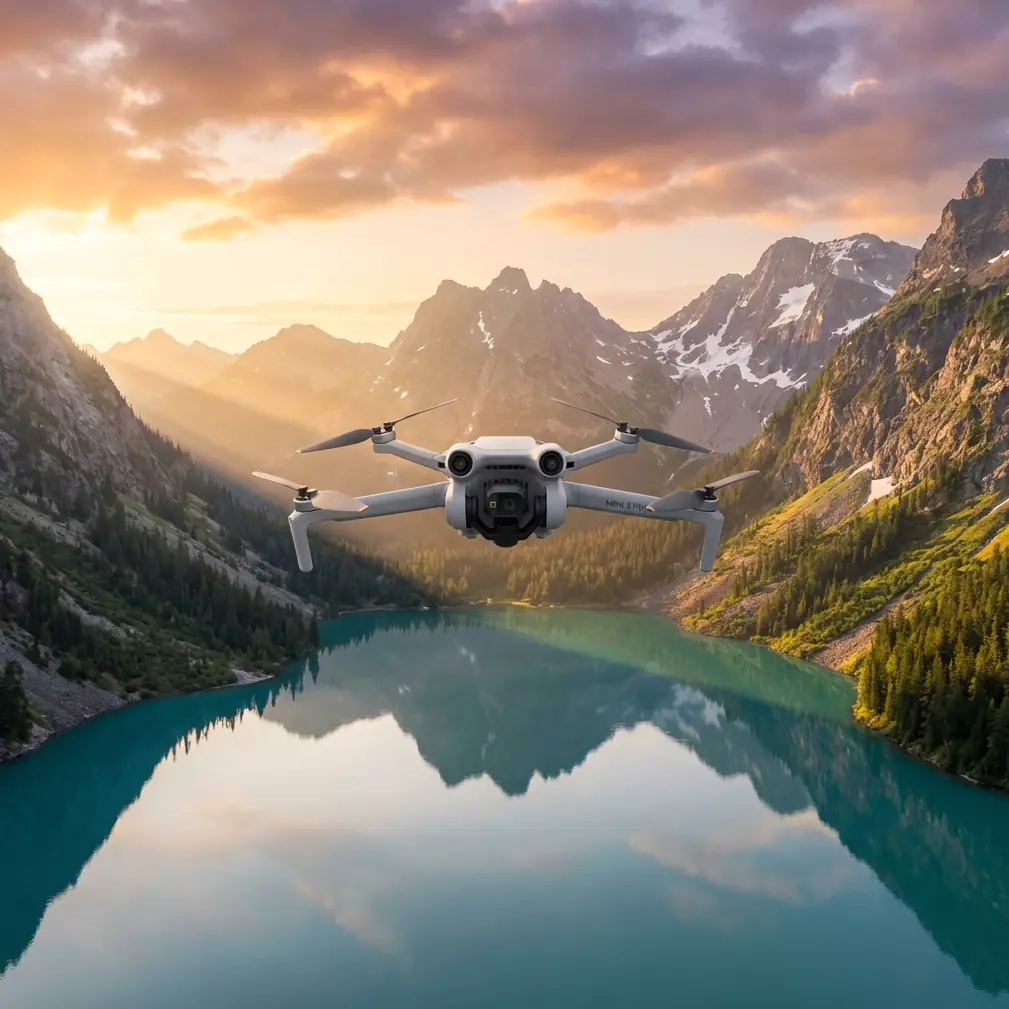
Mini 5 Pro Field Report for Urban Construction Mapping: What Actually Matters on Site
META: A field-tested Mini 5 Pro guide for urban construction mapping, covering flight altitude, obstacle avoidance, ActiveTrack limits, D-Log workflow, and safer capture strategy.
I approached this as a field report rather than a spec-sheet rewrite, because construction mapping in a dense urban environment exposes the gap between what a small drone can do in marketing footage and what it can do when surrounded by cranes, rebar, glass, traffic, and tight airspace.
The Mini 5 Pro, at least in the way most operators are now discussing and preparing for it, sits in an interesting position. People want a compact aircraft that can move quickly between jobs, launch from constrained areas, and still deliver organized visual records for progress tracking, façade inspection support, and client updates. That combination matters more in city construction than raw speed or cinematic flair. You need repeatability. You need confidence near structures. And you need footage that remains useful after the flight, not just impressive during it.
For an urban construction workflow, three areas define whether the Mini 5 Pro becomes genuinely productive: obstacle handling near vertical structures, tracking and automated motion tools that save time without creating risk, and image profiles that hold up when documenting mixed-light scenes between concrete, reflective glazing, and shadow-heavy corridors.
Why the Mini 5 Pro conversation matters for site mapping
Urban sites are not open fields. They are layered environments. A single block can include tower cranes, temporary fencing, scaffold wraps, moving lifts, delivery trucks, overhead cables, and unfinished interiors visible through open floors. That changes how a drone should be flown.
On a suburban roof survey, you can often climb, orbit, and descend with broad safety margins. In a downtown build, every movement is negotiated. A compact aircraft like the Mini 5 Pro becomes attractive because it reduces deployment friction. You can move fast between observation points, reposition for multiple angles, and avoid hauling a larger airframe through crowded access routes. That sounds simple, but on real jobs it changes output. Fewer barriers to launch usually means more consistent capture.
The more important question is whether the aircraft can maintain spatial awareness when GPS quality shifts between buildings and when visual clutter makes automation less trustworthy. That is where features such as obstacle avoidance and ActiveTrack stop being convenience items and start becoming operational filters. They determine which shots are realistic and which ones should remain manual.
My preferred altitude for urban construction mapping
If I had to give one practical altitude recommendation for Mini 5 Pro work on city construction sites, it would be this: start your primary mapping and progress documentation passes around 45 to 60 meters above ground level, then adjust based on building height, crane position, and setback constraints.
That range is not arbitrary. Below roughly 45 meters on many urban projects, the aircraft tends to spend too much of the mission reacting to vertical clutter. You lose clean sightlines, shadows become harsher, and partial obstructions from neighboring structures make your overview less coherent. Above 60 meters, you often gain coverage but lose the layer of detail that site managers actually use to interpret sequencing, material staging, and trade coordination.
At around 50 meters, you usually hit a workable balance. Earthmoving patterns remain visible. Slab progress reads clearly. Crane swing zones and laydown areas separate nicely in frame. You also keep enough perspective to compare captures week to week without the visual compression becoming too abstract.
That altitude band has another advantage: it gives obstacle sensing and pilot reaction time a better chance of helping rather than merely warning. Near buildings, a small aircraft can close distance quickly, especially when wind funnels between structures. A bit more vertical margin is often the difference between a controlled correction and a rushed avoidance maneuver.
For façade-related updates, I drop much lower, but only for short, deliberate passes. I do not treat low-altitude flights as the default mapping mode. They are supplemental capture for specific questions, not the backbone of the mission.
Obstacle avoidance is valuable, but only if you respect its blind spots
Obstacle avoidance sounds reassuring until you put the drone near a partially built tower with exposed steel, safety netting, and irregular geometry. In those environments, avoidance should be viewed as a support layer, not permission to get aggressive.
Its real benefit on a construction site is not that it lets you fly closer. Its real benefit is that it gives you another chance to catch a bad line before it becomes a problem.
That distinction matters. Urban jobs contain narrow contrasts that can confuse even strong sensing systems: thin cables, mesh barriers, reflective windows, shadowed recesses, and protrusions that only appear from certain angles. If the Mini 5 Pro improves obstacle awareness in these conditions, that has practical significance beyond safety alone. It directly affects mission consistency. Safer flight lines produce more repeatable imagery, and repeatable imagery is what makes progress comparison useful.
I would still plan each route as if avoidance were unavailable. Build the mission manually first. Then let the sensing system act as a backup, not the lead decision-maker. When operators reverse that relationship, site work gets sloppy.
ActiveTrack and subject tracking have a narrow but useful place
Construction mapping is not typically a tracking-heavy job, so some pilots dismiss ActiveTrack and other subject tracking functions as irrelevant. I think that is too simplistic.
Used carefully, tracking tools can help document vehicle circulation, perimeter access patterns, and staging logistics. If a superintendent wants a quick visual explanation of how material moves from street level to an internal loading zone, a controlled tracking shot can communicate that more clearly than a static hover. The same applies to documenting crane-support vehicle positioning or temporary traffic management around the site.
But there is a hard limit here. In dense urban settings, ActiveTrack should never replace deliberate piloting around obstacles, vertical structures, or mixed traffic. A tracked subject can pull the drone into bad geometry fast. It is one thing to follow a cyclist on a clear path. It is another to follow a site vehicle near fencing, mast climbers, and unfinished edges.
So yes, subject tracking belongs in the Mini 5 Pro discussion. Its operational significance is real. It can reduce pilot workload during controlled explanatory shots. But on construction sites, it is a selective tool, not a default capture mode.
QuickShots and Hyperlapse are not just for flashy edits
QuickShots and Hyperlapse often get filed under “social content” features, but that misses their utility on commercial projects.
QuickShots can be useful when a project team needs standardized reveal shots from the same launch point across multiple reporting dates. If you repeat the same automated movement consistently, stakeholders can compare progress with less variation caused by pilot technique. The key is restraint. Choose one or two motions that match the site geometry and stick with them. Construction documentation benefits from consistency far more than variety.
Hyperlapse has a stronger practical case than many people expect. On urban jobs, it can show how a site interacts with its surroundings over time: traffic buildup at delivery windows, shifting light across façades, pedestrian flow near access gates, or crane activity in relation to neighboring properties. That kind of sequence can help explain operational pressure points better than a single still.
There is a catch, of course. Hyperlapse and automation are only useful when the airspace and launch position allow predictable movement without introducing risk. If the environment is too congested, the disciplined choice is to skip the effect. Good site reporting is not measured by how many intelligent modes you used.
D-Log matters when the light gets ugly
If the Mini 5 Pro gives operators a D-Log workflow suitable for a small professional aircraft, that is more than a color-grading perk. It solves a very common urban construction problem: brutal contrast.
City sites produce some of the harshest mixed lighting conditions in routine drone work. You may have pale concrete reflecting light upward, deep shadow along core walls, mirrored glazing on adjacent towers, and bright sky framed between structures. Standard capture profiles can break apart quickly in those conditions. Highlights clip. Shadows collapse. Surface detail disappears.
A log profile helps preserve decision-making room in post. That matters for more than aesthetics. When a project manager is reviewing cladding alignment, staging density, or water pooling on a slab edge, subtle tonal information can make the difference between useful documentation and decorative footage.
I do not recommend shooting everything in D-Log by default unless the post workflow is ready for it. But for recurring progress flights on challenging sites, it is one of the most relevant capabilities in the feature set. Compact drones earn their place when they produce files you can trust under bad light.
How I would structure a typical Mini 5 Pro construction mission
My preferred sequence is simple.
First, I establish a high-overview orbit or angled perimeter pass in that 45 to 60 meter zone. This creates the anchor record for the day’s flight. It shows site context, crane relationship, neighboring structures, and overall progress.
Second, I capture cardinal-direction stills and short video clips from fixed positions. Repeatability beats improvisation here. If you return every week, fixed viewpoints become more valuable than “better” shots.
Third, I move into targeted low-altitude segments for specific items: façade progress, rooftop mechanical placement, access logistics, or conflict areas flagged by the client. These are short flights, flown conservatively, with obstacle avoidance treated as support rather than strategy.
Fourth, if conditions allow, I add one controlled motion sequence. This might be a simple QuickShot variation, a brief tracking sequence of a vehicle route, or a Hyperlapse showing site activity compression over time.
Finally, I capture a few D-Log clips specifically for scenes with high contrast or known reporting value. Those files tend to save the edit later.
That structure keeps the mission efficient while producing assets that serve multiple audiences: operations, documentation, marketing, and client communication.
Where operators get into trouble with small drones on urban sites
The main mistake is psychological. Compact aircraft feel easy. That ease can create overconfidence.
Pilots launch from cramped corners because the airframe is portable. They lean on automated modes because the interface is friendly. They push closer to structures because the drone looks harmless. On a live urban site, that mindset is dangerous.
Small drones are excellent tools for construction mapping precisely because they can be deployed quickly and flown with precision. But that precision depends on discipline. Keep lateral buffers wider than you think you need. Avoid letting a tracking routine determine route choice. Watch wind behavior near tower edges. And never assume obstacle sensing sees the same scene you see.
If you are building a repeat reporting program around the Mini 5 Pro and want to compare capture plans with someone who understands urban workflows, you can message our field team here.
The real value of the Mini 5 Pro for this job
The strongest case for the Mini 5 Pro in urban construction mapping is not that it does everything. It is that it potentially does the right subset of things in a package operators will actually bring to site, launch consistently, and use with discipline.
Obstacle avoidance has operational significance because it supports safer repeatable passes around dense structures. ActiveTrack has significance because it can document movement patterns in controlled scenarios without forcing a second pilot or a more elaborate setup. QuickShots and Hyperlapse matter when they create standardized, comparable visual records rather than empty spectacle. D-Log matters because urban lighting is messy, and construction records need tonal resilience.
Put all of that together and the aircraft’s appeal becomes clear. The Mini 5 Pro is not interesting because it is small. It is interesting because, if handled properly, it can turn a compact form factor into a serious site documentation tool.
For most urban construction teams, that is the threshold that matters. Not whether the drone can produce one stunning clip, but whether it can return every week, fly safely in constrained environments, and create records that help people make decisions.
That is the test I would apply to any drone in this category. And it is the standard the Mini 5 Pro has to meet to be genuinely useful on site.
Ready for your own Mini 5 Pro? Contact our team for expert consultation.