
Mini 5 Pro Field Report: Mapping Dusty Coastlines
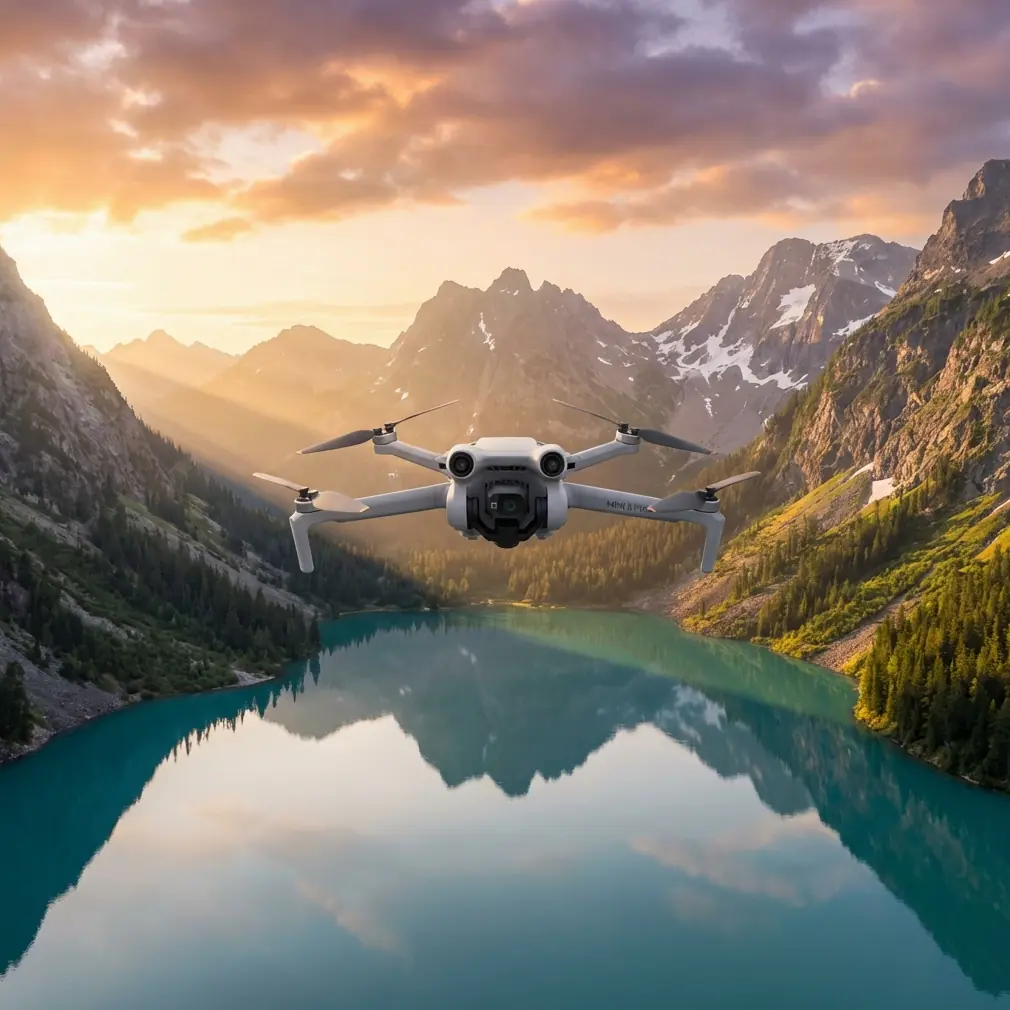
Mini 5 Pro Field Report: Mapping Dusty Coastlines With a Fast 2D/3D Workflow
META: A field-based look at using Mini 5 Pro for dusty coastline mapping, with practical notes on image processing, orthomosaics, DEM outputs, accuracy checks, and EMI-aware antenna handling.
Coastline mapping sounds clean on paper. In the field, it rarely is.
You get salt in the air, dust kicked up from access roads, shifting light off the water, and intermittent electromagnetic interference from port facilities, relay towers, or utility lines running parallel to the shore. A small aircraft like the Mini 5 Pro can still be an effective platform in that environment, but only if the workflow is designed around speed, consistency, and post-processing discipline.
That last part matters more than many pilots admit.
For readers looking at the Mini 5 Pro for shoreline documentation, drainage corridor surveys, embankment checks, or sediment movement tracking, the real story is not just the aircraft. It is the chain from capture to usable mapping output. One reference point that deserves attention comes from a water conservancy drone solution built around Pix4Dmapper. The source describes a processing environment built to turn thousands of images into accurate 2D maps and 3D models with minimal manual intervention. For coastline work, that is not a convenience feature. It is the difference between a drone sortie that creates decisions and one that creates folders.
Why this matters for Mini 5 Pro users
The Mini 5 Pro sits in an interesting place for civilian mapping. It is compact enough for quick deployment along narrow shoreline access points and light enough to move between multiple launch positions in a day. That helps when the coast is broken into revetments, outfalls, tidal flats, and service roads instead of one neat survey block.
But compact aircraft create a predictable concern: can a small drone support professional-grade mapping outcomes?
The answer depends less on drone size and more on whether the image set can feed a serious photogrammetry workflow. The reference material highlights several outputs and controls that are especially relevant here:
- Orthomosaic output in GeoTIFF
- DEM export in GeoTIFF and TXT
- Point cloud output in PLY and TXT
- 3D model export in OBJ
- Ground control point editing
- Automatic accuracy report generation
- Aerial triangulation and regional bundle adjustment optimized for drones
- Fast processing mode
- Mosaic editing tools
Those are not abstract software checkboxes. Along a dusty coastline, each one solves a field problem.
The coastline problem is never just “take photos”
When people talk about coastal mapping, they often flatten the job into a single mission type. In practice, there are at least four different documentation goals hiding inside one shoreline project.
First, you may need a current orthomosaic for planning erosion control or maintenance access. Second, you may need a DEM to understand drainage behavior, berm heights, and low-lying flood-prone pockets. Third, you may need a 3D model for visual review of seawalls, embankments, riprap placement, or construction progress. Fourth, you may need a point cloud for engineering teams that want to inspect terrain and structure geometry beyond a flat map.
This is exactly why the Pix4Dmapper feature set in the reference is operationally significant. If your Mini 5 Pro flight can move cleanly into GeoTIFF orthomosaics, DEM files, PLY point clouds, and OBJ models, you are not collecting “drone content.” You are building deliverables that different stakeholders can actually use.
A shoreline manager may want the orthomosaic. A civil engineer may go straight to the DEM. A modeling or design team may open the OBJ. An analyst comparing sediment buildup over time may prefer point clouds and elevation exports.
One flight campaign, multiple outputs. That is efficient fieldwork.
Dust changes how you fly and how you process
Dust is usually discussed as a hardware nuisance. It is more than that.
On dry coastal roads and exposed embankments, takeoff and landing throw fine particulate into the air. That can reduce image clarity if you launch too close to loose surfaces or hover low during mission starts. It also raises the stakes for finishing the mapping run quickly and minimizing unnecessary repositioning. The reference’s mention of a fast processing mode becomes relevant here. Fast turnaround is not only about office convenience; it helps field teams verify coverage before leaving a site where conditions are degrading.
If you are mapping a tidal section with dust inland and glare offshore, time becomes a quality variable. A compact drone like the Mini 5 Pro lets you move fast between segments, but image processing has to keep pace. A workflow capable of rapid review gives you the chance to catch weak overlap, reflective water-edge gaps, or blown highlights before the light shifts.
That same source also notes that the software can operate without requiring specialist knowledge or manual intervention to convert large image sets into professional 2D and 3D outputs. For teams working utilities, water conservancy, or contractor-side inspection, that lowers the friction between flying and delivering. Not every coastline operation has a dedicated photogrammetrist on standby. A practical Mini 5 Pro workflow needs to accommodate that reality.
Electromagnetic interference: the field detail too many guides skip
Along developed coastlines, EMI is not theoretical. You may be flying near communication arrays, harbor infrastructure, metal fencing, power distribution equipment, or pumping stations. These sources can affect signal stability and pilot confidence even when the aircraft remains within normal operational limits.
The most useful habit here is simple: watch the link quality early, and adjust antenna orientation before you adjust the mission.
I have seen pilots change altitude, relocate the home point, and rewrite grid plans when the actual issue was poor controller antenna alignment relative to the aircraft. On a coastline, especially one with long lateral survey legs, the drone may travel into positions where your body angle, vehicle position, or a concrete barrier partially blocks the signal path. A small correction to antenna direction can restore cleaner communication faster than a full restart.
That does not mean ignoring EMI warnings. It means distinguishing between environmental interference and preventable signal inefficiency. If you are running mapping lines parallel to shore, check your antenna alignment at the start of each new block, not only after a warning appears. This is even more useful when dust and salt haze reduce visibility slightly and make it harder to judge aircraft orientation at distance.
The Mini 5 Pro’s obstacle avoidance and tracking features may get more attention in consumer discussions, but for mapping work, disciplined signal handling still wins. Subject tracking, QuickShots, Hyperlapse, and even D-Log have their place in documentation and visual storytelling, especially for before-and-after site records. Yet none of those features compensates for weak mission planning or sloppy controller positioning in an EMI-prone corridor.
Ground control points are still where the job gets serious
The reference specifically includes ground control point editing, and that tells you this was not built for casual image stitching. In shoreline mapping, GCP discipline becomes especially valuable when the terrain is visually repetitive: sand, rock, concrete, waterline, and service road can all blend into broad low-texture zones.
Mini 5 Pro users who want repeatable results across multiple visits should pay attention to this. Ground control is one of the fastest ways to increase confidence in change detection over time. If you are monitoring bank retreat, drainage ditch deformation, sediment accumulation, or armor stone displacement, positional consistency matters more than a pretty stitched image.
This ties directly to another detail from the source: automatic generation of an accuracy report. That feature has real operational value. It gives teams an immediate way to judge whether the dataset is robust enough for measurement and comparison. On coastal assignments where weather windows are narrow and site access may be restricted by tide, having an automated accuracy summary can help you decide whether to re-fly a section while you are still on location.
A Mini 5 Pro field team that ignores accuracy reporting is often trusting the appearance of a map rather than its quality. Those are not the same thing.
Orthomosaics and DEMs are the backbone of water-adjacent work
The source calls out orthomosaic output as GeoTIFF and DEM export in GeoTIFF and TXT. For coastline and water management applications, these two deliverables usually carry most of the practical weight.
The orthomosaic becomes the base layer for inspection notes, asset inventories, drainage path review, and communication between field and office teams. GeoTIFF matters because it drops cleanly into GIS and engineering workflows. It is not just an image. It is a spatial product.
The DEM matters because coasts are elevation stories. Small vertical differences shape runoff, pooling, overtopping behavior, and erosion patterns. If your Mini 5 Pro mission supports a processing path that produces usable elevation surfaces, you are moving beyond visual documentation into terrain interpretation.
That is where this reference, though brief, is highly relevant to Mini 5 Pro decision-makers. It points to a workflow architecture built around actual downstream use, not just flight excitement.
3D models and point clouds are not extras on shoreline projects
A lot of drone buyers still treat 3D outputs as marketing garnish. That is a mistake.
The referenced workflow supports point cloud outputs in PLY and TXT and 3D model export in OBJ. On coastline work, those formats can support practical reviews of retaining structures, revetment geometry, dune faces, channel edges, and construction staging.
A 2D orthomosaic shows where something is. A 3D dataset often shows why it matters.
If a slope failure is developing near a service path, the orthomosaic may reveal discoloration or cracking. The point cloud or model helps visualize shape change and face steepness. If a drainage outlet is silting in, the DEM and point cloud can reveal grade changes that a flat image hides.
For Mini 5 Pro operators trying to build serious service capability, this is the threshold between “we can fly it” and “we can support project decisions.”
Where the lightweight aircraft still needs operator judgment
Even with a streamlined processing stack, the Mini 5 Pro is not a magic shoreline button. Water reflections, sparse texture, moving surf, and wind shear near embankments all challenge image consistency. Small aircraft also demand more attention to launch placement, battery pacing, and line-of-sight discipline.
This is where the field report mindset helps. You are not chasing cinematic perfection. You are trying to collect a stable dataset under imperfect conditions.
That means:
- launch away from dust plumes when possible
- keep overlap margins healthy near reflective shore sections
- treat EMI warnings as a cue to inspect antenna orientation immediately
- use repeatable GCP practices on recurring sites
- verify results with accuracy reporting before clearing the location
- think in outputs: orthomosaic, DEM, point cloud, model
If your team is building a Mini 5 Pro workflow for shoreline or water-adjacent jobs and wants to compare setup notes, mission structure, or processing decisions, this direct line can be useful: message the project desk on WhatsApp.
The bigger takeaway
The most revealing part of the reference material is not a claim of sophistication. It is the very practical pairing of automation with professional output formats.
That pairing is exactly what makes a small aircraft like the Mini 5 Pro viable for dusty coastline mapping. You need field agility, yes. But the value shows up after landing, when thousands of images are assembled into products that can survive engineering review, maintenance planning, or environmental comparison over time.
A drone on the coast is easy. A mapping workflow that remains useful after the tide shifts, the dust settles, and the site team asks for measurements next month—that is the real test.
Mini 5 Pro users who understand that will get more than flights out of the platform. They will get evidence.
Ready for your own Mini 5 Pro? Contact our team for expert consultation.