
Mini 5 Pro for Urban Field Inspection: What Actually
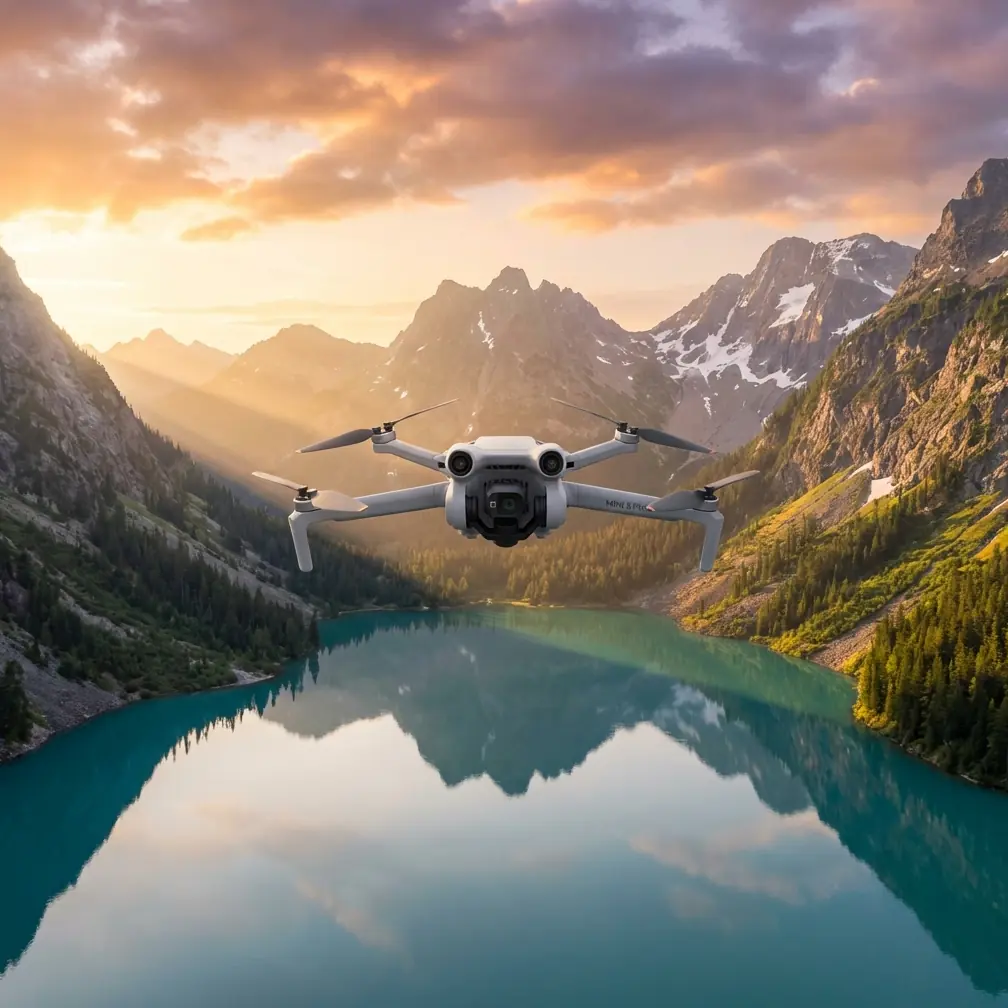
Mini 5 Pro for Urban Field Inspection: What Actually Matters Before You Take Off
META: A practical Mini 5 Pro article for urban field inspection, focused on obstacle avoidance, ActiveTrack, D-Log, QuickShots, Hyperlapse, and a critical pre-flight cleaning step that affects flight safety.
Urban field inspection sounds simple until you are standing at the edge of a narrow plot boxed in by apartment towers, utility lines, roadside trees, reflective windows, and unpredictable wind tunnels. That is where a small drone stops being a casual camera and starts acting like a very precise inspection tool.
The Mini 5 Pro sits in an interesting place for this kind of work. It is compact enough to deploy quickly in tight environments, yet the features people usually treat as creative extras—obstacle avoidance, subject tracking, QuickShots, Hyperlapse, D-Log, and ActiveTrack—can become genuinely useful for civilian inspection workflows. The trick is knowing how to adapt those tools to an urban field scenario instead of using them the way lifestyle creators do.
I approach this as a photographer first, but field inspection changed how I think about small drones. In photography, a missed shot is annoying. In inspection, a missed detail can send you back on site, waste daylight, and create doubt about what you actually documented. With the Mini 5 Pro, the difference often comes down to planning, disciplined capture settings, and one pre-flight habit many operators rush past: cleaning the sensors and camera surfaces that feed the aircraft’s safety and imaging systems.
The real problem with urban field inspection
A rural field usually gives you room. An urban field does not.
You may be documenting drainage patterns, crop condition, fence lines, standing water, construction encroachment, access routes, or vegetation stress in a compact plot surrounded by obstacles. The field itself is only half the job. The rest is handling the environment around it.
That environment creates three recurring problems.
First, obstacle density. Trees, poles, wires, rooftops, and building edges reduce your margin for error. Obstacle avoidance is not a decorative spec here. It becomes part of the inspection method because it helps preserve controlled movement while you focus on framing and route consistency.
Second, changing light. Urban fields often sit in mixed lighting, with shade from buildings at one end and harsh reflected light at the other. This is where D-Log matters operationally. It gives you more room to recover detail in bright and dark areas when reviewing footage for actual inspection findings rather than just visual appeal.
Third, repetition. Inspection is rarely one flight. You may need repeat passes over the same strip of land to compare growth, water retention, surface disturbance, or boundary changes. Features like ActiveTrack, QuickShots, and Hyperlapse sound creative on paper, but they can help build repeatable visual records when used intentionally.
The pre-flight cleaning step that protects the whole mission
Before any urban field flight, I start with cleaning. Not the dramatic kind. Just a careful wipe of the camera lens, obstacle sensing surfaces, and any vision-related windows the aircraft depends on.
That step is easy to underestimate. It should not be.
Obstacle avoidance only works as well as the sensors can read the environment. Dust, moisture residue, oily fingerprints, or grime from transport can interfere with how the drone interprets nearby objects. In an open area you might get away with lazy prep. In an urban field, that same carelessness can reduce your buffer around branches, walls, or structural edges.
The same goes for subject tracking and ActiveTrack. If you are using automated tracking to follow a walking inspector along a field perimeter or to maintain a consistent visual relationship with a moving utility cart, the aircraft needs clean visual input. Smudged optics can compromise tracking stability, especially where the background is cluttered by fences, parked vehicles, and building textures.
Then there is the imaging side. A dirty lens is not just a cosmetic issue. Haze and smearing flatten contrast and can hide subtle but meaningful details such as standing water edges, damaged irrigation lines, sparse vegetation patches, or disturbed soil patterns. If your goal is inspection, clean glass is not a nicety. It is data quality control.
My own routine is simple: inspect the lens in angled light, check sensing surfaces, remove particles with a blower if needed, then use a clean microfiber cloth sparingly. Fast, calm, and done before powering up. That one minute buys back a lot of confidence.
Why obstacle avoidance matters more in urban plots than people think
Some operators see obstacle avoidance as something they can disable once they become experienced. I think that mindset misses the point in compact inspection work.
Experience does not remove obstacles. It just changes how you manage them.
On the Mini 5 Pro, obstacle avoidance has practical value when you are flying low along a field edge to inspect drainage, panning sideways near fencing, or rising above a plot bordered by mature trees. It acts as a layer of support while you pay attention to composition, line-of-sight, and the inspection objective.
The operational significance is straightforward: if the aircraft can help identify nearby hazards while you are maintaining a deliberate flight path, you are more likely to come home with usable footage and less likely to cut a mission short after a close call.
This matters especially in urban fields because the geometry is awkward. A narrow corridor between vegetation and a retaining wall can trick your depth perception. Wind rolling off nearby buildings can nudge the aircraft off the line you intended. Obstacle avoidance does not replace pilot judgment, but it helps stabilize the workflow when the site is unforgiving.
ActiveTrack and subject tracking are not just for cinematic clips
There is a tendency to think of ActiveTrack and subject tracking as features for people filming runners or cyclists. In field inspection, they can serve a quieter role: consistency.
Imagine you are documenting the perimeter of a small urban agricultural lot with a grounds manager walking the boundary. Manually trying to keep both the person and the field edge framed while also controlling altitude and obstacle spacing can turn into a distracted flight. ActiveTrack reduces that load. It can keep the subject relationship more stable so you can focus on route safety and contextual coverage.
Operationally, this matters because the resulting footage is easier to review. Instead of random framing shifts, you get a more coherent visual record of the perimeter, access points, and adjacent conditions. If you revisit the site later, that consistency helps comparisons.
The same applies to subject tracking during training flights. If a team member is learning how to capture a repeatable inspection path, tracking functions can help them understand spacing, framing discipline, and movement patterns without overloading them with manual camera management all at once.
QuickShots can support inspection when used with restraint
QuickShots are often filed under “social media features,” but that is too narrow. In urban field work, a few automated movement patterns can help establish context quickly.
A controlled pull-back can show how a small plot sits between streets, buildings, and green barriers. A rise can reveal drainage direction or proximity to rooftop runoff paths. A circular move around a central area can clarify access constraints and adjacent land use.
The key is restraint. QuickShots are not the inspection itself. They are context layers.
That distinction matters because clients, land managers, and site stakeholders often need orientation before they can interpret close-up findings. A field-level detail of pooling water means more when paired with a wider establishing sequence that shows where the low spot sits relative to neighboring structures.
Used this way, QuickShots save time and improve communication. They stop being novelty moves and become organized site documentation.
Hyperlapse has a place in repeat observation
Hyperlapse is another feature that sounds more artistic than practical until you deal with change over time.
For urban field inspection, Hyperlapse can help document gradual movement or transitions that are hard to appreciate in still frames: shifting shadows across a plot, surface drying after irrigation, pedestrian traffic around a field edge, or cloud-driven light changes that affect visibility and image interpretation.
Its value is not that it looks dramatic. Its value is compression. It turns a long observation window into something you can review and share efficiently.
If you are monitoring how water clears from a low area after a rainfall event, or how urban shade affects one section of a planted field over part of the day, a time-compressed sequence can reveal patterns that a short hover clip misses.
D-Log is useful because inspection footage gets judged in post
When people talk about D-Log, the conversation often drifts into color grading. For inspection work, the bigger point is tonal flexibility.
Urban fields are visually messy. Bright concrete, dark soil, reflective windows, shaded corners, and glossy leaves can all appear in the same shot. A flatter recording profile like D-Log preserves more room to adjust exposure and contrast later, which can help when you need to pull out detail from difficult scenes.
That has direct operational significance. If the edge of a drainage trench sits in deep shade while the adjacent pavement is sunlit, footage with more grading latitude gives you a better chance of making both readable during review. You are not grading for mood. You are grading for clarity.
I would still advise discipline in capture. Expose carefully, avoid unnecessary extremes, and do not rely on post to fix weak flying or poor timing. But D-Log can provide a stronger foundation when the site has ugly lighting—which urban sites often do.
A practical urban field workflow for the Mini 5 Pro
If I were planning a simple inspection pass with the Mini 5 Pro in a dense urban field setting, I would keep the workflow lean.
Start with the cleaning step. Lens and sensing surfaces first.
Then do a slow visual walk of the site from the ground. Identify trees, cables, poles, façade overhangs, reflective surfaces, likely wind funnels, and any pedestrian paths. Choose a takeoff spot with clean vertical clearance and a clear first move.
For capture, I would break the mission into three layers:
Context layer
Use a restrained QuickShot or a controlled manual rise to show the field in relation to nearby structures and roads.Inspection layer
Fly slower, lower, and more deliberately along the key edges or zones of interest. Use obstacle avoidance as a support, not an excuse to crowd hazards. If a person on site is helping indicate problem areas, ActiveTrack or subject tracking can help maintain continuity.Change or movement layer
If drainage, traffic flow, shade movement, or access patterns matter, capture a short Hyperlapse or timed observational sequence.
If lighting is mixed, record in D-Log so you have more flexibility in review. That extra latitude becomes valuable when the job is to inspect, not simply to admire a shot.
The small-drone advantage in urban inspections
Larger aircraft can offer more endurance or heavier sensors, but in compact urban field work, a smaller platform has its own advantage. It is faster to deploy, less intrusive around tight access points, and easier to position carefully where space is limited.
That is why the Mini 5 Pro concept fits this reader scenario so well. The most useful features are not necessarily the flashy ones. They are the ones that reduce friction: obstacle avoidance in cluttered spaces, ActiveTrack to simplify moving documentation, QuickShots for site context, Hyperlapse for change over time, and D-Log for footage that stays useful when conditions are uneven.
Put those together and the drone becomes more than a camera in the air. It becomes a repeatable observation platform for small-site decision-making.
If you are trying to refine your setup for urban field inspection, a good next step is to compare flight habits, cleaning routines, and capture settings with someone who actually works in these environments. I’ve found even a short conversation can save hours of trial and error, so message an experienced drone team here if you want to talk through a practical workflow.
The common thread in all of this is simple: the mission is won before the most interesting footage starts. Clean sensors. Clean lens. Clear route. Then let the Mini 5 Pro’s automation and imaging tools support the inspection instead of distracting from it.
Ready for your own Mini 5 Pro? Contact our team for expert consultation.