
Mini 5 Pro Best Practices for Filming Solar Farms in Mountai
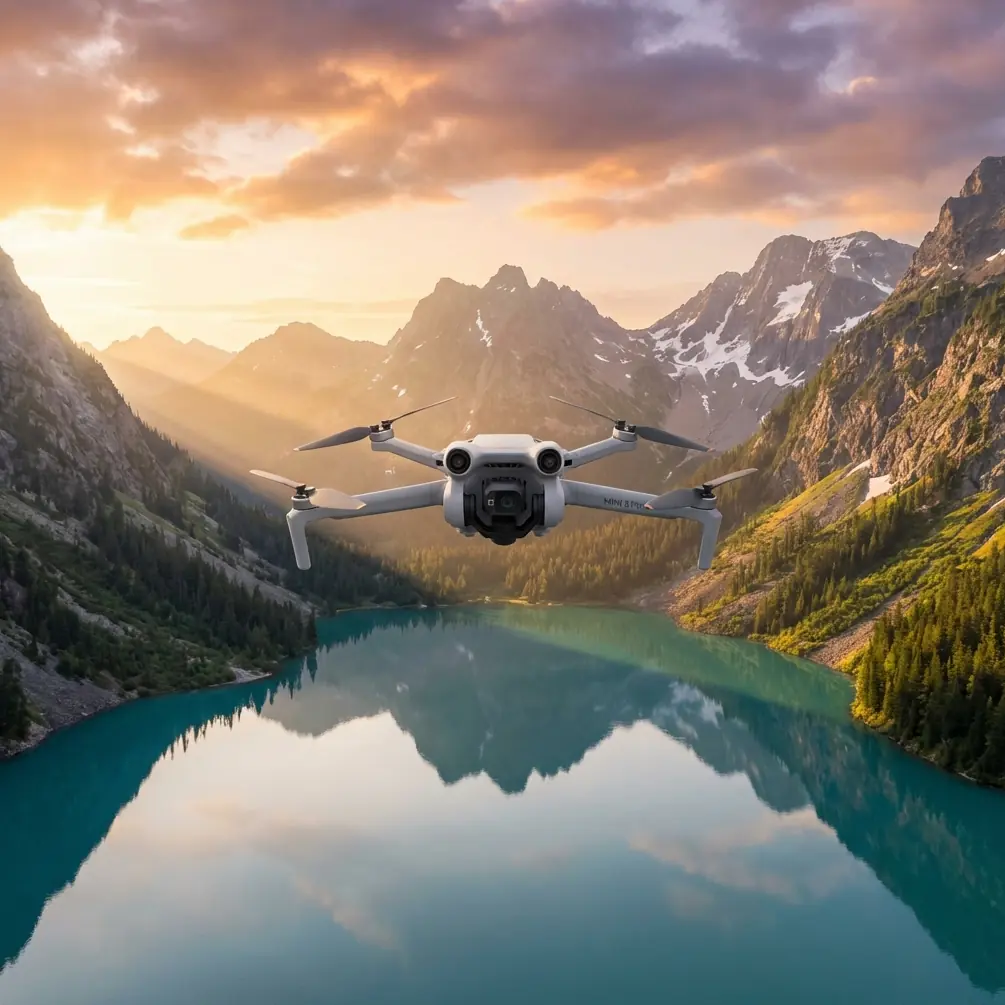
Mini 5 Pro Best Practices for Filming Solar Farms in Mountain Terrain
META: Practical Mini 5 Pro workflow for mountain solar farm filming, with a training-first approach inspired by structured UAV survey programs, plus safety, obstacle sensing, tracking, D-Log, QuickShots, and Hyperlapse tips.
Mountain solar sites punish sloppy drone habits.
The light is harsher, the wind is less predictable, and the terrain tends to confuse both pilots and sensors at the worst possible moment. If you are planning to film a solar farm in the mountains with the Mini 5 Pro, the biggest mistake is assuming the aircraft alone will smooth over an inconsistent workflow. It won’t. Good footage comes from disciplined prep, repeatable flight habits, and a training mindset that treats every mission as both an operation and a data-gathering exercise.
That mindset is not theoretical. One reference solution for the UX-400 aerial survey system lays out a full-process training model that runs from field flight all the way to office-side data processing. It also splits operator instruction into two stages: first at a dedicated Beijing training venue, then again at the user’s actual project site. That two-step structure matters far more than many recreational pilots realize, and it translates surprisingly well to the Mini 5 Pro when your assignment is filming a mountain solar installation.
The Real Problem: Mountain Solar Farms Expose Weak Workflows
A solar farm in flat open ground is one thing. A solar farm stepped across slopes, access roads, inverter pads, retaining walls, and ridge shadows is another.
In mountain terrain, you are dealing with:
- elevation changes that can make obstacle sensing less intuitive
- gusts flowing over panel rows and terrain breaks
- repeated bright-dark transitions that stress exposure decisions
- visual clutter from fencing, cables, maintenance structures, and nearby vegetation
- long shooting windows that tempt pilots to skip checks and rush battery swaps
This is where the Mini 5 Pro’s features only perform as well as the operator’s routine. Obstacle avoidance helps, but dusty or smudged vision sensors can degrade confidence and response. ActiveTrack can save time on inspection-vehicle follow shots, but only if you understand where terrain compression or panel glare may break subject lock. D-Log gives you grading latitude, but only if your exposure discipline is under control before takeoff.
The aircraft is capable. The mission environment is unforgiving.
Why a Survey Training Model Fits a Filming Mission
The reference material describes a seven-day training schedule at a Beijing facility, followed by on-site project demonstration training. It includes simulator sessions, practical aircraft training, aviation safety principles, takeoff and landing drills, straight-line flight, route flight, aircraft setup and recovery, inspection and tuning, and software work tied to real cases.
That is a survey program, not a cinematography workshop. Yet for mountain solar farm filming, it offers a better operational blueprint than most camera-first advice.
Here’s why.
A site film is not just about collecting pretty clips. On a commercial energy project, the footage often needs to support progress documentation, investor communications, engineering context, stakeholder review, and public-facing storytelling. That means your output must be consistent, repeatable, and easy to interpret. A survey-style training framework forces that discipline.
Two details from the source are especially useful:
1. Training happens twice: once in a controlled environment, then again on the real project site
This is operationally significant because mountain solar farms behave differently from generic open-field practice areas. You can rehearse stick inputs and menu settings in a safe location, but slope perception, wind channels, and reflective panel arrays only become real at the actual site.
For Mini 5 Pro pilots, the practical lesson is simple: do not let the first full creative mission double as your first environmental test.
Before the hero shots, run a site-specific orientation flight. Use it to evaluate:
- how panel reflectivity affects your screen readability
- where obstacle warnings trigger near fencing or service roads
- whether ActiveTrack holds reliably on moving site vehicles
- how quickly the light shifts across terraced arrays
- where return paths remain clean if wind increases
That mirrors the source’s controlled-training-plus-project-site model. It reduces surprises and improves shot confidence.
2. The source emphasizes the whole process, from field operation to post-processing
That is a major point. The document does not stop at flying; it explicitly covers the flow from outdoor flight work to indoor data processing. It even references software instruction and real-case processing demonstrations.
For a Mini 5 Pro operator filming solar farms, this means pre-production and post-production should shape how you fly. If you know the edit will require matched passes over different sections of the array, you should build repeatable flight lines. If you expect to deliver both cinematic sequences and factual site overview clips, you should separate those tasks rather than improvising everything in one battery cycle.
Pilots who think like editors capture cleaner material. Pilots who think like project managers capture usable material.
Start With the Least Glamorous Step: Clean the Sensors
Let’s get to the small habit that prevents oversized problems.
Before every mountain solar farm flight, clean the Mini 5 Pro’s obstacle sensing surfaces and camera glass. Not casually. Deliberately.
Dust from access roads, pollen, moisture residue, and fine grime kicked up by maintenance traffic can interfere with safety features and image clarity. On a site full of repeated geometric surfaces, obstacle avoidance already has to interpret a visually busy environment. Adding smeared or dusty sensors is an unnecessary handicap.
My routine is simple:
- inspect the forward, rear, downward, and side sensing areas in bright light
- remove loose dust first
- use a clean microfiber cloth for lenses and sensor covers
- check for fingerprints after handling the aircraft during battery changes
- confirm the gimbal moves freely before powering up
This pre-flight cleaning step is not cosmetic. It directly affects obstacle avoidance reliability and image consistency. On a mountain solar site, where you may fly close to access roads, perimeter fencing, or rows that appear flatter on-screen than they are in reality, sensor clarity supports safer spacing decisions.
If you only adopt one habit from this article, make it that one.
Build Your Mission Like a Training Block
The source material’s structure is useful because it breaks skill-building into distinct components: simulator work, safety instruction, aircraft deployment and recovery, flight fundamentals, route flying, and processing. That same segmented logic works beautifully for a Mini 5 Pro filming day.
Instead of “go up and get content,” break the mission into blocks.
Block 1: Site safety and aircraft setup
This echoes the source’s emphasis on outdoor precautions, safety education, aircraft deployment, inspection, and adjustment.
At a mountain solar farm, this means checking:
- launch area stability
- wind direction at ground level versus upper slope
- panel glare zones
- worker and vehicle movement
- fence lines, poles, and service structures
- home point quality and GPS stability
Don’t launch from dusty ground if you can avoid it. A portable pad is a small decision with outsized value.
Block 2: Fundamental flight verification
The training schedule in the source spends repeated time on simulator work and practical takeoff, hover, straight flight, and route operation. That repetition is not redundant; it is how consistency is built.
For the Mini 5 Pro, spend your first minute confirming:
- stable hover
- clean braking response
- predictable ascent and descent
- obstacle sensing behavior near safe test points
- exposure baseline for the current light
This is especially important if the site sits between ridges where wind can shear suddenly.
Block 3: Functional coverage passes
Before cinematic moves, capture the clips the project actually needs.
Fly broad, controlled establishing passes over the array layout. Use route logic. Think in terms of panels, sub-blocks, roads, and surrounding terrain. If the footage may later support progress comparisons, keep altitude, speed, and direction repeatable.
This is where the survey-training influence becomes valuable. Structured passes create footage that is not only attractive but usable.
Block 4: Creative sequences
Once the operational coverage is secured, then move to QuickShots, reveal shots, low-angle edge passes, and Hyperlapse concepts.
That order matters. Mountain light changes fast. If you start with the flashy material, you may lose the cleaner documentation passes to weather, glare, or wind.
Using Mini 5 Pro Features Intelligently on Solar Sites
The context points to obstacle avoidance, subject tracking, QuickShots, Hyperlapse, D-Log, and ActiveTrack. All can work well here, but each has a best-use case.
Obstacle Avoidance
On mountain solar farms, obstacle avoidance is less about dramatic near-miss flying and more about preserving margin. It is helpful around fencing, maintenance buildings, embankments, and uneven perimeter vegetation.
Operationally, its value increases when the pilot avoids complacency. Sensors are support tools, not permission to fly carelessly close to structures. Again, clean them before launch.
ActiveTrack and Subject Tracking
These are excellent for following maintenance carts or pickup trucks moving along service roads. They can also work for tracking a walking site manager during a guided overview, giving the footage context and scale.
The operational catch: repeated panel geometry and terrain transitions can confuse subject lock. Keep contrast between subject and background strong. Avoid asking the system to maintain tracking through abrupt elevation transitions where the road drops behind panel rows.
QuickShots
QuickShots are useful when time is limited and the client needs one or two polished social-ready sequences from a safe launch point. A controlled pull-away or orbit can show the array’s footprint against the mountain backdrop efficiently.
But use them after you have completed your must-have coverage. Automation should sit on top of a good plan, not replace it.
Hyperlapse
Solar farms are ideal Hyperlapse subjects because they combine geometry, weather movement, and changing light. In mountain settings, drifting cloud shadows over the array can add depth and scale.
The challenge is environmental stability. Wind shifts can ruin consistency. If conditions are unstable, prioritize standard sequences rather than forcing a Hyperlapse that will wobble in post.
D-Log
D-Log is where the Mini 5 Pro becomes much more useful for serious solar farm storytelling. Panel surfaces, bright sky, pale service roads, and dark treelines create contrast that can be hard to balance in standard profiles.
With D-Log, you preserve more room to shape highlights and shadows in grading. This matters when one scene includes reflective modules and shaded hillside in the same frame. The footage feels more controlled and less brittle in post.
A Better Way to Think About Practice
One of the strongest ideas in the source is its use of simulator training before repeated practical drills. That sequence is not there to slow pilots down. It is there to reduce avoidable mistakes before they occur on live missions.
For Mini 5 Pro operators, the translation is straightforward: rehearse the shot logic before arriving on-site.
That can mean:
- sketching flight paths
- pre-visualizing reveal directions based on slope orientation
- practicing controller motions for orbit speed and gimbal timing
- planning which sequences need manual flight versus assisted modes
If you want a second set of eyes on your planned mountain solar workflow, you can message a drone specialist here.
Practice should remove friction. It should not feel like homework.
The Post-Processing Lesson Most Pilots Skip
The reference material repeatedly ties flight activity to software instruction and actual case processing. That is a strong reminder that flying and finishing are part of one system.
For mountain solar farm filming, that means:
- label batteries and clip groups by array section
- note weather or light changes during the mission
- separate documentation footage from cinematic footage
- log any tracking failures or obstacle alerts for future planning
- grade D-Log clips with consistency across the site, not shot by shot in isolation
A solar farm film often fails not because the footage is bad, but because it was captured without a downstream logic. Structured ingest and review save time and preserve coherence.
What This Means for the Mini 5 Pro Pilot
The Mini 5 Pro is a strong tool for mountain solar farm work, but the aircraft is only half the equation. The more useful lesson comes from the training philosophy reflected in the UX-400 reference: structured preparation, repeated fundamentals, project-site adaptation, and a workflow that connects field execution to final output.
That source gives us three habits worth stealing outright:
- treat training as a process, not a one-time event
- separate controlled practice from live project execution
- connect flight decisions directly to post-production needs
And for this specific kind of assignment, add one more:
- clean the safety sensors before every flight
That last step sounds almost too basic to mention. Yet on dusty, reflective, sloped solar sites, it supports the very features many operators rely on most.
Great solar farm footage in the mountains rarely comes from improvisation. It comes from a calm setup, verified aircraft behavior, a structured shot sequence, and enough discipline to do the simple things every time.
Ready for your own Mini 5 Pro? Contact our team for expert consultation.