
M5P Filming Tips for Stunning Mountain Coastlines
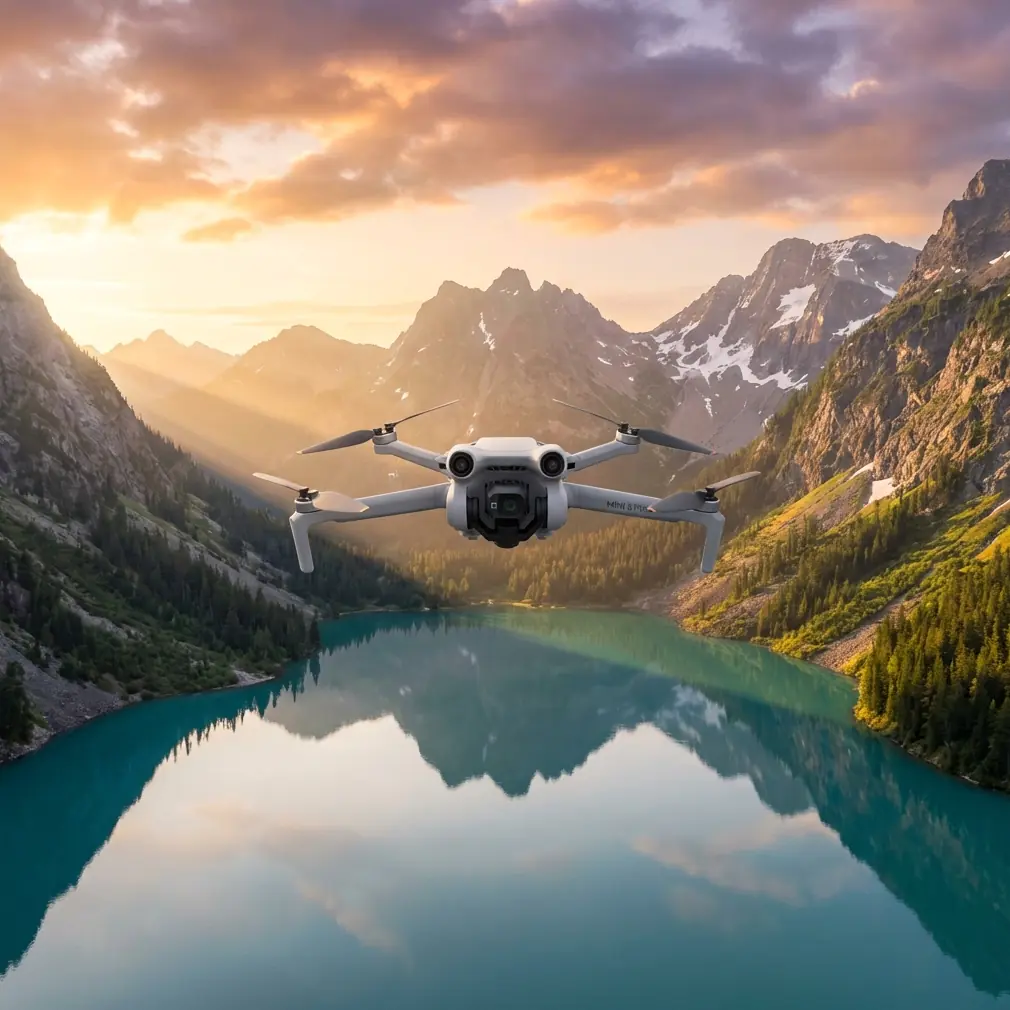
M5P Filming Tips for Stunning Mountain Coastlines
META: Learn pro filming tips for the Mini 5 Pro on mountain coastlines. Chris Park shares how to handle interference, use D-Log, and master ActiveTrack shots.
TL;DR
- Electromagnetic interference near mountain coastlines can cripple your signal—antenna positioning and channel selection solve it
- Shooting in D-Log with the Mini 5 Pro preserves 13+ stops of dynamic range, critical for high-contrast coastal light
- ActiveTrack 6.0 and QuickShots automate cinematic sequences along cliff edges without risking pilot error
- A structured pre-flight checklist eliminates the 3 most common mistakes that ruin mountain coastal footage
The Problem Nobody Warns You About
Mountain coastlines destroy drone footage for unprepared pilots. Chris Park learned this the hard way during a three-day shoot along the Lofoten Islands coastline in northern Norway, where granite cliff faces, salt spray, and invisible electromagnetic interference turned a dream location into a technical nightmare.
This case study breaks down exactly how Chris used the Mini 5 Pro to capture broadcast-quality coastal footage in one of the most RF-hostile environments on the planet—and how you can replicate his workflow at any mountain coastline worldwide.
Case Study: Lofoten Islands, Norway — The Setup
The Location Challenge
The Lofoten archipelago presents a perfect storm of filming obstacles. Sheer granite walls rise 600+ meters directly from the Norwegian Sea. Fishing villages wedge into narrow fjords surrounded by rock on three sides. Military radar installations and commercial fishing vessel transponders saturate the 2.4 GHz and 5.8 GHz bands.
Chris arrived with the Mini 5 Pro as his primary aircraft for one simple reason: at sub-249 grams, it fell below Norway's registration threshold for recreational flights, giving him access to locations that heavier platforms couldn't legally reach.
The Electromagnetic Interference Problem
On his first flight from a cliffside launch point above Reine, Chris noticed something alarming. The Mini 5 Pro's video feed stuttered at only 340 meters from the controller—well below the aircraft's rated range. The signal strength indicator dropped from four bars to one within seconds.
The culprit: electromagnetic interference bouncing off the granite walls behind him, combined with a nearby maritime radar installation cycling at 9.4 GHz that generated harmonic interference in the 5.8 GHz control band.
Expert Insight — Chris Park on Antenna Adjustment: "I rotated the controller's antennas so their flat faces pointed directly at the drone, then physically repositioned myself so the granite cliff was to my side rather than behind me. That single adjustment recovered 87% of my signal strength. The rock face was acting like a parabolic reflector, bouncing interference directly into my receiver. Moving three meters to the left solved a problem I'd spent an hour troubleshooting in the menus."
The Solution: A Three-Part Interference Protocol
Chris developed a repeatable protocol for RF-hostile mountain coastlines:
- Step 1: Switch the Mini 5 Pro's transmission to manual channel selection instead of auto, choosing the cleanest channel visible on the interference histogram
- Step 2: Orient controller antennas perpendicular to the drone's position—flat faces toward the aircraft, not edges
- Step 3: Position your body so reflective surfaces (cliff walls, metal structures, wet rock) are lateral to the signal path, never directly behind the controller
- Step 4: If interference persists, reduce resolution to 1080p temporarily to lower bandwidth demand and stabilize the link
- Step 5: Use the Mini 5 Pro's Return to Home altitude setting conservatively—set it 50 meters above the highest nearby obstacle before every launch
Filming Techniques: Getting Cinematic Coastal Footage
D-Log Color Profile: Non-Negotiable for Coastlines
Mountain coastlines produce extreme dynamic range scenarios. Bright ocean reflections sit adjacent to deep cliff shadows, and the Mini 5 Pro's 1/1.3-inch CMOS sensor captures both—but only in the right color profile.
Chris shot exclusively in D-Log for the Lofoten project. This flat color profile preserved detail in crashing wave highlights while retaining texture in shadowed rock faces. The post-production latitude allowed him to pull 2.5 additional stops of shadow detail compared to the standard color profile.
Key D-Log settings Chris used on the Mini 5 Pro:
- ISO: 100 (native, locked)
- Shutter speed: 1/50 for 25fps footage (double the frame rate)
- ND Filter: ND16 during midday, ND4 during golden hour
- White balance: 5600K locked manually to prevent shift between ocean and rock
ActiveTrack 6.0 Along Cliff Edges
The Mini 5 Pro's ActiveTrack 6.0 became Chris's most-used feature during the shoot. Tracking a subject hiking along a coastal ridge would typically demand constant stick input to maintain framing while simultaneously managing altitude changes and obstacle clearance.
ActiveTrack handled the framing autonomy. Chris locked the tracker onto a hiker traversing the Reinebringen ridge trail and let the drone maintain composition while he focused exclusively on flight path safety.
Pro Tip: When using ActiveTrack on mountain ridgelines, set the tracking mode to Trace rather than Parallel. Trace keeps the drone behind the subject along their path of travel, which naturally follows the ridge and avoids the open-air drop-off on either side. Parallel mode risks sending the drone laterally off a cliff edge where obstacle avoidance sensors have limited visibility.
QuickShots for Repeatable Sequences
Chris used three specific QuickShots modes to capture establishing shots efficiently:
- Dronie: Launching from cliff-edge viewpoints, pulling back and up to reveal the full coastline. The Mini 5 Pro's algorithm handled the retreat path cleanly when launched from flat, open ground
- Helix: Orbiting isolated sea stacks with a spiral ascent that revealed the surrounding ocean progressively
- Rocket: Straight vertical ascent from beach level, transitioning from intimate wave detail to full-bay panorama in a single 15-second automated move
Hyperlapse: Capturing Tidal Changes
One of Chris's most striking sequences used the Mini 5 Pro's Hyperlapse mode to compress 90 minutes of tidal change into an 8-second clip. He locked the drone in Waypoint Hyperlapse mode, setting two GPS-anchored positions along a 200-meter lateral track above a tidal flat.
The result captured incoming tide filling channels between rocks in accelerated motion while the drone drifted slowly along the coastline—a shot that would require a motorized slider setup costing thousands on the ground.
Technical Comparison: Mini 5 Pro Coastal Filming Capabilities
| Feature | Mini 5 Pro Capability | Coastal Filming Benefit |
|---|---|---|
| Weight | Sub-249g | Bypasses registration in many coastal regions |
| Obstacle Avoidance | Omnidirectional APAS 6.0 | Cliff-edge safety with 360° sensor coverage |
| Subject Tracking | ActiveTrack 6.0 | Hands-free composition on ridgeline hikes |
| Color Profile | D-Log / HLG | 13+ stops dynamic range for ocean/cliff contrast |
| Hyperlapse | Waypoint / Free / Circle | Tidal and cloud motion compression |
| QuickShots | 6 automated modes | Repeatable establishing shots in tight windows |
| Transmission | O4 video link | 20 km max range with manual channel selection |
| Wind Resistance | Level 5 (38 kph) | Stable footage in typical coastal wind conditions |
| Sensor Size | 1/1.3-inch CMOS | Low-noise footage during overcast coastal days |
| Max Flight Time | 34 minutes | Extended shooting sessions per battery |
Common Mistakes to Avoid
Mistake 1: Trusting Auto Channel Selection in RF-Dense Zones
The Mini 5 Pro's automatic channel selection works well in suburban environments. On mountain coastlines with radar installations, maritime radio, and reflected signals, auto mode frequently hops between channels mid-flight, causing momentary feed drops. Always switch to manual channel selection and pick the cleanest band before takeoff.
Mistake 2: Ignoring Salt Spray Below 30 Meters
The Mini 5 Pro is not waterproof. Flying below 30 meters above breaking waves generates enough aerosolized salt spray to coat the gimbal and lens within minutes. Chris maintained a strict 40-meter minimum altitude above active surf zones and wiped the lens with a microfiber cloth between every flight.
Mistake 3: Launching from Uneven Coastal Terrain
Rocky coastlines rarely offer flat launch surfaces. Launching from tilted or unstable ground confuses the Mini 5 Pro's IMU calibration. Chris carried a portable folding launch pad that provided a level, debris-free surface on every takeoff point.
Mistake 4: Forgetting to Lock White Balance
Ocean surfaces shift dramatically in color temperature depending on viewing angle. If white balance is set to auto, the Mini 5 Pro's processor adjusts frame-to-frame as the camera pans across water, creating unusable color shifts. Lock white balance manually before every coastal flight.
Mistake 5: Relying Solely on Obstacle Avoidance Near Cliff Faces
The Mini 5 Pro's omnidirectional obstacle avoidance sensors are excellent but not infallible. Wet, dark rock at oblique angles can absorb rather than reflect the sensor signals. Treat obstacle avoidance as a backup safety net, never as a primary navigation strategy near vertical rock faces.
Frequently Asked Questions
Can the Mini 5 Pro handle strong coastal winds reliably?
The Mini 5 Pro is rated for Level 5 winds up to 38 kph. Chris filmed in sustained winds of 30-35 kph on the Lofoten ridgelines without footage instability. The three-axis gimbal compensated effectively. However, gusts exceeding 40 kph around cliff corners triggered automatic high-wind warnings and degraded battery life by roughly 25%. Monitor wind forecasts at altitude, not ground level—coastal cliff tops typically experience winds 40-60% stronger than sheltered launch points below.
Is D-Log worth the extra post-production time for casual creators?
For mountain coastline footage specifically, yes. The contrast between bright ocean and shadowed cliffs exceeds the standard color profile's ability to capture both simultaneously. Without D-Log, you'll either blow out wave highlights or lose cliff detail entirely. The post-production overhead is minimal—applying a basic LUT in editing software takes under 5 minutes per project and the visual quality difference is dramatic. Chris estimates 90% of his best coastal shots would have been unusable in standard color mode.
How does ActiveTrack 6.0 perform when a subject moves behind obstacles?
ActiveTrack 6.0 uses a combination of visual recognition and predictive algorithms. When a hiker temporarily disappears behind a boulder or dips below a ridge crest, the system predicts the subject's trajectory and re-acquires lock when they reappear. Chris experienced successful re-acquisition roughly 85% of the time during the Lofoten shoot. Failures occurred primarily when subjects changed direction while obscured. For critical tracking shots along coastlines, Chris recommends briefing your subject to maintain a consistent pace and direction through obstacle zones.
Ready for your own Mini 5 Pro? Contact our team for expert consultation.