
Mini 5 Pro in Dusty Power Line Work: How to Fly Smarter
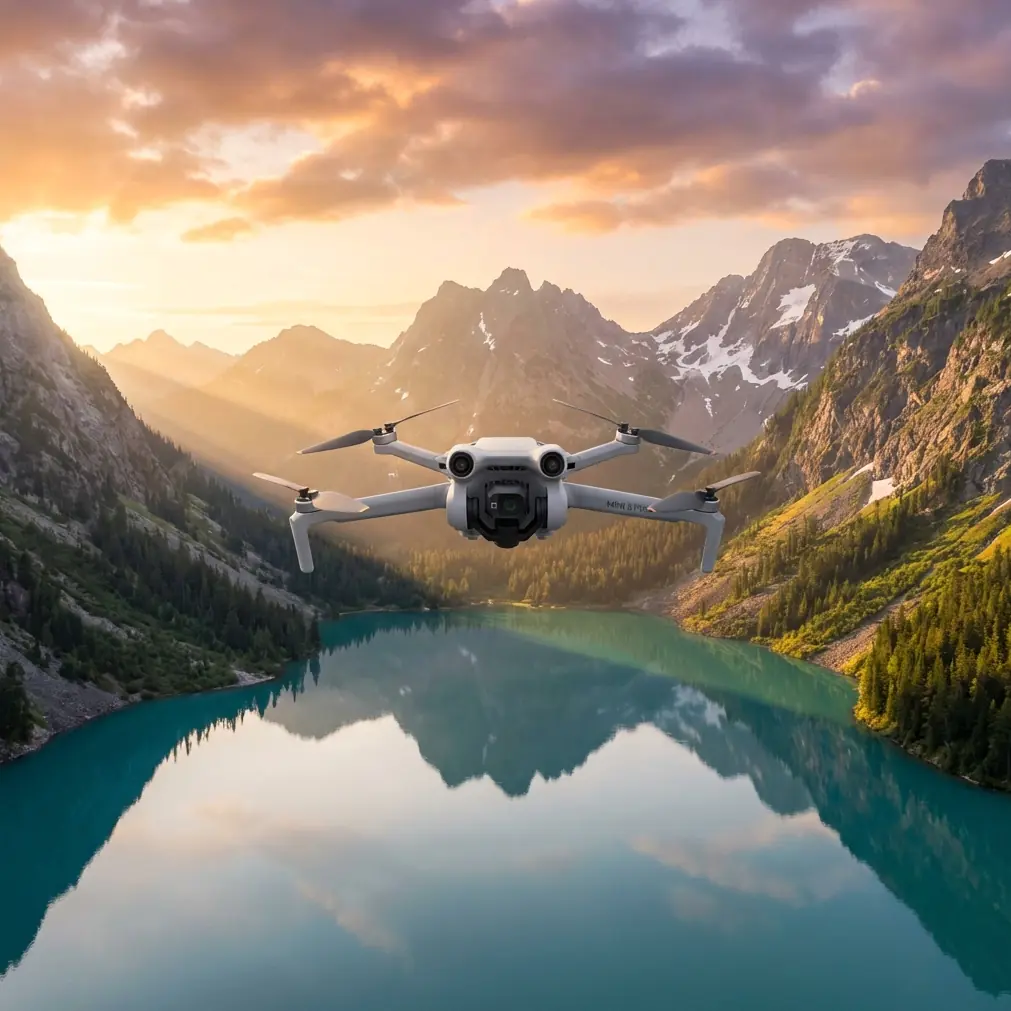
Mini 5 Pro in Dusty Power Line Work: How to Fly Smarter, Safer, and With Better Footage
META: A practical Mini 5 Pro field guide for dusty power line operations, covering obstacle avoidance, ActiveTrack, D-Log, Hyperlapse, QuickShots, and safer mission planning.
Dust changes everything.
Not in a theoretical way. In the field, around power lines, substations, access roads, and dry service corridors, airborne dust affects visibility, sensor confidence, prop efficiency, landing choices, and the kind of footage you can actually trust once you get back to review it. If you’re planning to use a Mini 5 Pro in this kind of environment, the question is not whether the drone can fly. The real question is how to set it up and operate it so its strengths matter when conditions are working against you.
That is where the Mini 5 Pro stands out.
This aircraft sits in an interesting position for utility-adjacent work and dusty corridor documentation. It combines compact size with features that were once reserved for much larger platforms: obstacle avoidance, subject tracking, QuickShots, Hyperlapse, D-Log capture, and ActiveTrack. On paper, that sounds familiar. In actual dusty power line work, those features are only valuable if you understand where they help, where they can misread the environment, and how to use them without letting automation push you into bad decisions.
I shoot as a photographer first, and that perspective matters here. In power line environments, pretty footage is not enough. You need frames that are readable, repeatable, and clean enough to support decisions. The Mini 5 Pro is at its best when you treat it less like a toy camera drone and more like a lightweight aerial field tool.
Start with the reality of dust, not the feature list
Dry utility corridors create three separate problems for small drones.
The first is takeoff and landing contamination. Fine dust gets blasted upward during launch, then pulled back into the local air around the aircraft. That can reduce image clarity right at the start of a mission and create false confidence if your feed looks acceptable on a bright screen but the lens has already picked up debris.
The second is visual ambiguity. Dust hangs in the air, especially near unpaved tracks and maintenance vehicles. Optical systems can struggle when the scene loses contrast. Obstacle avoidance may still function, but any vision-based system performs best with clear edges and stable visual information. If the route is cluttered with poles, crossarms, conductors, and insulators, you should treat sensor assistance as support, not permission.
The third is light. Dusty air softens contrast and clips highlight roll-off in ugly ways, especially when you’re filming bright sky behind line hardware. That is where D-Log becomes operationally useful, not just creatively appealing. A flatter profile gives you more flexibility to recover highlights on pale ceramic or composite insulators while preserving shadow detail under structures and around vegetation encroachment. If your job includes documenting line conditions rather than simply showing that a flight occurred, that extra grading latitude matters.
Why the Mini 5 Pro makes sense here
A larger inspection drone will always have advantages in endurance, sensor payload, and wind authority. But that is not the whole story.
A Mini 5 Pro-style aircraft excels when access is awkward, deployment speed matters, and the site does not justify a full heavy-lift setup. In dusty power line work, that compact footprint helps in several ways. You can launch from tighter clear zones, reposition quickly along a service road, and carry the aircraft between points without breaking your rhythm. For photographers and solo operators, that reduction in friction is not a convenience issue. It improves consistency because you are more likely to relocate and rebuild the shot properly instead of forcing a bad angle from the wrong position.
Compared with many competitors in the small-drone class, the Mini 5 Pro’s real edge is the balance between intelligent flight functions and portability. Plenty of compact drones can capture sharp footage in clean recreational settings. Fewer remain genuinely useful when you need obstacle awareness near utility structures, tracked motion around a service vehicle, and a flexible color profile for flat, dusty daylight. That combination is what makes this model more than just another folding quadcopter.
How to prepare the Mini 5 Pro for dusty line work
Before the props ever spin, decide what the mission is actually for.
If you are checking corridor conditions, your settings should prioritize legibility and route discipline. If you are producing progress documentation or visual reporting for a team, movement consistency matters more than cinematic flair. If you are capturing promotional footage for infrastructure work, then QuickShots and Hyperlapse can have a place, but only after the essential passes are secured.
Here is the field approach I recommend.
Choose your launch point with rotor wash in mind. Do not take off from loose powdery soil if you have any alternative. Use a pad, compact surface, vehicle tailgate, or a spot with firmer ground cover. This sounds basic, but it has a direct effect on image integrity and gimbal cleanliness during the most vulnerable seconds of the mission.
Inspect the lens before every short sortie, not just the first one. Dust accumulates faster than most operators realize when they are leapfrogging along power lines.
Set conservative return and obstacle parameters. Around poles and wires, aggressive automation is not bravery. It is a way to let the aircraft make assumptions in the exact environment where assumptions go bad. Obstacle avoidance is helpful for broad situational awareness, especially near vegetation or structures, but conductors are thin, visually inconsistent targets. Give the system room to help without expecting it to solve line proximity for you.
Record in D-Log if post-processing is part of the workflow. In dusty conditions, the tonal flexibility is worth the extra effort. This is especially true at midday, when the scene can look flat and harsh at the same time.
Keep your first pass simple. Straight, readable, slow. Fancy moves can wait.
Obstacle avoidance: useful, but only if you understand the limits
Obstacle avoidance is one of the most misunderstood items in the compact drone market.
Around power lines, pilots often think of it as a shield. It is better understood as another layer of information. In dusty conditions, that distinction becomes critical. Airborne particles can reduce scene clarity. Backlighting can flatten contrast. Thin wires may not present the same way as a pole, a tree, or a truck. So yes, obstacle avoidance is valuable, especially when you’re working near service roads, structures, and vegetation. But no, it should not become your primary risk-control method.
The Mini 5 Pro’s advantage over simpler competitors is that it gives you that awareness layer in a very small airframe. That means you are not forced to choose between portability and a more intelligent sensing package. In practical terms, this helps when you need to reposition quickly near mixed obstacles or when the corridor includes uneven terrain and roadside clutter. The operational significance is simple: better situational assistance reduces workload, and reduced workload helps you keep attention on line geometry, framing, and safe spacing.
That said, if I am flying near conductors in dusty light, I slow down first and trust automation second.
ActiveTrack and subject tracking in utility environments
Subject tracking sounds like a creative feature until you use it properly in field documentation.
If a maintenance vehicle is moving along a dusty access route, ActiveTrack can produce consistent follow footage without requiring constant manual correction. That consistency is not just visually cleaner. It gives you a repeatable relationship between subject and background, which makes corridor context easier to read later. For team reporting or site communication, that is valuable.
But here is the catch: dusty plumes can make tracking less reliable, especially if the subject blends into a similarly colored environment or gets partially obscured. This is where the Mini 5 Pro still performs better than many basic alternatives. It pairs compact deployment with advanced tracking options, so you can attempt controlled follow sequences that cheaper or older small drones often struggle to maintain cleanly. The feature matters operationally because it can reduce pilot workload during moving documentation. It does not eliminate the need for pilot judgment.
The smartest way to use ActiveTrack here is on vehicles or workers in open sections with known clearances, not in tight line-adjacent spaces with poles, wires, and unpredictable dust bursts. Use it where it supports the mission, not where it adds uncertainty.
If your team wants help building a practical field workflow for these flights, a quick message through our WhatsApp channel is an easy way to start that conversation without slowing down your day.
QuickShots and Hyperlapse: not just for pretty edits
QuickShots are often dismissed by serious operators, and sometimes that is fair. In infrastructure work, canned motion can feel out of place. But used carefully, QuickShots can help capture consistent establishing views of a tower site, access route, or work zone. The value is speed. When you need a clean overhead reveal or a controlled orbit to show how the line corridor relates to terrain, a pre-structured move can get the job done efficiently.
Hyperlapse is more specialized, but it has real use in dusty power line scenarios. It can show environmental movement over time: drifting dust, vehicle flow, changing light across a corridor, or the buildup of activity around a maintenance area. If you are documenting how a site behaves rather than just how it looks in one moment, Hyperlapse adds context that single clips cannot.
The Mini 5 Pro’s strength is that these tools exist alongside more serious capture options like D-Log and obstacle sensing. Some competitors lean heavily into automated cinematic tricks but fall short on the overall balance needed for actual field use. Here, the automation is a supplement, not the whole product identity.
Camera setup that actually works in dusty daylight
For power line work, detail matters more than drama.
I prefer settings that protect highlight detail and maintain a stable shutter relationship rather than chasing exaggerated contrast in-camera. Dust tends to flatten scenes while bright sky punishes overexposure. D-Log gives you room to shape the image later, especially when metal hardware, insulators, and pale ground surfaces all occupy the same frame.
If you are shooting inspection-adjacent footage, avoid relying on ultra-wide compositions for everything. Wider views are useful for context, but they can make spacing to wires look safer than it really is and reduce the readability of critical components. Mix context passes with slower, more deliberate medium-distance shots from safe stand-off positions.
Keep movement gentle. Dust already adds visual noise. There is no need to pile on aggressive yaw inputs or fast lateral moves unless the mission specifically calls for them.
A practical mission sequence for dusty corridors
This is the sequence I would use for a Mini 5 Pro in a dry power line environment:
Start with a controlled ascent from a clean launch point. Hold briefly and inspect the feed for dust contamination.
Make a slow establishing pass to assess visibility, wind behavior, and how much airborne dust vehicles are generating.
Capture your essential documentation first: line path, poles or towers, access road condition, work vehicles, and any obvious vegetation or clearance issues.
Only then introduce automation. Use ActiveTrack for vehicle-follow clips in open areas. Use QuickShots for one or two context angles if they genuinely help tell the story. Use Hyperlapse if time progression or site activity matters.
End with a careful landing away from loose dust if possible. Then inspect props, motors, lens area, and gimbal movement before relocating.
That sequence sounds disciplined because it is. In these environments, disciplined flights produce better footage and fewer surprises.
Where the Mini 5 Pro clearly beats weaker small-drone options
The biggest difference is not a single headline feature. It is the way the package comes together.
A stripped-down compact drone may be small enough for easy deployment, but if it lacks robust obstacle awareness, flexible tracking, and a serious color profile, it becomes a fair-weather camera. That is fine for casual flying. It is limiting for dusty corridor work.
The Mini 5 Pro excels because it gives you obstacle avoidance, ActiveTrack-style subject tracking, D-Log, QuickShots, and Hyperlapse in one compact system. Those are not random marketing items. In this use case, they solve different parts of the same field problem: flying safely in cluttered spaces, documenting moving subjects, preserving image detail in ugly light, and building a usable visual record fast.
That is why it deserves attention from operators working in dry utility environments. Not because it replaces larger industrial systems. It does not. It deserves attention because it covers more real-world ground than many drones in its size class, and it does so in a way that respects the operator’s need for speed, control, and footage that holds up after the dust settles.
If your work around power lines is happening in dry, dirty conditions, the Mini 5 Pro is not magic. It is something better: a compact tool with enough intelligence to be genuinely useful, as long as you fly it with intent.
Ready for your own Mini 5 Pro? Contact our team for expert consultation.