
Mini 5 Pro in Coastal Vineyards: How to Film Cleaner, Safer
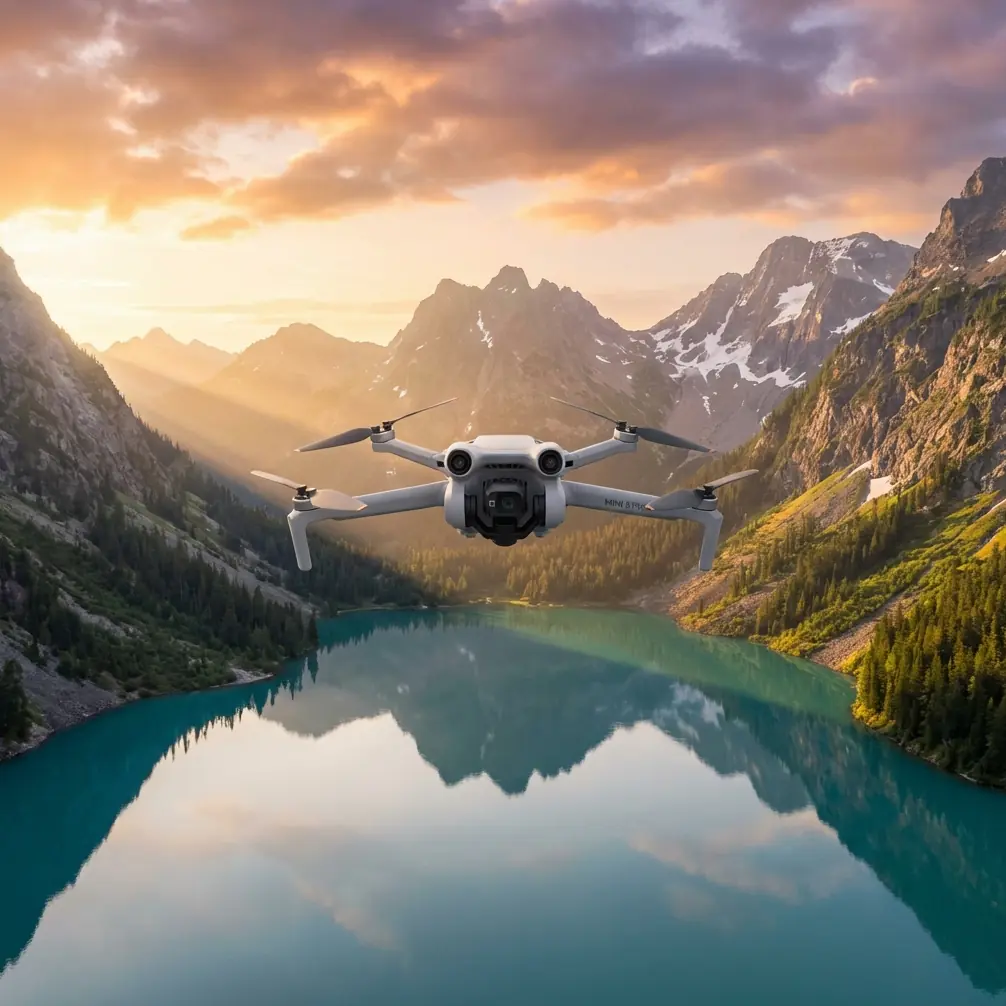
Mini 5 Pro in Coastal Vineyards: How to Film Cleaner, Safer, More Cinematic Flights
META: A practical Mini 5 Pro guide for filming coastal vineyards, with antenna positioning, obstacle avoidance, ActiveTrack, D-Log, Hyperlapse, and wind-aware shooting strategies.
Coastal vineyards look effortless from the ground. Rows run toward the sea, morning haze lifts off the vines, and every turn in the terrain seems made for aerial footage. Then the actual flight starts.
You launch into a headwind you underestimated. Signal bars dip when the drone slides behind a stone terrace wall. Auto shots feel too broad for tight vine corridors. The sun bounces off water, shadows harden under trellis lines, and your “simple golden-hour flight” suddenly asks for real planning.
That is exactly where the Mini 5 Pro becomes interesting.
For this kind of work, the aircraft is not just a small camera in the sky. It is a tool for solving a very specific filming problem: how do you capture vineyards near the coast with enough control to make the footage feel deliberate, while keeping the flight safe in a landscape full of wind shifts, wire hazards, uneven ground, and signal-blocking terrain?
Let’s treat this as a field guide rather than a spec recap.
The Real Problem With Coastal Vineyard Flights
Vineyards by the sea create two challenges at once.
First, they are visually complex. Long parallel rows can either look elegant or repetitive depending on angle, speed, and altitude. A careless pass flattens everything. A good pass reveals structure: slope, spacing, canopy texture, access roads, and the relationship between vines and coastline.
Second, they are operationally deceptive. Open fields make pilots relax, but vineyards are rarely as open as they seem. You may be flying over trellis systems, poles, netting, access tracks, irrigation hardware, isolated trees, utility lines, tasting buildings, and abrupt rises in terrain. Add coastal wind and shifting sunlight and the margin for error shrinks.
This is why features like obstacle avoidance and subject tracking matter here in a very practical way. They are not buzzwords. They change what kinds of shots you can attempt with confidence.
Why the Mini 5 Pro Format Fits Vineyard Work
A small drone is often the right drone for vineyard content. Not because smaller is always better, but because vineyard shooting rewards mobility.
You may need to launch from a gravel turnout, move between blocks quickly, or reset your takeoff point to keep terrain from interrupting signal. A larger setup can deliver impressive image quality, but it also changes the rhythm of the shoot. The Mini 5 Pro class is appealing because it stays nimble in exactly the kind of location where timing matters: short windows of calm air, low sun angles, and changing marine haze.
That flexibility becomes even more valuable when you are capturing more than one type of shot. A vineyard project usually needs a mix:
- wide establishing passes
- lower movement through row geometry
- reveal shots from vines to coastline
- short tracking clips of utility vehicles or workers moving between plots
- compressed sunset hyperlapses as shadows stretch across slopes
The Mini 5 Pro toolkit lines up well with that brief, especially when you use each feature for a specific job instead of trying to let automation do all the thinking.
Obstacle Avoidance Is Most Useful Before You Need It
In vineyards, obstacle avoidance earns its keep less through dramatic saves and more through quiet prevention.
The obvious hazards are trees, poles, and buildings. The less obvious issue is how often your attention gets pulled toward composition. When you are trying to keep row symmetry centered, maintain a smooth rise, and watch the changing highlight on the water, situational awareness can narrow fast. Obstacle sensing helps restore some safety margin.
Operationally, this matters most in three common scenarios:
1. Low lateral passes beside vine rows
These shots look great because they emphasize depth and repetition. They also tempt pilots to fly lower and closer than they should. Obstacle avoidance gives you a layer of protection when spacing tightens near end posts or support structures.
2. Reveal shots over ridgelines
A vineyard on a slope often begs for a climb that starts behind foliage or terrain and opens onto the sea. The problem is that branches, cables, or a rise in elevation may sit exactly where your framing says “go.” Avoidance sensors reduce the chance of a blind cresting mistake.
3. Orbiting around buildings or tasting rooms near the vines
These environments combine architecture, landscaping, parked vehicles, and decorative trees. It is easy to become too focused on keeping the building framed cleanly. Sensing helps preserve standoff distance.
The key point: obstacle avoidance does not replace planning. It supports it. In a vineyard, you still want a deliberate route, conservative altitude near trellis infrastructure, and visual confirmation of hazards before the move.
ActiveTrack and Subject Tracking: Use Them Selectively
Subject tracking can be excellent in vineyard content, but only when the subject actually tells the story.
If a worker is walking a row at sunrise, or a utility cart is moving between blocks, ActiveTrack can add life to footage that would otherwise just document landscape. It creates scale. It shows the vineyard as a working environment rather than a postcard.
Where people misuse tracking is trying to force it into every scene. Vines themselves are usually the subject, not a moving object. In those situations, manual flight often produces better results because you can shape the relationship between foreground rows, distant water, and horizon line.
When ActiveTrack does make sense, its operational value is consistency. It can help maintain framing while you focus on:
- keeping a safe offset from posts and wires
- preserving a stable altitude over uneven terrain
- avoiding abrupt speed changes that make row patterns flicker
In coastal vineyards especially, tracking should be used with restraint. Wind gusts and changing ground elevation can make automated motion less graceful than expected. Test the route high first, then commit lower if the environment is clear.
QuickShots Work Best as Drafts, Not Final Answers
QuickShots are useful in vineyards, but not because they produce finished sequences every time. Their real value is speed.
When light is changing quickly, a QuickShot can help you preview whether a direction, orbit, or pullback actually suits the land. Think of it as a motion sketch. You can evaluate:
- whether the sea distracts from the vines
- whether the rows read clearly from that altitude
- whether the building or road becomes too dominant
- whether the movement reveals depth or just creates clutter
That preview saves time. Once you know the geometry works, you can recreate the move manually with better pacing.
This matters more than people think. Vineyards are strongly patterned landscapes, and camera movement that feels fine over a beach or open field can become too busy over repeating rows. QuickShots help you test composition fast, but the best vineyard footage often comes from slowing down and refining the path yourself.
Hyperlapse in Vineyards: Use Movement Sparingly
Hyperlapse is one of the strongest creative options for coastal vineyard scenes because the environment naturally changes over time. Fog drifts. Long shadows travel through the rows. Reflections over water shift minute by minute.
But hyperlapse is not just a “cool effect.” In a vineyard, it works best when it reveals structure.
A slow lateral hyperlapse can show how rows contour around a hillside. A gentle rise can reveal the transition from agricultural geometry to open coast. A static elevated sequence can show weather movement without competing against the regular line patterns below.
Too much movement can make the scene feel nervous. Remember that vineyards already contain strong visual rhythm. Let the land provide some of the motion. The Mini 5 Pro gives you the ability to create these sequences efficiently; the discipline is knowing when not to overcomplicate them.
D-Log Is Especially Valuable Near Water and Bright Stone
Coastal vineyards often have difficult lighting even when they look beautiful to the eye. White buildings, pale soil, reflective water, and dark green vine rows can all live in the same frame. That is a recipe for clipped highlights and crushed shadows if you are not careful.
This is where D-Log earns its place.
Shooting in D-Log gives you more flexibility when balancing bright sky, reflective coastline, and shaded vine corridors in post. The practical benefit is not abstract image quality talk. It is the ability to hold detail across the scene so the rows still have texture while the sea and sky stay usable.
That matters for vineyard storytelling because so much of the location’s character lives in contrast:
- cultivated order against irregular coastline
- dark foliage against warm soil
- low-angle sun against cool marine atmosphere
If you expose conservatively and grade with restraint, D-Log helps preserve those relationships. For creators delivering tourism content, estate branding, seasonal updates, or land presentation footage, that extra control can be the difference between “nice drone video” and a sequence that actually feels intentional.
Antenna Positioning Advice for Maximum Range
This is the piece many pilots overlook until they have a signal issue.
In vineyard terrain, range is often limited less by raw transmission capability and more by poor controller orientation and blocked line of sight. The Mini 5 Pro can only maintain a clean link if you help it. Antenna positioning is part of flying well, not a minor technical detail.
Here is the practical rule: point the broad face of the controller antennas toward the aircraft’s direction, not the antenna tips directly at the drone.
Many pilots instinctively “aim” the ends of the antennas at the drone as if they were laser pointers. That is usually the wrong approach. You want the antenna sides presented toward the aircraft for the strongest connection.
Why this matters in coastal vineyards:
- Terraced land blocks signal early. Even a modest rise can interrupt the link if the drone drops behind a ridge or lower block.
- Stone walls and buildings absorb or reflect signal. Historic vineyard properties often have dense materials that complicate transmission.
- Distance feels shorter than it is. Long, open rows create a false sense of easy range, but if the aircraft is low and the terrain rolls, line of sight degrades fast.
- Your body can become an obstruction. Turning while tracking a shot can put your torso between the controller and the drone.
Best practice in the field:
- stand where you have the clearest view over the working area, even if it is not the prettiest launch point
- keep the drone in clean line of sight whenever possible
- reorient the controller as the aircraft changes position
- if you are making long row passes, reposition yourself rather than stretching one flight from a poor location
- avoid dropping the drone behind buildings, tree lines, or terrace edges just to hold a low cinematic angle
A simple controller adjustment can mean the difference between stable transmission and a hesitant, interrupted shot. If you want help diagnosing flight setup or controller handling for this kind of environment, you can message the flight team here.
A Practical Shot Plan for Coastal Vineyards
If I were building a Mini 5 Pro flight around this setting, I would keep the structure simple.
Start high and read the land
Before chasing cinematic passes, make one slow scouting flight at a safe altitude. Identify wind direction, tree lines, utility hazards, and the places where vineyard rows bend or step with terrain. This is where you also test signal quality and controller orientation.
Capture your establishing geometry
Use a wide pass or gentle climb to show how the vineyard sits against the coast. This is the scene-setter. Keep the horizon level and avoid rushing the movement. The rows should read clearly.
Move lower for texture
Now you can work on lower lateral shots or forward movement that emphasizes line spacing and canopy detail. Obstacle avoidance matters most here. Keep enough height to clear posts and account for ground variation.
Add one tracked human or vehicle element
Use ActiveTrack only if it supports the story. A worker crossing between rows, or a small utility vehicle heading toward a block, can give the edit a sense of purpose and scale.
Reserve QuickShots for fast alternatives
If the light is fading, use QuickShots to capture backup movement patterns. Review them critically. Keep what supports the structure of the vineyard and discard what feels too generic.
Finish with a hyperlapse or golden-hour hold
As the day closes, either commit to a controlled hyperlapse or capture one steady elevated shot with minimal movement. Let changing light do the work.
What Makes Mini 5 Pro Footage Feel Professional Here
Not speed. Not dramatic altitude. Not trying every intelligent mode in one session.
Professional-looking vineyard footage usually comes down to restraint. The best operators let the land’s natural order carry the sequence. They use obstacle avoidance to protect low work, ActiveTrack only when motion adds meaning, QuickShots as fast scouting tools, Hyperlapse to show time and weather, and D-Log to hold the difficult tonal range that coastal scenes create.
Then they do one more thing right: they maintain a clean signal by respecting line of sight and orienting the antennas properly.
That last part sounds small until you are halfway through the smoothest pass of the day and the transmission stumbles because the drone slipped low behind a terrace edge while your controller was pointed the wrong way.
On paper, that is a technical note. In practice, it is the difference between bringing home a usable sequence and bringing home an almost-sequence.
For coastal vineyards, the Mini 5 Pro is at its best when you fly it like a precise camera platform, not a toy and not an autopilot. Plan the route. Read the wind. Protect line of sight. Use the smart features where they genuinely solve problems. The landscape will do the rest.
Ready for your own Mini 5 Pro? Contact our team for expert consultation.