
Capturing Windy Venues with Mini 5 Pro: A Field Case Study
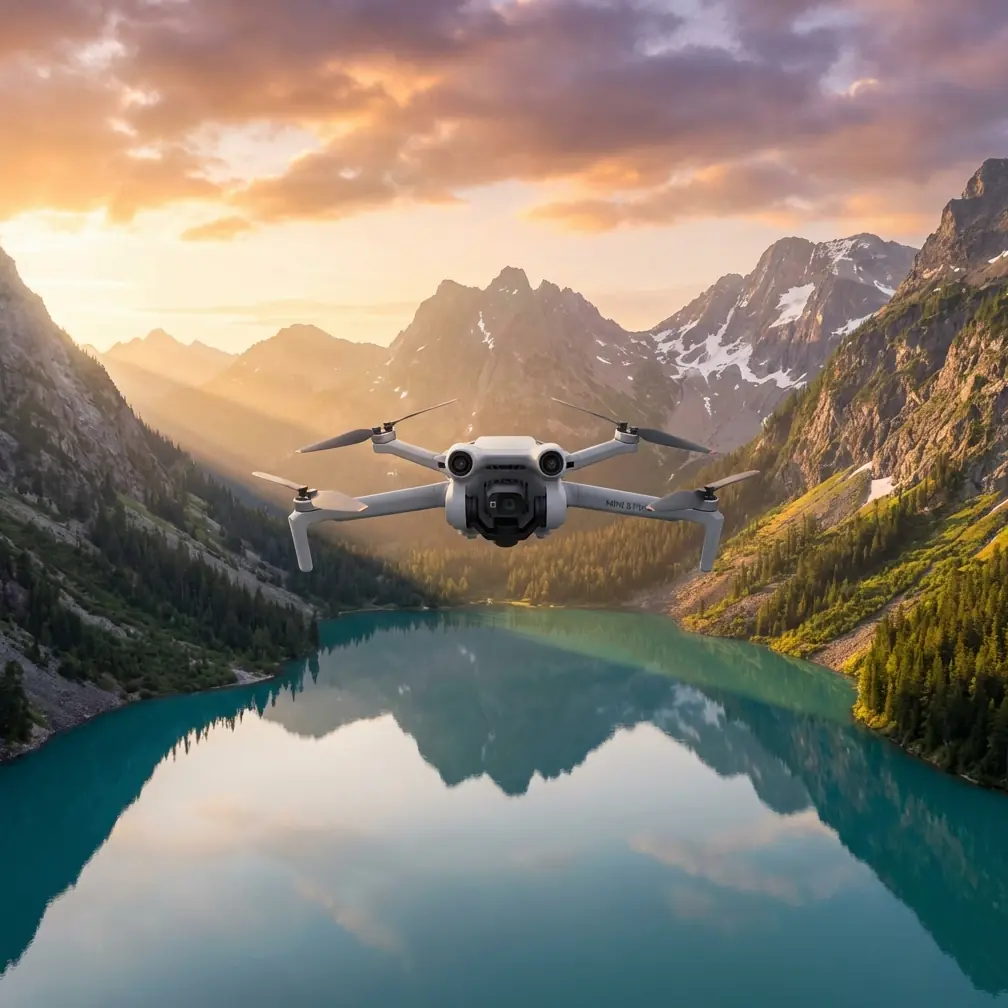
Capturing Windy Venues with Mini 5 Pro: A Field Case Study on Faster 3D Turnaround
META: A photographer’s case study on using Mini 5 Pro for windy venue capture, with practical insight into obstacle avoidance, ActiveTrack, D-Log, and faster 3D processing through automated tile-based reconstruction workflows.
Wind changes everything at a venue.
Not just in the air, where the aircraft has to hold position cleanly enough to produce usable imagery, but later at the desk, when hundreds or thousands of frames have to become something a client can actually use. A cinematic recap is one thing. A navigable 3D venue model, editable point cloud, and shareable deliverables across multiple software environments is another.
That distinction matters if you are photographing event spaces, resorts, outdoor wedding grounds, golf facilities, mixed-use developments, or tourism sites where wind is part of the assignment rather than an exception.
I’ve run into this firsthand as a venue photographer. One project in particular still sticks with me: a coastal property with open lawns, tree lines, reflective water, and narrow timing between setup crews and guest arrivals. The client wanted polished aerial stills and motion clips, but also needed mapping-friendly outputs for planning future site changes. The flying wasn’t the only pressure point. The real bottleneck was getting from capture to usable 3D results without losing a day to manual reconstruction babysitting.
That is where a Mini 5 Pro-centered workflow starts to become interesting.
This article is not about treating the aircraft as a magic fix. It is about how the right capture platform, paired with an automated reconstruction pipeline like Pixel-Mosaic, changes the practicality of venue work in windy conditions.
The old problem: windy capture creates messy downstream work
Anyone who has shot venues near shorelines, ridgelines, open stadium grounds, or elevated terraces knows the pattern. Wind adds micro-instability to every pass. Even when the aircraft performs well, you still have to think harder about path consistency, overlap, subject framing, and whether your data will hold together later in reconstruction.
For venue clients, “good enough” video often isn’t good enough overall.
They may want:
- marketing visuals
- progress records
- terrain or site context
- 3D references for planners or designers
- deliverables that can move into external tools for editing, measurement, or presentation
A windy venue makes each of those requests harder in a slightly different way. Video demands stable motion. Stills demand detail. 3D reconstruction demands disciplined image sets with enough consistency to survive processing.
That’s why the Mini 5 Pro discussion should not stop at flight convenience features like QuickShots or automated subject tracking. Those are useful, yes. But the bigger story is operational continuity: can you capture efficiently on-site, then convert that capture into outputs that serve more than one team?
Why Mini 5 Pro makes venue capture more manageable
For a photographer working around venue operations, time is usually compressed. Staff are moving furniture. Vehicles appear where they shouldn’t. Guests arrive early. Wind picks up just as the light gets good.
In those conditions, three Mini 5 Pro-type capabilities become more than spec-sheet talking points.
1. Obstacle avoidance reduces the mental load in tight venue corridors
Venues are full of half-open spaces: pergolas, trees, lighting rigs, signage, temporary event structures, uneven landscaping edges. In wind, these become more stressful because the aircraft isn’t just responding to your stick input; it’s also constantly correcting against the environment.
Reliable obstacle avoidance matters here because it lets you focus more attention on shot design and overlap discipline instead of devoting all your concentration to clearance. That is especially relevant when you are flying low passes near decorative elements or moving between open lawn and built structures.
For venue capture, that means fewer interrupted runs and more confidence when repeating paths for stills, video, and reconstruction coverage.
2. ActiveTrack and subject tracking help when the venue itself is the “subject”
People often think of ActiveTrack as a feature for following cyclists, runners, or vehicles. But in practical venue work, subject tracking can help preserve framing consistency around a key scene element: a ceremony setup, central building frontage, arrival lane, fountain axis, or outdoor dining area.
In gusty conditions, that framing support can save a pass that would otherwise drift into visual sloppiness. It also helps when you need dynamic clips for the client without giving up too much concentration that should be reserved for safe navigation.
The result is not just prettier footage. It is more efficient capture, which matters when your weather window is short.
3. D-Log and controlled image capture give you more latitude later
Windy venues often come with difficult light. Bright paving, reflective roofs, water, white tents, deep tree shadows. D-Log is useful because it preserves flexibility when balancing those extremes in post.
That matters for marketing deliverables, but it also has a secondary value: more disciplined tonal handling can support downstream interpretation of details in mixed scenes. While reconstruction quality depends on more than color profile alone, a controlled capture workflow generally leads to cleaner project organization and better consistency across outputs.
If I’m working a venue that needs both client-facing media and technical follow-up, I’d rather come back with one well-managed capture set than try to patch together different flights later.
The less obvious half of the workflow: processing is where venue jobs get won or lost
This is where the reference material becomes especially useful.
Pixel-Mosaic, the drone data processing solution referenced here, is built around a very practical idea: large-scene 3D reconstruction should not require constant human intervention. According to the source material, the system can complete large-scale 3D reconstruction with one-click automation and automatically split the project into tiles based on available hardware performance.
That sounds technical, but the operational significance is simple.
When a windy venue job produces a large scene, you do not want to manually nurse every stage of processing. Automatic tile splitting means the software breaks the reconstruction workload into manageable sections, then merges results afterward. For photographers and small production teams, that is valuable because it lowers the hardware barrier. The source explicitly notes that this approach is designed to support large-scene reconstruction even on lower-end PCs.
That is a serious point, not a footnote.
A lot of small drone operators can capture ambitious venue datasets, but fewer can process them comfortably without a workstation-heavy setup. If your Mini 5 Pro workflow feeds into a reconstruction environment that adapts to available hardware, you can realistically take on bigger venue properties without turning post-processing into an overnight headache.
Why tile-based reconstruction matters in real venue assignments
Let’s go back to that coastal venue.
The client didn’t just need a hero reel. They wanted future planning value from the flight. Paths, lawn geometry, waterfront edge conditions, guest flow zones, and visual context for proposed layout changes all had to be represented.
In a traditional small-team setup, a large venue model can become fragile fast. Long processing times, stalled reconstructions, memory bottlenecks, or inconsistent intermediate outputs can delay delivery. Wind doesn’t directly cause those problems, but windy captures often push you toward broader scene coverage because you want enough redundancy to protect the job.
Pixel-Mosaic’s automated tile segmentation addresses that by making large-scene handling more practical. Instead of forcing the operator into constant manual segmentation and reconstruction decisions, the software handles scene division according to machine capability.
For venue professionals, that means:
- fewer workflow interruptions
- better chances of finishing large reconstructions on available office hardware
- more realistic turnaround for clients who need both visuals and spatial context
That can be the difference between offering “aerial content” and offering a venue documentation service with real depth.
Broad format support changes who can use the output
Another reference detail that deserves attention is output flexibility.
The source lists support for OSG, OSGB, TIF, OBJ, PLY, LAS, and SHP, along with large-scene tiled model LOD output and large-scene point cloud LOD output.
That matters because venue projects rarely end with the photographer.
A resort manager may want visual review. A landscape designer may prefer model-based context. A planner may need point cloud or geospatial-friendly formats. A presentation team may just need clean 3D assets that can be browsed or measured. LOD, or level-of-detail handling, is especially useful for large environments because it helps keep heavy models workable when browsing or sharing broad scenes.
Operationally, this means a Mini 5 Pro capture can feed a much wider chain of use if your processing environment exports in the right formats. An aerial assignment becomes more than media production; it becomes spatial content production.
That’s a stronger business position for any photographer who works with venues, hospitality properties, campuses, or event grounds.
External model and point cloud import is more useful than it sounds
The source also notes that Pixel-Mosaic supports importing external point clouds, mesh data, and model data, including reprocessing outputs from tools such as 3DMAX, Meshlab, and Geomagic. It can then perform meshing, texturing, and LOD processing to generate high-quality 3D models.
This is easy to overlook, but it solves a real-world problem: venue projects often evolve.
You may deliver a first-pass reconstruction, then later receive edited geometry, cleaned point data, or a client request to improve texture presentation on difficult areas like waterfront edges, reflective surfaces, or landscaping transitions. If the workflow supports bringing external data back in for further meshing and texturing, you are not trapped in a one-and-done pipeline.
For a windy waterfront or open-air venue, that flexibility can be especially helpful around problem zones. Water-adjacent edges and visually thin structures are common reconstruction pain points. Having a pipeline that can accept externally refined data and continue processing is a practical advantage.
Sensor and camera compatibility points to scaling beyond one aircraft
One final source detail with strategic value: Pixel-Mosaic is described as supporting a broad range of data types and many market-available oblique cameras, including models such as SWDC-5, AMC580, PentaView, MIDAS, DigiCAM, UltraCam, and RCD30.
Even if your day-to-day venue work centers on a Mini 5 Pro, this kind of compatibility matters because it future-proofs your service stack. You can start with compact capture for agile venue jobs, then expand into more demanding site documentation or multi-sensor projects without replacing your downstream processing logic.
That is exactly how many drone businesses mature. They begin with lightweight capture tools for responsiveness and cost control, then build more robust deliverable capabilities once clients ask for mapping, asset records, or cross-team spatial data.
A practical field approach for windy venues
If I were planning a windy venue assignment around Mini 5 Pro today, I would structure it like this:
First, secure hero visuals early while light is favorable and the site is least crowded. Use obstacle avoidance as a safety buffer around structures and landscaping, and lean on ActiveTrack or other tracking support where motion consistency adds value.
Second, collect disciplined overlap sets for reconstruction while the scene remains stable. Resist the urge to improvise every path. Wind rewards clean planning.
Third, shoot with post in mind. D-Log, organized passes, and repeatable routes pay off later when you are balancing marketing output with technical model generation.
Fourth, move the data into an automated processing environment that can scale without excessive manual intervention. If you are dealing with broad venue grounds, one-click large-scene reconstruction and automatic tile splitting are not luxury features; they are what keeps delivery realistic.
If you’re comparing workflows for this kind of venue project, you can always message the team here to discuss how capture and processing fit together.
What changed for me after adopting this mindset
The biggest shift was not that windy venue shoots suddenly became easy. They didn’t.
The shift was that they became more predictable.
Mini 5 Pro-style capture tools help reduce friction in the air through obstacle awareness, tracking support, and flexible image capture. But the real gain comes when that flight data flows into a reconstruction system built for large scenes, lower manual overhead, and broad export compatibility.
That combination changes how you quote jobs, how you schedule post-production, and what kinds of clients you can confidently support.
A venue photographer who can provide attractive aerial imagery is useful.
A venue photographer who can capture in difficult conditions, then turn the result into tiled 3D models, point clouds, and editable outputs across formats like OBJ, LAS, TIF, PLY, and SHP is operating at a different level.
That is the more interesting Mini 5 Pro story. Not just how it flies in wind, but how it fits into a complete venue documentation workflow where the aircraft is only the first step.
Ready for your own Mini 5 Pro? Contact our team for expert consultation.