
Mini 5 Pro for Remote Venue Capture: The Flight Discipline
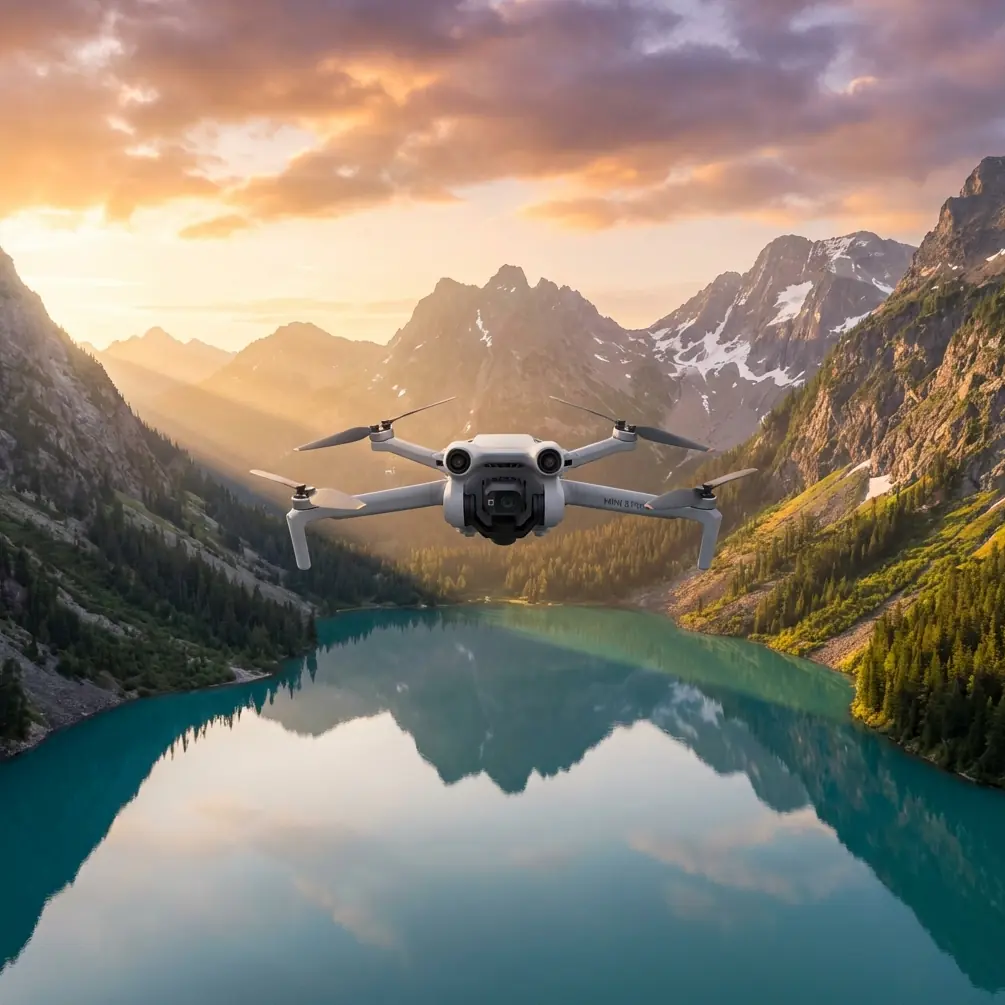
Mini 5 Pro for Remote Venue Capture: The Flight Discipline That Actually Saves Your Shoot
META: A field-tested Mini 5 Pro guide for photographing remote venues with better planning, cleaner obstacle sensing, smarter timing, and mapping-grade discipline drawn from real photogrammetry standards.
Remote venue work has a way of exposing every weak habit a drone operator has.
A resort tucked into hills. A wedding venue beyond paved access. An eco-lodge in mountain light. A rural event site surrounded by trees, rooflines, and uneven ground. On paper, the Mini 5 Pro looks like the easy answer: compact, fast to deploy, strong obstacle avoidance, automated tracking, QuickShots, Hyperlapse, and flexible color options like D-Log for grading later. In practice, remote venue capture is less about having features and more about whether those features still work reliably after a dusty hike, a rushed setup, and bad timing with the sun.
That is the real story behind successful Mini 5 Pro venue shoots. Not specs for their own sake. Discipline.
As a photographer, I’ve learned that the difference between a polished venue sequence and a frustrating reshoot often starts before takeoff, with two things most operators underestimate: sensor cleanliness and flight geometry.
The problem with remote venue shoots
Remote venues create a messy blend of creative and operational pressure. You need cinematic establishing shots, orbit moves, approach reveals, overhead layout images, and often a few precise frames that help the client explain access roads, ceremony areas, guest flow, or surrounding landscape. At the same time, the environment is usually working against you.
Dust settles on the aircraft during transport. Pollen sticks to the front sensors. Salt haze, dry grass fibers, or fingerprints can interfere with the very obstacle sensing system you’re depending on when flying close to trees, pergolas, roof edges, or cliffside paths. That matters because obstacle avoidance is not magic. It is only as trustworthy as the optical surfaces and visibility conditions supporting it.
Then there is the lighting issue. Venue operators love sunrise and sunset imagery, but the terrain may not cooperate. In hilly or mountainous areas, long shadows can hide pathways, seating zones, retaining walls, and elevation changes. That hurts both aesthetics and spatial clarity. The source material behind this article includes a simple but valuable rule set used in aerial photogrammetry: for flat terrain, a sun elevation angle above 20° is acceptable; in hilly terrain, above 30°; in mountain terrain, above 45°; and in very steep or dense high-rise environments, capture should be limited to roughly one hour around local noon. That is not a cinematic rule. It is an information rule.
And for venue work, information matters.
A dramatic shadow may look beautiful in one hero shot. But if you are trying to show the property clearly, deep shadow can hide the exact features a client needs prospective visitors to see.
What photogrammetry standards can teach Mini 5 Pro users
At first glance, formal aerial survey standards seem far removed from a lightweight drone used by photographers and content creators. I’d argue the opposite. They are useful precisely because they force clarity.
One reference example uses a Sony α5100 with a 23.4 × 15.6 mm sensor and 20 mm focal length to achieve different mapping outcomes. At a flight height of 256 m, it reaches a 5 cm GSD and supports 1:500 mapping, with elevation accuracy around 0.11 m. At 410 m, it reaches 8 cm GSD for 1:1000 mapping. At 770 m, 15 cm GSD supports 1:2000 mapping.
You are not flying a Mini 5 Pro like a crewed survey aircraft, and the camera system is different. But those figures still teach a principle that matters for venue capture: flight height directly changes what kind of story your image can tell.
Low altitude gives you persuasive texture. You can reveal paving detail, landscaping, tent layout, pool edges, deck furniture, and pathway condition. Higher altitude gives you context: parking, approach roads, neighboring terrain, shoreline relation, forest buffers, event sprawl. The mistake many operators make is staying in one altitude band and expecting one set of images to solve both tasks.
It rarely does.
For a remote venue, the smarter Mini 5 Pro workflow is to break the shoot into layers:
- low passes for emotional, marketable detail
- medium-height orbits for circulation and structure
- high overhead frames for geography and orientation
That layered thinking is borrowed straight from mapping logic, even if your final output is promotional video and stills rather than orthomosaics.
The overlooked pre-flight step: clean before you trust
If your narrative includes obstacle avoidance and ActiveTrack, your pre-flight cleaning step should not be optional.
Before powering up the Mini 5 Pro, inspect and clean:
- forward vision sensors
- rear and lateral sensing windows
- downward sensors
- main camera lens
- filter surfaces if you are using ND glass
Use a clean microfiber cloth and blower, not a shirt hem or your fingers. Remote venues often mean dirt tracks, open cases on the ground, windblown debris, or sea spray. Any residue on the sensing system can reduce contrast detection or create false confidence in cluttered areas.
This matters operationally in two ways.
First, obstacle avoidance works best when the aircraft can clearly read the scene. If you are threading between trees to reveal a ceremony site or running a lateral move beside a hillside reception terrace, clean sensors improve the odds that the aircraft interprets obstacles correctly.
Second, ActiveTrack and subject tracking depend on visual consistency. If you’re following a golf cart carrying event staff, a utility vehicle touring the grounds, or a host walking a signature pathway, image contamination makes tracking less robust. The feature itself is powerful. But in remote work, power means very little without reliability.
I would go further: if the venue requires flying close to branches, cables, rooflines, or rock faces, cleaning the sensors is not just an image-quality step. It is a safety habit.
Timing your venue shoot by terrain, not mood
Many creators default to “golden hour equals best hour.” For remote venue marketing, that’s only partly true.
The reference data breaks terrain into categories with matching sun angle guidance:
- flat ground: sun angle above 20°
- hilly ground: above 30°
- mountainous terrain: above 45°
- steep alpine or dense urban vertical environments: capture near local noon, within about one hour
Here’s why this matters for a Mini 5 Pro venue workflow.
If you are documenting a mostly level vineyard event site, you can work with lower sun without losing too much clarity. But if the venue is stepped into hills or wrapped by mountain contours, lower sun creates shadow multiplication. The source notes even express this through shadow ratios, with flatter areas tolerating more shadow and mountainous zones tolerating much less. For a venue client, that translates into a practical rule: the steeper the site, the less room you have for dramatic lighting if your goal is legibility.
A mountain lodge may look romantic at sunrise, but if half the usable event lawn disappears into shadow, the image fails its job. Midday is not always flattering for portraits. It is often excellent for explanatory aerials.
The Mini 5 Pro’s D-Log profile helps here. In harder daylight, D-Log gives you more room to control highlights and shape the final look in post, rather than surrendering venue clarity just to chase softer light. That is one of the most useful creative-operational pairings on this aircraft: choose the sun position that reveals the property, then use your color workflow to recover style.
Stable altitude is more than a survey concern
The photogrammetry reference also includes flight height consistency limits. On the strict side, adjacent images on the same flight line should not vary by more than 20 m under one standard, and the total difference between maximum and minimum height on that line should stay within 30 m. Those are survey controls, not social media rules, but the lesson is universal: inconsistent height creates inconsistent visual logic.
For a remote venue showcase, uneven altitude produces footage that feels amateur even when the scenery is extraordinary. Rooflines jump awkwardly. Foreground scale shifts unpredictably. Horizon placement drifts. The venue seems less coherent than it really is.
With the Mini 5 Pro, that means resisting the temptation to hand-fly every reveal impulsively. Use repeatable altitude bands. Build a shot list around them. For example:
- one low set for entrances and pathways
- one mid set for building relationships
- one high set for site layout and isolation from surroundings
That single discipline makes editing easier and the final story more believable.
QuickShots and Hyperlapse are useful, but only when they serve the venue
Remote venue capture often invites feature overload. You arrive somewhere visually striking, and suddenly every mode seems worth using.
It isn’t.
QuickShots work best when the venue has one obvious geometric anchor: a pavilion, pool, central courtyard, clifftop platform, or barn. Automated arcs and pull-backs are effective if they reveal context without introducing clutter. If the property is hemmed in by trees or broken up by uneven terrain, manual control is often cleaner.
Hyperlapse is even more situational. For venues with moving weather, tide changes, cloud flow across ridges, or a long access-road approach, Hyperlapse can communicate remoteness and atmosphere in a way standard clips cannot. But it should complement, not replace, the essential descriptive passes.
The rule I use is simple: if a shot mode helps a future guest understand arrival, scale, setting, or flow, it earns its place. If it only advertises that the drone has automation, leave it out.
A practical control-point mindset for photographers
Another detail from the source is easy to miss but highly relevant: control point spacing changes with scale. For 1:500 work, control points are spaced every 4 to 5 flight lines laterally and 4 to 5 baselines longitudinally; for 1:1000, 4 to 6 lines and 6 to 7 baselines; for 1:2000, 2 to 4 and 2 to 4.
You probably are not laying survey control for a venue marketing shoot. But the underlying discipline still applies: don’t trust a single dramatic angle to describe the entire site.
Think in anchor frames instead. Capture repeatable reference views:
- one true overhead
- one straight-on frontage view
- one elevated oblique from the main arrival side
- one reverse-context frame showing surrounding terrain
These become your visual control points. They keep the story grounded and help viewers orient themselves before you move into more cinematic sequences. That is especially valuable when the venue is remote and unfamiliar to the audience.
Where the Mini 5 Pro really earns its place
A drone like the Mini 5 Pro shines at the intersection of mobility and precision. You can hike it into places that would be impractical with larger equipment, yet still create a disciplined set of venue assets if you fly with intention.
For remote work, its real strengths are not isolated features but combinations:
- obstacle avoidance plus clean sensors for safer movement near natural and built obstacles
- ActiveTrack plus careful route selection for guided walk-through or vehicle approach sequences
- D-Log plus terrain-aware timing for balancing harsh daylight with usable color
- compact size plus layered altitude planning for capturing both intimacy and site context in one deployment
That last point is crucial. Remote venues are often sold on atmosphere but booked on logistics. Clients want the dream, but they also need proof: where guests arrive, how the buildings sit in the land, what views open from the main event zone, how isolated or accessible the site feels. The Mini 5 Pro can answer both emotional and practical questions, but only if the operator treats the flight less like a toy session and more like a structured aerial assignment.
A better workflow for your next remote venue job
If I were planning a Mini 5 Pro venue session tomorrow, the order would be straightforward:
- Arrive early enough to assess terrain and shadow movement.
- Clean lens and all obstacle sensing surfaces before power-up.
- Walk the venue and identify visual anchor points.
- Separate the shot list by altitude bands.
- Capture explanatory overheads while the sun best reveals the site.
- Move into mid-level cinematic passes once the property is clearly documented.
- Use QuickShots or Hyperlapse selectively, only where they add narrative value.
- Reserve tracking shots for routes with clean obstacle margins and reliable visual contrast.
- Grade D-Log footage to restore atmosphere without sacrificing legibility.
That process sounds simple because it is. The sophistication comes from the reasoning behind it.
If you need help planning a remote venue capture workflow or choosing the right Mini-series setup, you can message a drone specialist here.
The best Mini 5 Pro results won’t come from flying more aggressively. They come from seeing the venue the way an aerial surveyor and a visual storyteller would see it at the same time: clean sensors, stable geometry, correct timing, and only as much automation as the site can honestly support.
Ready for your own Mini 5 Pro? Contact our team for expert consultation.