
Capturing Coastal Venues with Mini 5 Pro: A Field
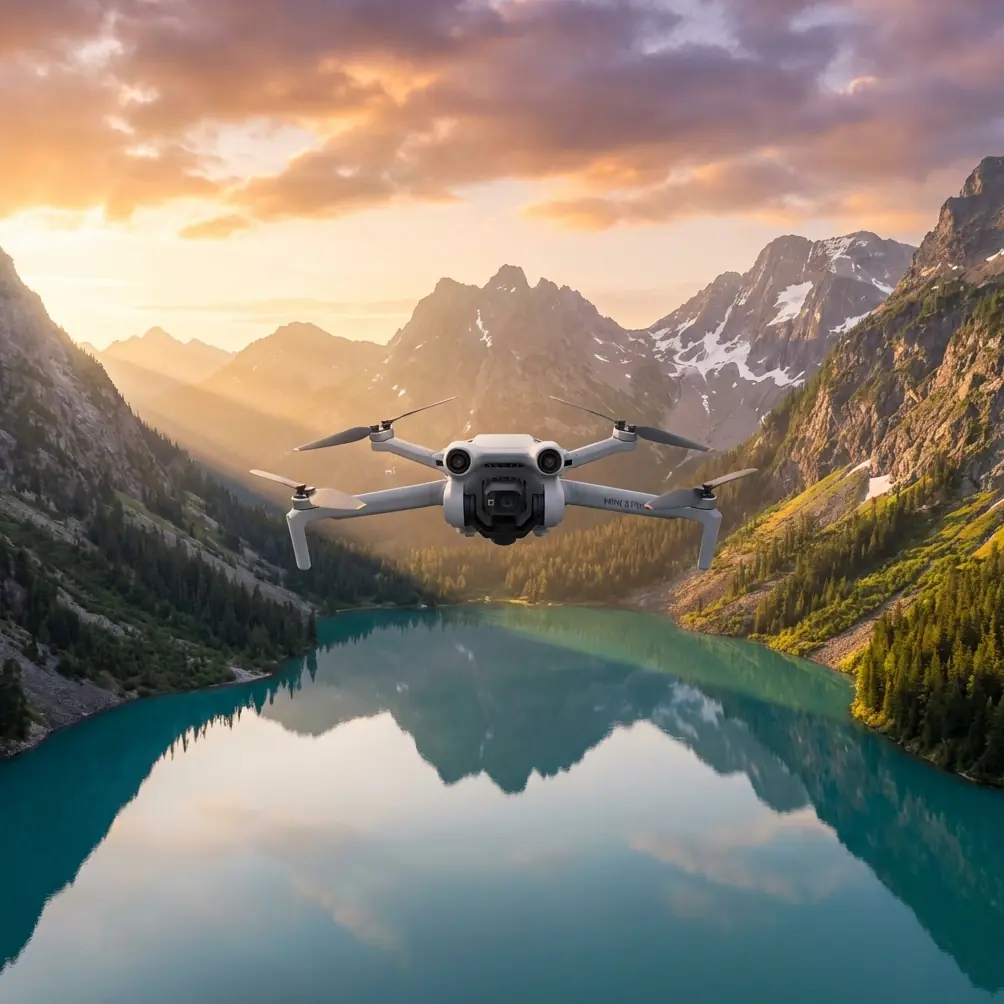
Capturing Coastal Venues with Mini 5 Pro: A Field-First Approach That Actually Works
META: A practical expert guide to using the Mini 5 Pro for coastal venue photography, covering obstacle avoidance, ActiveTrack, D-Log, QuickShots, Hyperlapse, and battery management in windy seaside conditions.
Coastal venues look effortless in finished photos and video. They rarely feel that way in the field.
Salt in the air, shifting light, reflective water, narrow access roads, gusts between buildings, palm trees that move more than expected—these details change how you fly and how you shoot. For a photographer covering resorts, wedding venues, restaurants, marinas, or event spaces near the sea, the Mini 5 Pro sits in an unusually useful position. It is compact enough to travel lightly and work quickly, but advanced enough to handle the kind of movement, framing, and color control that venue clients increasingly expect.
That combination matters. Venue work is not just about making a landscape look pretty. It is about showing flow, access, atmosphere, scale, and the relationship between architecture and surroundings. A still image can establish place. A well-planned aerial sequence can explain the whole property in seconds.
I approach coastal venue coverage as a problem-solution job. The problems are predictable. The solutions depend on using the Mini 5 Pro’s tools with intent rather than treating them like shortcuts.
The Real Problem with Coastal Venue Shoots
Most venue operators want a clean visual story. They need content that helps a potential guest understand three things fast:
- where the venue sits
- how it feels at arrival level
- what makes it different from every other waterfront property nearby
The coast complicates all three.
Midday light can be brutally reflective. White roofing, pale stone, water glare, and bright sand push exposure in different directions at once. Wind can turn a simple reveal shot into a constant correction exercise. Trees, cables, pergolas, and decorative structures create a cluttered low-altitude environment that punishes lazy flight planning. And if you are filming a live hospitality space, you may only have short windows when foot traffic is low enough to get clean material.
This is where the Mini 5 Pro conversation becomes practical. Features like obstacle avoidance, subject tracking, QuickShots, Hyperlapse, D-Log, and ActiveTrack are not buzzwords here. They solve specific venue-shoot problems.
Start with a Shot Plan, Not the Drone
Before takeoff, I sketch the venue in sections. Entry road. Main building. Pool or lawn. Waterfront edge. Dining area. Pathways. Parking. Nearby context.
That sounds basic, but it changes how you use the aircraft. Instead of improvising random scenic passes, you assign each section a job:
- A high establishing shot for location context
- A medium orbit for architecture and landscaping
- A forward movement to simulate guest arrival
- A low lateral pass to show indoor-outdoor transitions
- A compressed sunset hold for mood and lighting ambience
For coastal venues, the first ten minutes matter most because the wind and the light can both shift quickly. I usually capture the must-have orientation shots first while battery, visibility, and concentration are at their best.
Why Obstacle Avoidance Matters More Near a Venue Than Over Open Coast
People tend to associate obstacle avoidance with beginner safety. In venue work, it is really about confidence and consistency.
Open beachfront flying is one thing. Flying around a property with pergolas, decorative lighting, roof overhangs, palms, flagpoles, and uneven elevation is another. Obstacle avoidance helps reduce the mental load when you are composing a move close to structures, especially during slower cinematic approaches where tiny drift becomes noticeable in footage.
Its operational significance is simple: it lets you pay more attention to framing and horizon discipline instead of devoting all your bandwidth to collision risk. That does not replace pilot judgment, especially around thin branches or wires, but it gives you a wider margin when working through a visually busy venue.
For coastal properties, this becomes especially useful during low-altitude passes where landscaping is part of the selling point. If the venue has layered terraces or pathways lined with trees, obstacle sensing helps preserve smooth motion while you keep the architecture centered in frame.
ActiveTrack and Subject Tracking Are Best Used for Movement Through Space
A lot of aerial venue content fails because it is static. Nice views, no story.
Guests do not experience a venue from a fixed hover. They arrive, walk, turn, pause, and move toward focal points. This is where ActiveTrack and subject tracking become more than convenience features. Used properly, they let you build sequences around motion through the property.
Imagine a host walking from an entry gate toward an oceanfront deck. Or a golf cart moving along a resort lane. Or a couple crossing a lawn toward a ceremony arch. Tracking that motion creates spatial understanding. The viewer sees how one area leads into the next.
The operational value of tracking is consistency. Maintaining smooth framing on a moving subject while also reading wind and avoiding surrounding obstacles is demanding. ActiveTrack reduces that burden and helps produce repeatable passes, which matters when a client wants several versions of the same route for different edits.
The key is restraint. I do not use tracking for every shot. I use it when movement explains the property better than a static aerial can.
QuickShots Are Useful, But Only If You Treat Them as Draft Tools
QuickShots can be extremely effective for venue work, particularly when time is limited and the client needs a mix of deliverables. A pre-programmed move around a central subject can produce a clean reveal or orbit fast. That is useful when you are trying to capture a hero angle of a beachfront villa, reception lawn, or pool deck before the light changes.
But here is the truth from the field: QuickShots are best treated as efficient starting points, not finished strategy.
Why? Because venues have geometry. Symmetry, pathways, shoreline curves, and roof lines all affect what looks polished. A generic automated move may be technically smooth but compositionally weak if the sun is hitting from the wrong side or if the background is cluttered. I often run a QuickShot once to test the visual structure, then fly a manual variation with a better line or altitude.
That approach saves time. It also helps when the client wants social cuts and longer cinematic edits from the same location.
Hyperlapse Makes Coastal Venues Feel Alive
Coastal spaces are defined by motion even when people are absent. Waves shift. Clouds build. Shadows slide over terraces. Boats move through the background. Poolside umbrellas open. Staff reset event areas. Hyperlapse is one of the strongest tools for conveying that a venue is active rather than staged.
Its significance is not just visual flair. It communicates atmosphere and timing.
For example, a Hyperlapse from late afternoon into blue hour can show how a dining terrace transforms as lighting comes up and ambient activity settles in. A hotel or event venue gains depth when viewers can see that transition. The place feels real.
I use Hyperlapse selectively because coastal wind can make long-duration consistency tricky. You need a stable plan and enough battery reserve to complete the sequence without rushing the return.
D-Log Is the Quiet Advantage for Coastal Light
If you have ever shot near the sea at midday, you know how easy it is to lose subtlety. Water highlights clip. White walls go flat. Shadows under canopies become dense. D-Log matters in these conditions because it preserves more flexibility for balancing the scene later.
That is the practical value. Not theory. Flexibility.
Venue clients often want the property to feel bright and inviting without looking harsh. Shooting in D-Log gives more room to recover highlight detail in reflective areas and shape contrast more carefully in post. That is especially useful when the frame includes both sunlit water and darker architectural features.
I would not recommend D-Log just because it sounds professional. I recommend it because coastal scenes routinely exceed what a baked-in look handles gracefully. If the final deliverable includes both stills and motion that need to feel cohesive, the extra grading control helps.
A Battery Tip from the Coast That Saved Me More Than Once
Here is the field lesson I wish more pilots learned early: do not judge battery health by percentage alone when shooting near the sea.
Coastal venues often tempt you into longer outbound legs because the visuals open up so beautifully over water. The problem is that the easiest part of the flight is usually the first half. The hard part starts when the wind shifts and your return path becomes less efficient than expected.
My habit is simple. I assign a return threshold before takeoff, and I make it more conservative on the coast than inland. If conditions are gusty, I do not wait for a battery warning to tell me what I already should have planned. I also avoid burning one pack down too deeply if I know the next shot requires precision near structures. A battery that looks fine on paper can still leave you making rushed decisions once wind and distance start stacking up.
Another practical trick: after landing, let the battery cool before charging or launching again in a fast turnaround cycle. Back-to-back venue shoots can create pressure to keep everything moving, but heat and coastal sun are not a friendly combination. Managing packs carefully gives you more reliable performance and steadier judgment.
That is one of those unglamorous habits clients never notice directly, yet it often determines whether you come home with the best footage of the day.
A Simple Coastal Venue Workflow with Mini 5 Pro
When I shoot a seaside property, I usually work in this order:
1. Secure the map shot
Start high and wide. Show coastline, road approach, neighboring context, and the venue footprint. This answers the location question immediately.
2. Capture the hero reveal
Use a smooth forward rise, orbit, or controlled QuickShot to present the main feature—pool terrace, event lawn, marina edge, or signature building angle.
3. Film guest-flow movement
This is where ActiveTrack or subject tracking can add real value. Follow a person, cart, or walking route to connect separate spaces.
4. Gather texture sequences
Low passes over pathways, palms, dining setups, loungers, or deck edges give editors useful cutaways.
5. Finish with time-based material
Hyperlapse or slow environmental holds around sunset often become the shots that anchor the final edit emotionally.
That sequence is not rigid, but it keeps the shoot functional. Coastal light changes too quickly to wander.
The Mini 5 Pro Works Best When You Respect Its Size and Capability at the Same Time
Compact drones are sometimes underestimated on professional jobs. That is a mistake. For venue photography, smaller aircraft can be a huge advantage. Faster deployment, less physical burden moving around large properties, easier travel between locations, and a lower footprint when you are trying not to interrupt hospitality operations.
But compact does not mean casual. The Mini 5 Pro becomes most effective when used with a larger-production mindset: previsualize, prioritize, monitor wind, protect your batteries, and shoot for editing rather than isolated moments.
That is the difference between getting drone clips and building a venue story.
If you are planning a coastal venue shoot and want to compare flight setups or discuss a practical approach, you can message here for field-oriented advice.
What Makes the Footage Feel Premium
Not aggressive movement. Not endless altitude. Not every smart mode in one edit.
Premium venue footage usually comes from controlled choices:
- clean path lines
- deliberate reveals
- well-managed highlights
- movement that explains the property
- enough variation to support short-form and long-form edits
The Mini 5 Pro’s feature set supports that nicely. Obstacle avoidance helps you work tighter and safer around built environments. ActiveTrack and subject tracking help turn movement into spatial storytelling. QuickShots save time when used intelligently. Hyperlapse adds atmosphere. D-Log gives you room to tame difficult coastal light.
Each tool solves a real problem. That is why they matter.
For photographers like me, the appeal is not novelty. It is reliability under conditions that rarely behave the same way twice. Coastal venues ask for speed, flexibility, and discipline. With the Mini 5 Pro, the strongest results come when you fly with the edit in mind and manage your batteries like they are part of the creative process, not an afterthought.
Ready for your own Mini 5 Pro? Contact our team for expert consultation.