
Mini 5 Pro Field Report: Capturing High-Altitude Highway
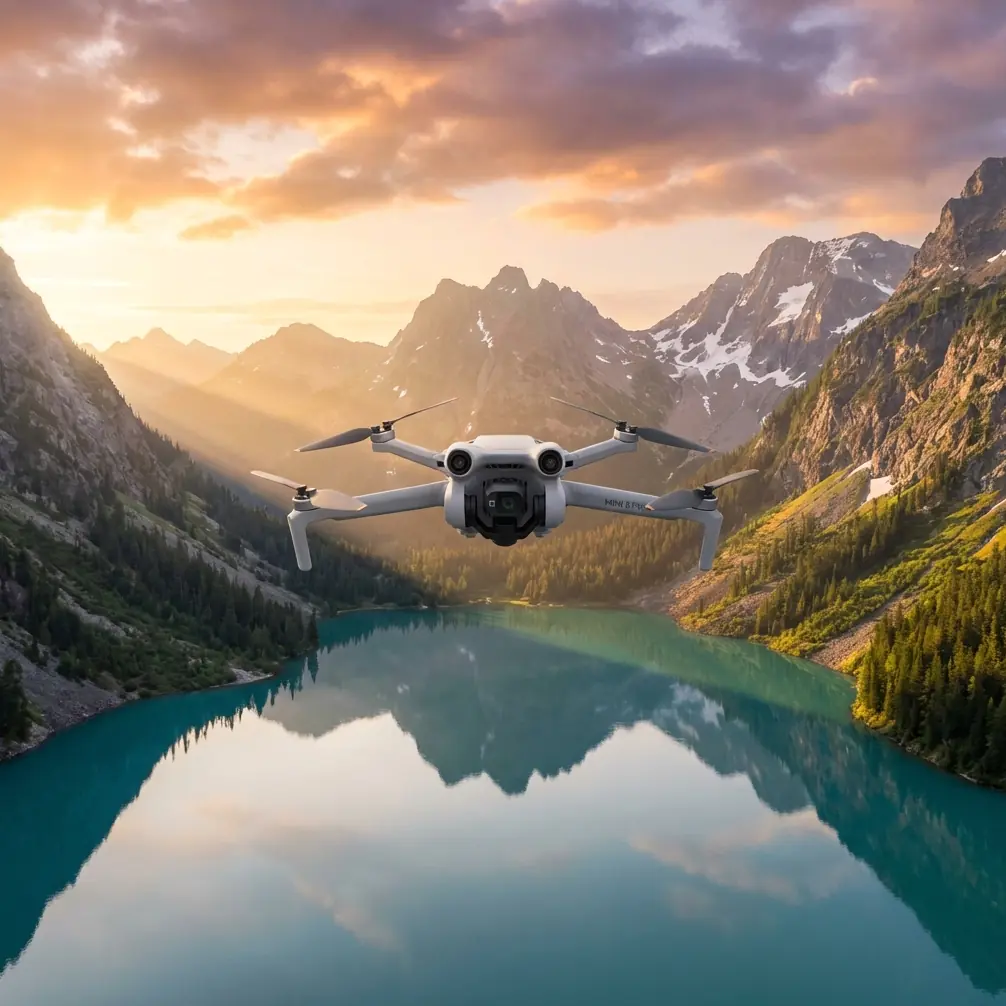
Mini 5 Pro Field Report: Capturing High-Altitude Highway Corridors With a Smarter Mapping Workflow
META: A field-report style look at how Mini 5 Pro highway capture can become more useful when paired with automated mapping and 3D modeling workflows like orthomosaics, DEMs, point clouds, and oblique reconstruction.
Highway work exposes a simple truth about small drones: flight is only half the job.
The other half begins when the aircraft lands and you are left with hundreds, sometimes thousands, of images that need to become something operationally useful. For corridor teams documenting highways from higher elevations, that usually means more than pretty footage. They need measurable outputs. They need consistent surfaces, grade context, embankment visibility, interchange geometry, drainage clues, and sometimes a model clear enough to support engineering discussion without another site visit.
That is where the Mini 5 Pro conversation gets more interesting.
Most people approach a compact platform like the Mini 5 Pro through the lens of flight features: obstacle avoidance, ActiveTrack, subject tracking, QuickShots, Hyperlapse, D-Log. Those matter, especially for safe positioning and efficient visual capture around long roadside environments. But for highway documentation at altitude, the real value shows up when those flights are planned around downstream photogrammetry and modeling software that can turn raw imagery into orthomosaics, DEMs, point clouds, and textured 3D assets.
I have been thinking about this through the lens of a pipeline and corridor solution document from Tianjin Tengyun Zhihang, a subsidiary under Hi-Target, which focuses heavily on processing and modeling rather than just the aircraft itself. That framing is useful because it mirrors what highway teams actually struggle with in the field: not getting into the air, but getting reliable deliverables out of the data.
Why high-altitude highway capture is harder than it looks
A highway corridor is not a simple landscape target.
It stretches. It repeats. It includes slopes, barriers, signage, overpasses, ramps, retaining structures, drainage channels, and side terrain that can change rapidly over distance. If you are flying at higher altitude to cover more ground per sortie, you gain efficiency but also introduce pressure on image consistency, overlap discipline, and reconstruction quality.
Long, linear environments are unforgiving. If one segment of the capture is weak, the model often tells on you later.
This is why the reference material matters. It highlights software workflows designed to process thousands of images without manual intervention and without requiring deep specialist knowledge. For a Mini 5 Pro operator working highway corridors, that is more than convenience. It is operational leverage. If your capture day produces a massive image set, the difference between a workflow that stalls under complexity and one that automatically progresses into useful outputs can decide whether the mission becomes a repeat flight.
The hidden value of orthomosaics and DEMs for highway work
One reference detail stands out immediately: Pix4Dmapper support for orthomosaic export in GeoTIFF format and DEM export in GeoTIFF and TXT.
That sounds technical, but in highway operations it has direct practical meaning.
An orthomosaic is not just a stitched image. When done correctly, it becomes a spatially reliable 2D base that helps teams review lane expansions, shoulder conditions, adjacent earthworks, access roads, and work-zone progression in one continuous surface. GeoTIFF support matters because it makes the output easier to bring into GIS and engineering environments. In other words, the capture is not trapped inside a drone app. It can move into the tools that planners, survey staff, and project managers already use.
The DEM capability matters for a different reason. High-altitude highway capture often needs terrain context, not just road texture. A DEM helps reveal cut-and-fill conditions, slope transitions, drainage behavior, embankment shape, and relative elevation changes along the corridor. On a mountain road or elevated section, this becomes critical. It is the difference between “we filmed the route” and “we documented the route in a form the technical team can analyze.”
For Mini 5 Pro users, this changes how the mission should be flown. You are no longer collecting media for review alone. You are collecting a surface dataset that may need consistent overlap, controlled speed, and disciplined camera behavior so the DEM and orthomosaic remain trustworthy.
Oblique imagery is where highway assets become legible
The second key reference point is the pair of oblique modeling tools: DP-Smart and DP-Modeler.
DP-Smart is described as an automated 3D modeling package built around multi-source aerial and ground imagery, using photogrammetry, computer vision, and computational geometry. Its workflow includes fully automatic aerial triangulation, dense point cloud generation, TIN construction, and automatic texture mapping to create high-resolution true 3D models.
That list is not just software jargon. It explains why some highway models feel flat and others become useful.
A top-down map is excellent for surface layout, but highways are full of vertical and semi-vertical assets. Bridge sides, retaining walls, gantries, sound barriers, cut slopes, service structures, and interchange elevation changes are difficult to interpret from nadir imagery alone. Oblique capture solves that. When a Mini 5 Pro is used with deliberate angled passes, the downstream software has a better chance of reconstructing those forms as actual geometry rather than vague texture.
The mention of TIN construction is especially relevant. In corridor work, a triangulated irregular network helps represent terrain and surface complexity more efficiently than a simple flat image product. If your highway section involves side slopes or grade-separated interchanges, this kind of structure in the model can preserve important geometric relationships.
Then there is DP-Modeler, which combines orientation, mapping, and modeling and is described as the first domestic integrated tool for oblique photogrammetry modeling and mapping. The operational significance is that building outlines and large-scale vector mapping can be extracted in the same practical environment. For highway teams, that opens the door to pulling vector information from service areas, support buildings, roadside structures, and interchange components without bouncing across disconnected software stages.
A small drone becomes more useful when the data path after flight is streamlined.
What this means for Mini 5 Pro pilots in the field
If I were flying a Mini 5 Pro for highway capture at higher altitude, I would think less like a content creator and more like a corridor data collector.
Yes, the aircraft’s intelligent flight stack still matters. Obstacle avoidance helps when repositioning near overpasses, sign structures, or uneven terrain. ActiveTrack and subject tracking can help when documenting maintenance convoys or moving inspection vehicles in controlled civilian scenarios, though they should never replace disciplined route planning. QuickShots and Hyperlapse have their place too, mainly for stakeholder communication and progress storytelling rather than mapping deliverables. D-Log can be useful if part of the assignment includes polished visual reporting and you want more grading latitude in changing light.
But the core mission design should be built around reconstruction quality.
That means accepting a few realities:
- Long corridor flights need repeatable image geometry.
- High-altitude capture should be paired with oblique passes where structures or slope detail matter.
- Lighting consistency affects texture quality and tie-point reliability.
- The final deliverable may require far more than a highlight reel.
This is also where a third-party accessory can genuinely improve results. In my own workflow, a good variable ND filter set has been more helpful than most flashy add-ons. On bright days over pale concrete, reflective barriers, or broad asphalt stretches, ND control makes it easier to keep shutter behavior more stable for cleaner frames. That does not just improve cinematic footage. It can also reduce motion harshness and help preserve image consistency across long highway legs, which becomes useful when those frames are later fed into mapping or 3D reconstruction software.
A simple landing pad is another underrated accessory when operating near dusty shoulders or gravel staging areas. Cleaner takeoffs mean less risk of debris on the lens during a mission built around hundreds of images.
Thousands of images is not an edge case anymore
One of the most practical statements in the reference material is that the software can quickly turn thousands of images into accurate 2D maps and 3D models without manual intervention.
That matters because highway projects scale quickly. A single corridor day can generate a dataset that overwhelms ad hoc workflows. If your Mini 5 Pro mission ends in a folder full of photos and no efficient path to outputs, you have only moved the bottleneck from the field to the office.
The software features listed for Pix4Dmapper also reinforce this production mindset:
- automatic accuracy report generation
- ground control point editing
- dense point cloud output in PLY and TXT
- 3D model export in OBJ
- mosaic editing tools
- fast processing mode
- aerial triangulation, bundle adjustment, and camera parameter reporting
Each of those has a real consequence.
Automatic accuracy reporting gives project teams a quick way to assess whether the reconstruction is good enough to trust. For highway work, that can help decide whether a section needs reflighting before crews leave the area.
Ground control point editing is essential whenever better geospatial reliability is required. Compact drones can capture a corridor effectively, but controlled reference points still make a major difference when the outputs will feed into design review, progress validation, or engineering comparison.
Point cloud exports in PLY and TXT expand the usefulness of the job beyond a visual model. Point clouds can support measurement, terrain interpretation, volume context around earthworks, and integration into other technical platforms.
OBJ export matters because many teams want a model they can inspect in standard 3D environments, not just inside proprietary processing software.
Fast processing mode is easy to overlook, but it matters in real operations. If a client or project manager needs same-day situational understanding of a highway segment, faster preliminary outputs can be the difference between informed action and delayed decisions.
A better way to think about “Mini 5 Pro for highways”
The usual search intent around Mini 5 Pro tips is heavily focused on flight tricks. That is too narrow for corridor professionals.
The better question is this: can a compact drone serve as the front end of a serious documentation pipeline?
Based on the reference material, the answer depends less on the aircraft’s size and more on whether the image capture is connected to robust processing. If your workflow can generate orthomosaics, DEMs, dense point clouds, true 3D textured models, and vector-ready mapping outputs, then the Mini 5 Pro stops being just a lightweight camera drone. It becomes a practical field sensor for highway monitoring, terrain review, construction progress records, and asset visualization.
That is especially relevant for teams that need mobility. A smaller aircraft can be deployed quickly at multiple highway sections in a single day. When paired with software that handles automated aerial triangulation, dense reconstruction, and texture mapping, that flexibility turns into something measurable.
My field takeaway
If you are planning to use the Mini 5 Pro to capture highways from higher altitude, do not judge the mission by what the live feed looks like.
Judge it by what the dataset can become after landing.
Can it produce an orthomosaic in GeoTIFF for corridor review? Can it support a DEM for elevation context? Can oblique passes feed a true 3D model that clarifies slopes, barriers, and structures? Can the workflow absorb thousands of images without dragging your team into manual cleanup for days?
Those are the questions that align with the reference material, and they are the ones that actually matter in real commercial work.
If you are refining a Mini 5 Pro corridor workflow and want to compare capture approaches for mapping-ready outputs, you can message our flight workflow desk on WhatsApp.
The best Mini 5 Pro highway results usually come from a simple shift in mindset: fly for reconstruction, not just for viewing. Once you do that, features like obstacle avoidance, D-Log, and intelligent tracking become supporting tools rather than the main story. The main story is the data product. The map. The model. The surface you can return to after the drone is back in the case.
Ready for your own Mini 5 Pro? Contact our team for expert consultation.