
Mini 5 Pro Guide for Capturing Mountain Fields Without Ruini
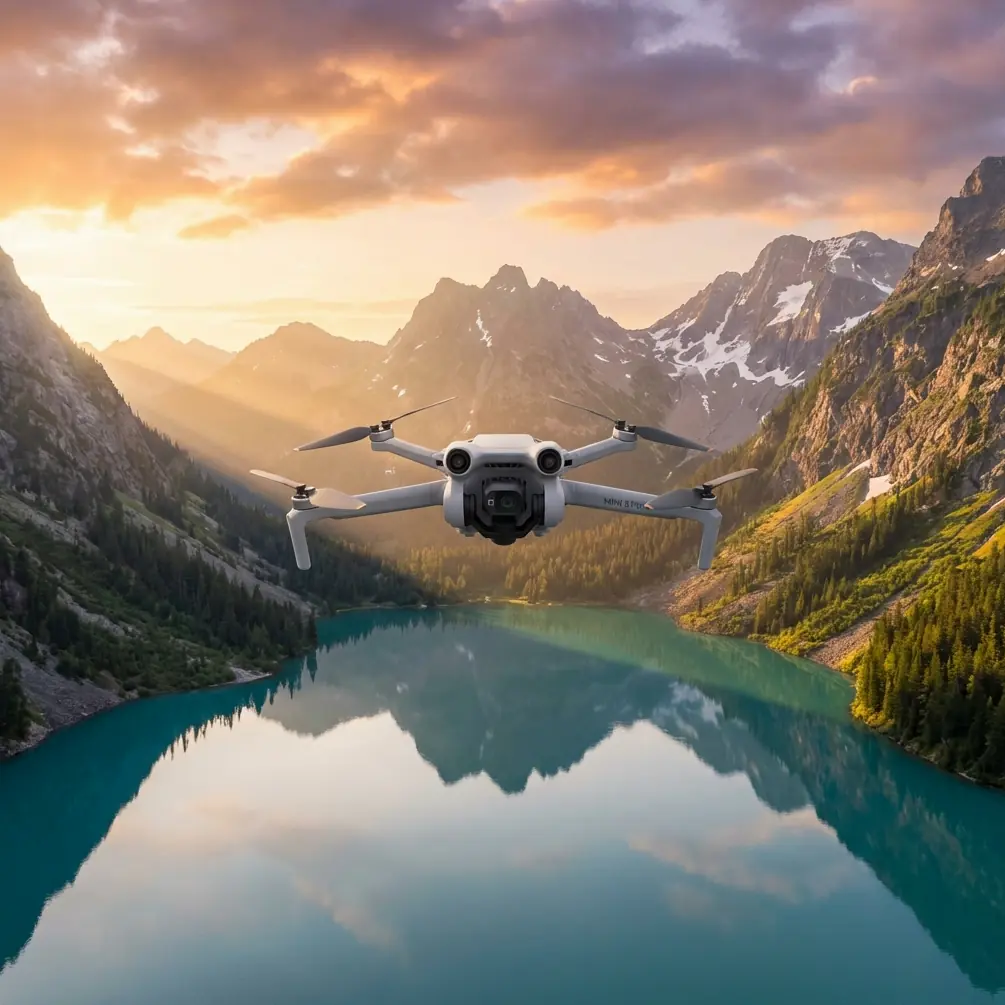
Mini 5 Pro Guide for Capturing Mountain Fields Without Ruining Your Mapping Set
META: A practical Mini 5 Pro tutorial for photographing mountain fields with cleaner overlap, safer flight paths, sharper image sets, and more reliable post-processing.
Mountain fields look simple from the road. Once you put a drone over them, they stop being simple.
Terraces bend around slopes. Tree lines break your horizon. Light shifts by the minute. Wind accelerates over ridges, then drops into still pockets over the crop rows. If your goal is just a pretty clip, almost any compact drone can produce something usable. If your goal is a field record you can actually trust later—for crop monitoring, land documentation, seasonal comparison, or stitched visual reports—the standard gets much higher.
That is where the Mini 5 Pro needs to be judged: not as a toy-sized flyer with clever marketing features, but as a field tool that has to survive the logic of low-altitude aerial photography standards.
I shoot agricultural landscapes, and mountain plots are the ones that punish sloppy technique fastest. The reason is straightforward. In a flat field, you can get away with minor overlap inconsistencies, a little motion blur, or a few frames with weak geometry. In mountain terrain, those mistakes accumulate. The result is warped edges, poor stitching, uncertain coverage, and a set of images that may look fine one by one but collapse under real post-processing.
The overlooked lesson from low-altitude digital aerial photography practice is this: image capture is not only about artistic quality. It is about traceable coverage, naming discipline, geometry, and verification.
Why the Mini 5 Pro matters more in mountain agriculture than on flat ground
A compact aircraft has one obvious advantage in mountain farming areas: access. Reaching a ridge-side field with a larger platform, more batteries, and a bulkier case slows everything down. A Mini-class aircraft can be launched from narrow paths, terrace edges, or small flat clearings that would be awkward for heavier systems.
But portability alone is not enough. A mountain field mission needs three things at once:
- Stable image acquisition over changing elevation
- Clean, consistent coverage for overlap-dependent stitching
- Enough flight intelligence to reduce pilot workload near terrain and vegetation
This is where the Mini 5 Pro should outperform lesser compact competitors if used correctly. Features like obstacle avoidance, subject tracking, ActiveTrack, QuickShots, Hyperlapse, and D-Log are often discussed as separate headline items. In the field, they only matter when tied to a workflow.
For mountain fields, obstacle avoidance is not a luxury bullet point. It changes how confidently you can fly oblique passes near terraces, irrigation lines, edge trees, and sudden slope breaks. On drones with weaker environmental awareness, pilots often compensate by flying higher and farther back. That feels safer, but it reduces detail and weakens the consistency of your image geometry. A stronger avoidance system lets you keep the aircraft where the photography actually needs it to be.
The same applies to tracking tools. Subject tracking and ActiveTrack are not just for cyclists and runners. In agricultural storytelling, they can help you follow a worker inspecting a terrace path or a utility vehicle moving between plots, creating contextual footage that explains the terrain. Competitors may offer tracking, but if the tracking struggles when the subject passes behind a row edge, changes size relative to the camera, or moves against a busy field texture, the result becomes unreliable. The Mini 5 Pro, if it holds lock more confidently, becomes more useful as a documentation tool rather than just a lifestyle camera.
Start with the standard mindset, not the cinematic mindset
One of the most useful details from the low-altitude aerial photography standard is the priority it gives to software-based quality inspection for digital imagery. That sounds dry, but it has real value for Mini 5 Pro users in the mountains.
The standard specifically favors using quality inspection software first to check digital aerial images and coverage, rather than relying only on visual impressions. In plain terms: do not trust your memory of the flight.
After a mountain field mission, review the image set in a structured way. Check whether your intended field block is fully covered. Check overlap consistency. Check whether the stitched boundaries show blur, ghosting, or misalignment. The standard explicitly calls for checking mosaicked imagery for obvious blur, double images, and displacement. Those three defects are exactly what show up when a pilot flies too fast over uneven terrain, lets shutter timing slip in low light, or varies altitude too aggressively between passes.
That matters operationally because mountain farmers and land managers often need repeatable documentation. If you capture a field before planting, mid-season, and before harvest, the dataset only gains value if each mission is technically clean enough to compare over time.
The 3-flight-line by 8-image idea is more useful than it looks
Another detail from the standard deserves far more attention than it usually gets. When the camera geometry may have changed, or when the aircraft platform is newly paired with the camera, the operator can add an aerial triangulation accuracy verification. The standard describes selecting a test area composed of 3 flight lines and 8 photos for free-network adjustment, with specific indicators defined in the technical plan.
That is not just a formal surveying procedure. For Mini 5 Pro users, it offers a practical sanity check.
If you are taking the Mini 5 Pro into mountain fields after:
- a firmware update,
- a gimbal service,
- a major settings reset,
- a change in your image workflow,
- or your first pairing of this aircraft with a new processing pipeline,
you should run your own simplified verification block.
Choose a manageable test area with slope, texture, and visible boundaries. Fly three clean parallel lines. Capture at least eight well-spaced images with deliberate overlap. Process them before your main mission. If alignment is unstable, if edge features bend, or if your image sharpness degrades toward the frame edges, you have learned something before wasting a larger field day.
This is one place where many hobby-oriented pilots fail and where professional practice begins. They assume that because the aircraft flies well, the dataset must also be good. Those are different things.
How to plan a mountain field capture on Mini 5 Pro
1. Define the purpose before choosing camera mode
A terrace field can be photographed in at least four valid ways:
- visual record for farm owner reporting,
- crop condition monitoring,
- promotional landscape imagery,
- stitched documentation for seasonal comparison.
If you need grading flexibility because the light is harsh and the field includes bright sky plus dark slope shadows, D-Log is the smarter choice. It gives you more room to control contrast and recover detail later. If you only need fast-turn visual content for same-day sharing, a standard profile may be enough.
The mistake is mixing purposes mid-flight. A QuickShots pass might look great, but it rarely replaces the disciplined overlap needed for stitched field analysis.
2. Fly for overlap, not for excitement
Mountain fields tempt pilots to improvise. Resist that.
The standard’s emphasis on coverage checking exists for a reason. Broken coverage often reveals itself too late—back at the desk, not in the air. When flying the Mini 5 Pro over sloped fields, build your mission around overlap first. Keep your lanes orderly. Maintain a predictable track. Avoid sudden yaw changes unless the shot requires them.
If your software later shows coverage gaps, those are not cosmetic defects. They can create missing strips in a field record or force a reshoot under different sun conditions, which weakens comparison value.
3. Watch image displacement in windy ridge conditions
The standard also references calculating maximum image point displacement using aircraft speed, exposure time, and ground resolution, with the worst-case parameter taken from the highest elevation area of the flight block.
That sounds mathematical, but the field takeaway is simple: in mountain terrain, the highest part of the site often produces the toughest image stability conditions. Wind can be sharper there, and speed over ground can feel deceptive.
So if you are pushing the Mini 5 Pro across a ridge-edge field:
- slow down more than you think you need to,
- avoid shooting your key mapping set during gust peaks,
- and inspect the highest terrace images first.
If those upper-slope frames are soft or shifted, the rest of the set may not save the mission.
Competitor drones with weaker stabilization, poorer low-light handling, or less reliable obstacle sensing can force conservative flying that degrades image efficiency. A better-tuned Mini 5 Pro setup lets you hold cleaner lines and preserve sharper source material.
Use obstacle avoidance intelligently, not passively
Obstacle avoidance can keep the aircraft from clipping a tree or slope edge, but it can also interfere with a precise line if you let the system dictate the whole flight.
In mountain fields, use it as a guardrail, not as a substitute for route planning.
For example, when flying along a terrace edge:
- pre-visualize the path,
- identify likely interference points such as bamboo stands, utility poles, or netted crop structures,
- and leave enough stand-off distance that the aircraft does not keep braking and re-routing.
Why is that so important? Because repeated micro-corrections can ruin image consistency. Your footage may still look smooth, but your image spacing and overlap can become irregular. For stitching or comparative field reporting, that irregularity matters.
A practical naming habit that saves real time
The standard includes a structured image numbering logic: digits 1 to 4 for the survey area code, 5 to 6 for the subdivision, 7 to 9 for the flight line number, and 10 to 12 for the sequential photo number.
The Mini 5 Pro will not force you into that exact schema, but the principle is gold.
Mountain field work creates messy archives fast. If you visit three valleys in one day, with several plots in each, and later need to hand files to a farm consultant, editor, or processing technician, vague folder names become a liability.
Adopt a compact naming structure inspired by that standard:
- area code,
- plot block,
- line number,
- image sequence.
Operationally, this makes it much easier to:
- identify missing passes,
- isolate a bad line affected by gusts,
- re-fly only the necessary section,
- and coordinate with anyone handling stitching or analysis.
That is one of those unglamorous disciplines that separates usable aerial field documentation from a card full of anonymous drone photos.
When to use QuickShots, Hyperlapse, and ActiveTrack around farm plots
These features are valuable, but only after your core dataset is secure.
QuickShots
Use them after the coverage flight, not before. A controlled reveal over terraces or a pullback from a ridge plot can help explain terrain context to farm clients or landowners.
Hyperlapse
Best used to show weather movement, irrigation activity, or changing light over stepped fields. It is a storytelling layer, not a replacement for systematic image capture.
ActiveTrack
Useful when documenting human interaction with the land—walking inspections, hand-carried materials, or movement between plot levels. In mountain settings, test it carefully where terraces, poles, and orchard rows may interrupt the tracking path.
If you want help building a clean mountain-field capture workflow around the Mini 5 Pro, this direct planning chat is a practical place to start.
Keep the aircraft orientation logic consistent
A small but serious detail from the standard is that low-altitude digital photos should remain consistent with camera parameter orientation rather than being casually rotated for north-up convenience. In real field practice, that means you should preserve a clear relationship between flight direction, image set, and aircraft mounting orientation.
For Mini 5 Pro users, the lesson is simple: do not create confusion by exporting mixed rotations from different sorties without labeling them. If one afternoon set was flown upslope and another downslope, note it. If oblique sets are mixed with nadir-style passes, separate them.
This reduces processing errors and makes later interpretation faster, especially when comparing terrace edges, drainage lines, or crop boundary changes.
The best mountain field footage is often the least flashy
There is a reason professionals obsess over blur, misalignment, overlap, and verification. Those details determine whether a flight creates evidence or just content.
The Mini 5 Pro can be an excellent mountain-field tool if you use its intelligence in service of disciplined capture:
- obstacle avoidance to protect line integrity near terrain,
- D-Log for difficult contrast,
- ActiveTrack and subject tracking for contextual movement,
- QuickShots and Hyperlapse as secondary storytelling layers,
- and a verification mindset based on coverage and image quality, not just screen appeal.
The biggest difference between this aircraft and weaker alternatives is not only what appears on the spec sheet. It is how much technical margin you retain when the field gets awkward: steep terraces, variable light, uneven elevation, and narrow launch points. That is where a better drone stops being convenient and starts being dependable.
For mountain agriculture, dependable wins every time.
Ready for your own Mini 5 Pro? Contact our team for expert consultation.