
Mini 5 Pro for Coastlines in Complex Terrain: A Real
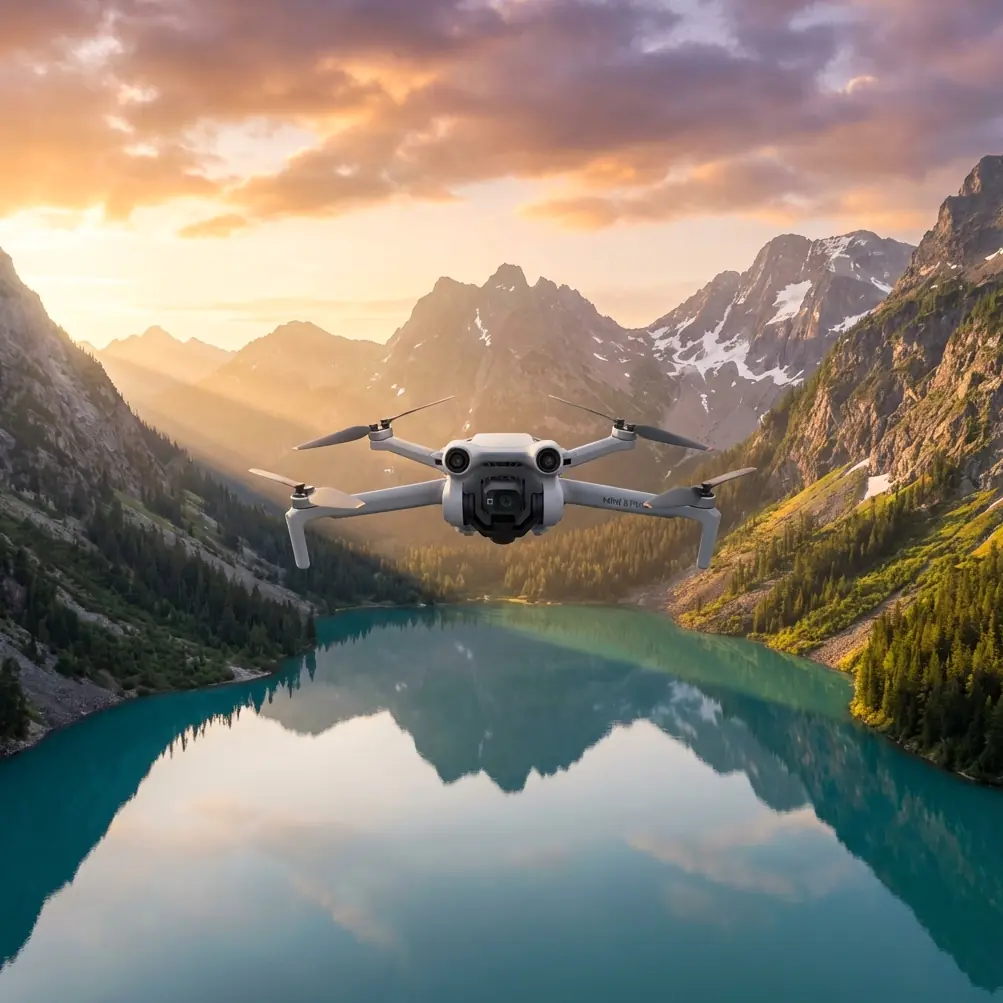
Mini 5 Pro for Coastlines in Complex Terrain: A Real-World Flight Workflow That Holds Up When Weather Turns
META: Learn how to use the Mini 5 Pro for coastline filming in complex terrain, with practical guidance on obstacle avoidance, ActiveTrack, QuickShots, Hyperlapse, D-Log, and handling changing weather mid-flight.
Coastlines expose every weakness in a small drone pilot’s workflow. Wind changes direction without warning. Cliffs confuse depth perception. Salt haze softens contrast. Narrow coves force quick decisions about line selection, camera angle, and exit routes. If you are flying a Mini 5 Pro in this kind of environment, the question is not whether it can produce beautiful footage. The real question is whether you can keep image quality, situational awareness, and aircraft safety intact when the terrain starts making choices for you.
That is where the Mini 5 Pro earns its place.
I want to frame this as a field tutorial rather than a spec-sheet exercise, because coastline work does not reward theory by itself. A drone can look excellent on paper and still become awkward once you are trying to track a moving subject near sea stacks while the wind shifts halfway through a run. The Mini 5 Pro matters here because several features that sound separate in marketing language become much more valuable when combined in one flight plan: obstacle avoidance for tight geography, ActiveTrack for movement through uneven ground, QuickShots for efficient scene coverage, Hyperlapse for landscape storytelling, and D-Log when the sky and dark rock face refuse to fit into an ordinary profile.
Let’s walk through how I would use it.
Start with the terrain, not the camera mode
Complex coastline flying begins before takeoff. The mistake many pilots make is choosing a cinematic move first, then trying to force the landscape to cooperate. On a coastline, that usually ends with compromised framing or a rushed return path.
With the Mini 5 Pro, the first job is building a simple map in your head:
- wind direction over the water
- likely turbulence near cliff edges
- vertical obstacles such as outcrops, masts, and tree lines
- a clean bailout route if gusts increase
- subject movement if you are filming a hiker, vehicle, or surfer access trail
This is where obstacle avoidance is not just a safety feature. It changes how confidently you can plan forward and lateral lines along uneven rock formations. In practical terms, that means you can spend more attention on composition and less on manually policing every meter of airspace in front of the aircraft. That does not remove pilot responsibility, but it lowers the cognitive load when the coast is visually dense.
Operationally, that matters because coastlines tend to create false simplicity. Open water looks empty, yet the safe route often pinches against cliffs, ridges, or rising ground. A drone with reliable obstacle awareness gives you more margin when transitioning from open air into terrain-compressed sections of a shot.
Build the sequence around changing light
Coastal scenes rarely stay visually stable for long. The sun may break through and vanish again within minutes. Reflections on the water can spike exposure. Wet stone can read nearly black in one angle and blow out in another.
This is why D-Log deserves a practical mention, not a casual one. If you are filming a white surf line beneath bright sky while the camera also has to hold texture in dark cliff faces, a flatter profile gives you more room in post to balance those extremes. The benefit is not abstract. It is especially useful when the landscape contains strong highlight and shadow contrast in the same frame, which is common along headlands, sea caves, and steep shoreline trails.
On a normal inland flight, you might get away with a simpler profile and minor correction later. Along the coast, that approach can leave you with clipped clouds or crushed terrain detail. D-Log gives the Mini 5 Pro more flexibility where coastlines are visually unforgiving.
I usually treat my flight in three layers:
- a wide establishing pass for geography
- a medium-altitude movement shot for path and shape
- a low, controlled pass for texture and proximity
That sequencing matters because weather can shorten your window. If conditions are unstable, get the establishing pass first. You need the context shot before the air becomes messy.
When the weather shifts mid-flight
Here is the part many tutorials avoid: conditions can change while the drone is already working.
Picture a calm launch from a cliff-top path. The first minute is clean. The water below is moving evenly, and the aircraft holds steady enough for a slow reveal around a rock spur. Then the weather flips. A gust comes around the headland. Air moving up the cliff face pushes the drone high for a moment, then drops into a rough lateral shove as it clears the edge.
That kind of mid-flight change is exactly why the Mini 5 Pro’s flight intelligence matters more on the coast than in open inland fields. Obstacle avoidance helps when your planned line tightens unexpectedly near terrain. Stable subject tracking logic helps if your moving target continues forward while you need a second to re-evaluate. And automated modes, used correctly, can shorten the time you need to capture a usable sequence before the air gets worse.
The key is how you respond.
Do not fight to preserve the original move at all costs. Shorten it. Raise your safety margin. Increase your distance from cliff faces if turbulence is building. If you were planning a close ActiveTrack follow behind a hiker on a narrow trail above the surf, this is the moment to widen the shot and let the terrain breathe. You lose some intimacy, but you gain control.
I have seen too many pilots misread a changing coastline breeze as a minor inconvenience. It is not minor when the aircraft is close to rock and your return line crosses a wind-exposed corner. The Mini 5 Pro can handle a lot, but the better result comes from using its features to adapt the mission, not stubbornly defend the original plan.
Using ActiveTrack where coastlines usually break tracking systems
ActiveTrack becomes genuinely useful in complex terrain when the subject is moving through a path that creates both background clutter and elevation changes. Coastal trails do this constantly. A person walking a ridgeline above surf is a far harder target than someone crossing an empty field.
Why does this matter? Because subject tracking on the coast is not just about convenience. It lets you preserve framing consistency while terrain forces you to think about altitude, separation, and wind behavior at the same time.
For example, if your subject is hiking down toward a cove, ActiveTrack can maintain a stable visual relationship while you focus on keeping a safe and logical route around rocks, vegetation, and slope changes. That is operationally significant. It turns the drone into more of a camera partner and less of a device demanding full-time stick correction for framing alone.
That said, I would not treat ActiveTrack as permission to fly blind in complex geography. Use it after you have already identified where the route narrows, where visual line of sight gets awkward, and where sea wind may push the aircraft off-axis.
A practical rule: if the terrain becomes more complicated than the shot needs, simplify the shot.
QuickShots are not a shortcut here; they are a time-management tool
QuickShots get dismissed too easily by experienced pilots, usually because they are seen as beginner features. Along the coast, that view misses the point.
When conditions are changing, a well-timed QuickShot can help you secure a clean, repeatable motion sequence quickly. That matters when you only have a brief window of usable light or stable wind. A short automated reveal, orbit, or pull-away can gather essential scene coverage without the inconsistency that sometimes creeps into manual flying under pressure.
In complex terrain, this is not about laziness. It is about efficiency.
If the weather has already started shifting mid-flight, I would rather collect one reliable motion clip with a controlled QuickShot than waste battery trying to perfect a hand-flown move while gusts worsen. Then I can transition to manual control for the more interpretive shots.
The Mini 5 Pro becomes more useful the moment you stop sorting features into “serious” and “casual” categories. On the coast, each mode is simply a tool for managing risk, time, and visual variety.
Hyperlapse works best when the landscape has structure
Coastlines are ideal for Hyperlapse because they naturally contain moving layers: tide lines, shifting cloud cover, distant boats, shadows sliding over cliff faces, and traffic on winding access roads. The Mini 5 Pro can turn that into a sequence with real narrative value, especially if you choose a vantage point that reveals the geometry of the terrain rather than just open water.
The mistake is pointing the drone at the horizon and assuming motion alone will create drama. Better results come from anchoring the frame with something stable and textured, such as a headland ridge, a lighthouse approach, or repeating rock formations below. Then the sky and sea provide the movement around that structure.
Operationally, Hyperlapse is also a good choice when direct subject tracking becomes less reliable due to weather. If the wind makes low-altitude pursuit less attractive, step back and let time become the subject. A coastline under changing conditions often tells a stronger story this way anyway.
A smart coastline workflow for the Mini 5 Pro
If I were coaching a pilot heading out for a Mini 5 Pro coastline session, I would keep the workflow disciplined:
- launch with the widest establishing move first
- capture one safe terrain-following pass while conditions are clean
- use ActiveTrack only after confirming a generous route
- switch to D-Log when dynamic range becomes a visible issue
- use QuickShots to lock in efficient coverage if the weather starts to turn
- finish with a Hyperlapse from a stable, readable composition
That sequence is simple, but it solves a real problem: coastlines can look cinematic even when the footage is structurally weak. The Mini 5 Pro helps you create footage that is both attractive and usable, which is not the same thing.
Usable footage means the motion is intentional, the exposure survives grading, the subject remains readable, and the aircraft is never pushed into a corner by terrain or ego.
The moment weather changes, your priorities should change too
Let’s return to the mid-flight weather shift, because this is where many strong shots are either saved or lost.
As soon as the air becomes inconsistent, reorder your goals:
- aircraft safety
- clean return route
- one more usable shot, if conditions allow
That third goal is where the Mini 5 Pro’s feature set shines. Because obstacle avoidance and intelligent shooting modes reduce workload, you can often still secure a worthwhile clip before exiting the area. But that only works if you stop chasing perfection and start flying pragmatically.
A coastline does not care what shot you planned. It will hand you a different one if the weather changes. Good pilots adapt early.
If you are building a shoot plan for a difficult coastal location and want a second opinion on route design or mode selection, you can message me here.
What makes the Mini 5 Pro especially relevant for this use case
The Mini 5 Pro is not just interesting because it is small. It is relevant because small aircraft are often the only practical choice in coastal locations with awkward access, steep paths, or limited launch space. When you are moving between overlooks, descending to coves, or hiking gear along uneven ground, portability is not a luxury. It shapes whether you can reposition fast enough to use the light.
But portability alone does not solve the real challenge. The aircraft also needs the intelligence to cope with obstacle-rich terrain and the imaging flexibility to handle harsh coastal contrast. That is why the combination of obstacle avoidance and D-Log is so significant here. One protects the flight path in compressed geography; the other protects the image when the scene contains bright sky, reflective water, and dark rock in the same composition.
Add ActiveTrack, QuickShots, and Hyperlapse, and the Mini 5 Pro becomes less of a single-purpose camera drone and more of a compact field system for changing conditions.
That is the right way to judge it for coastlines in complex terrain. Not by isolated features, but by how those features reduce failure points when the environment gets difficult.
And on the coast, it always does.
Ready for your own Mini 5 Pro? Contact our team for expert consultation.